


Question
Remove uneven grey background in black and white sketch
Hi community,
I would say that I'm an intermediate Photoshop user, and with my use of Photoshop on a regular basis (architecture), I constantly face this puzzle :
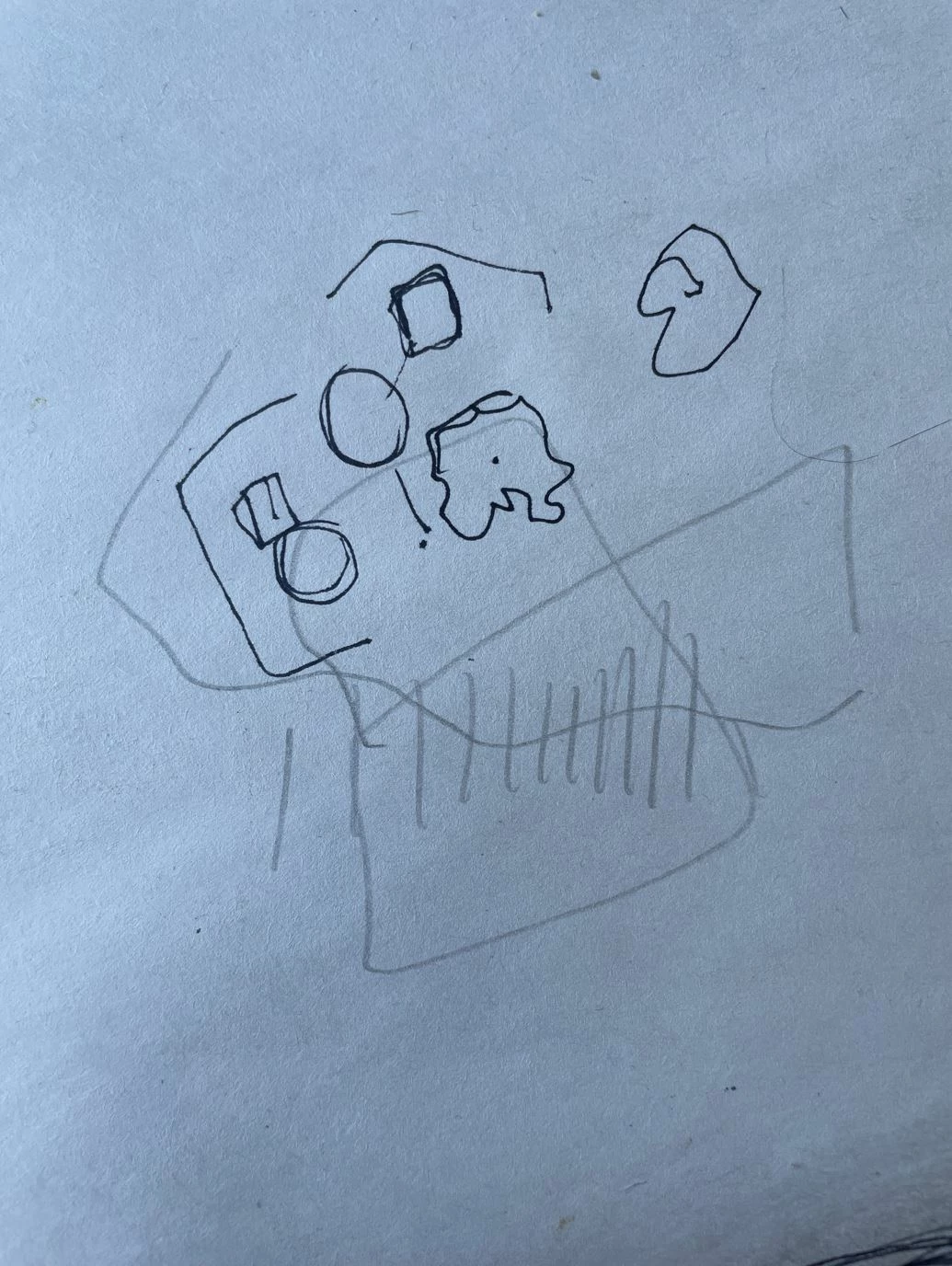
- How to remove a uneven grey background, like this hand sketche photo, to keep only lines and maintain the fluidity and smoothness/expression of the lines ?
- Secondly, I have tons of sketches, does an action could automate this task ? (I didn't have good results with AI yet..) I must admit I would love to have a kind of 1 click magic trick here.
I saw this post : https://graphicdesign.stackexchange.com/questions/62676/how-to-remove-neutral-background-in-photoshop
Yet still lots of steps and tweaking...
Thanks alot
CC
 AdChoices