Participant
January 21, 2017
Answered

Removing a branch from birds face? [2017]

  • January 21, 2017
  • 2 replies
  • 3634 views

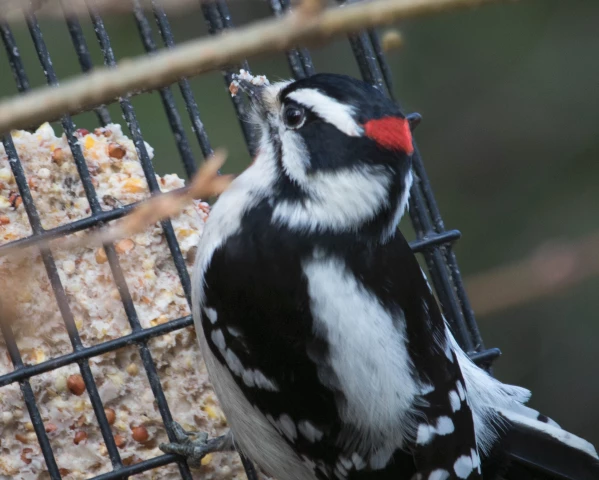
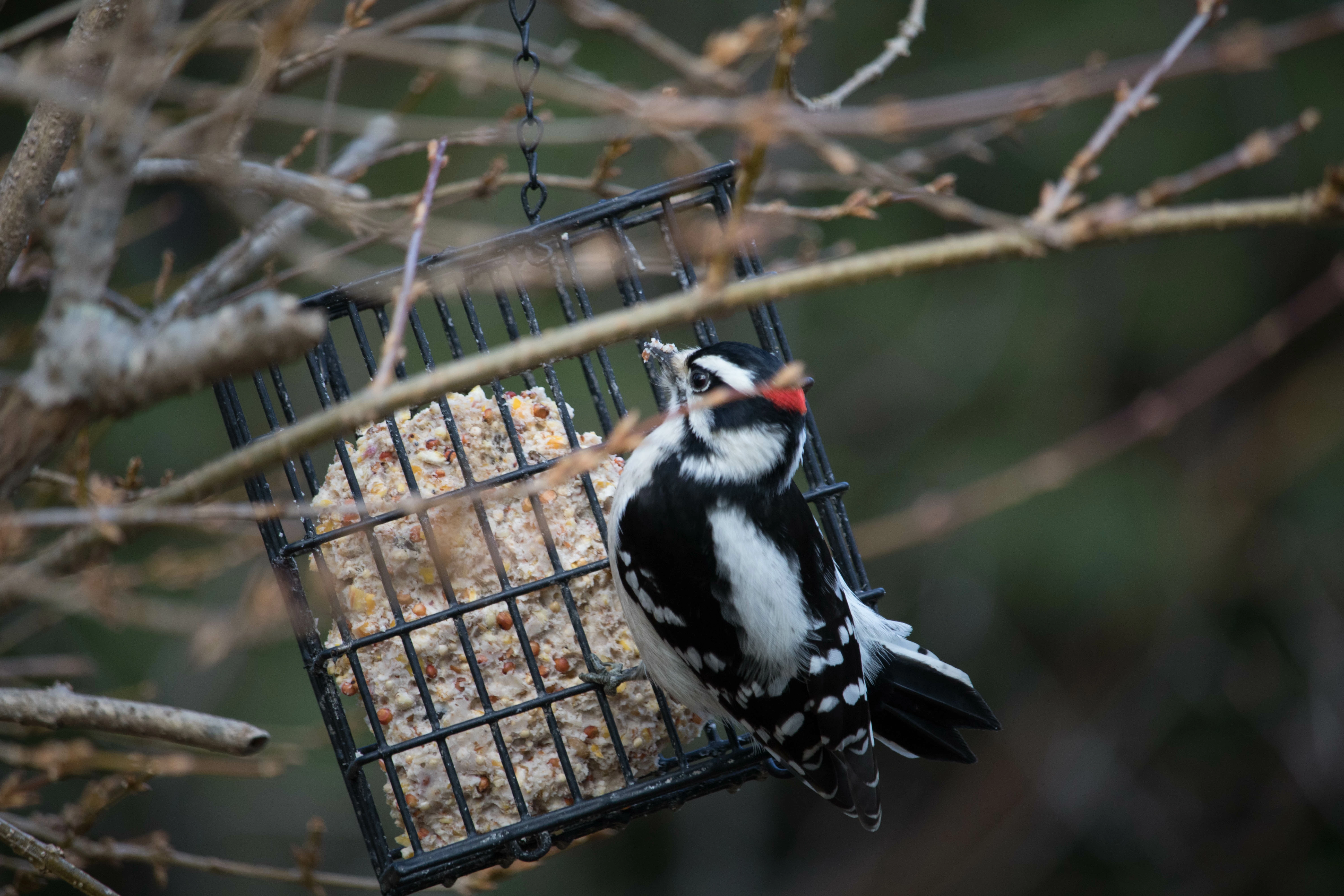
Hello, I am trying to remove this branch from in front of the bird face.. I have tried the quick select tool and the healing brush and with all of them they become muddy and you can totally tell that I photoshopped it out.. Does anyone have any tips or tricks? I am fairly new at photoshop so any help would be greatly appreciated. Ive watched the tutorial on the video and it just doesnt work that easy haha

Correct answer davescm

Use the clone stamp tool. Alt click where you want to copy from and click where you want to copy to.

Watch the lay of the feathers

For the top edge of the red feathers, put a copy of the image on a new layer -, Flip it and  transformed it then mask around with a soft brush to blend it. In other words use the bottom edge to produce a top edge.

Dave

2 replies

Glenn 8675309
Legend
May 3, 2025

I'm lazy:  I just used the remove tool and did this in about 10 seconds.

c.pfaffenbichler
Community Expert
Community Expert
May 3, 2025
quote

I'm lazy:  I just used the remove tool and did this in about 10 seconds.

I’m pretty sure the Remove Tool had not been released yet in 2017. 


@r2junot , please post meaningful screenshots that illustrate the Selection etc.

Did you try to remove the branch the bird is sitting on?  

jane-e
Community Expert
Community Expert
May 3, 2025

@r2junot and @Glenn 8675309 


Neither Generative AI nor the Remove tool were available in 2017 when the OP asked their question.


Jane


davescm
Community Expert
davescmCommunity ExpertCorrect answer
Community Expert
January 21, 2017

Use the clone stamp tool. Alt click where you want to copy from and click where you want to copy to.

Watch the lay of the feathers

For the top edge of the red feathers, put a copy of the image on a new layer -, Flip it and  transformed it then mask around with a soft brush to blend it. In other words use the bottom edge to produce a top edge.

Dave

Hughes711Author
Participant
January 21, 2017

Wow! this is amazing!! Thanks so much for the tips! I will try to play around with it. Thanks!