
Participant
March 22, 2024
Answered

removing backround photoshop

  • March 22, 2024
  • 3 replies
  • 465 views

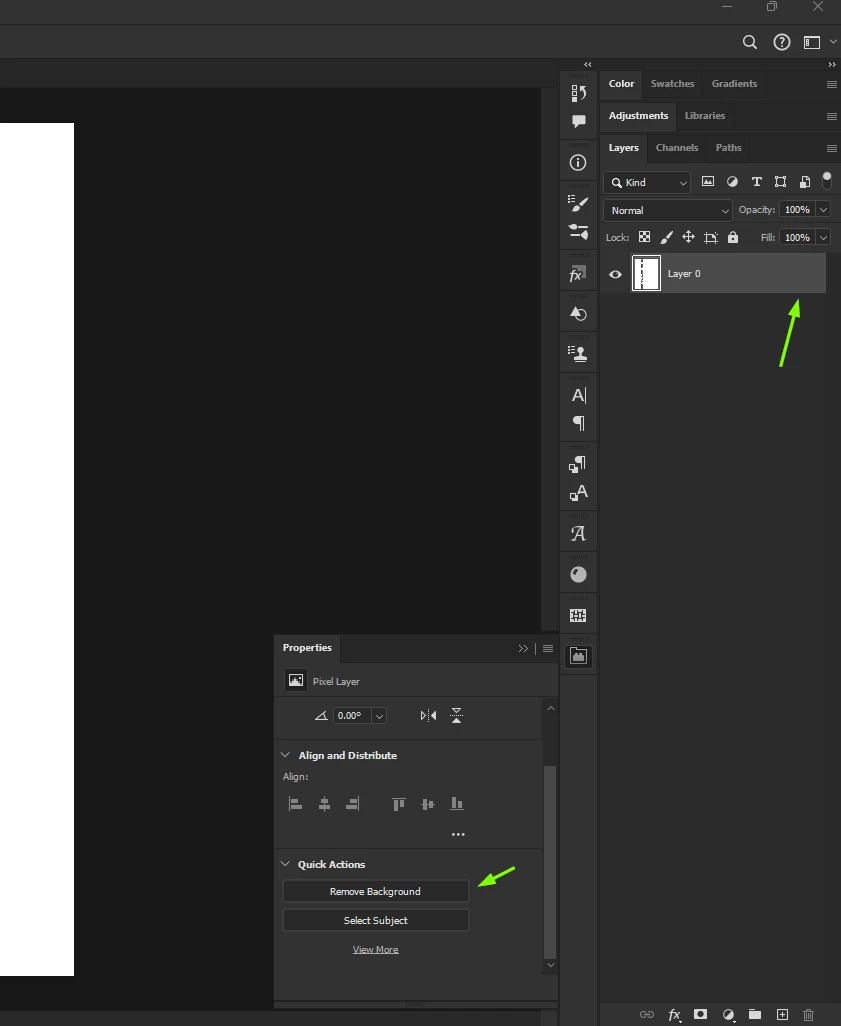
Hi Guys. I heard that if you use Photoshop and you want to remove the backround, you need to klick on properties, swipe down to Quick Actions and then klick on the "remove Backround" button. (At least that is what everyone on the internet says). My problem is, that this "remove Backround" button doesn't even exist. So, I am a little bit confused because I even have the new version. I'd be thankful if someone could help me.
    This topic has been closed for replies.
    Correct answer Ged_Traynor

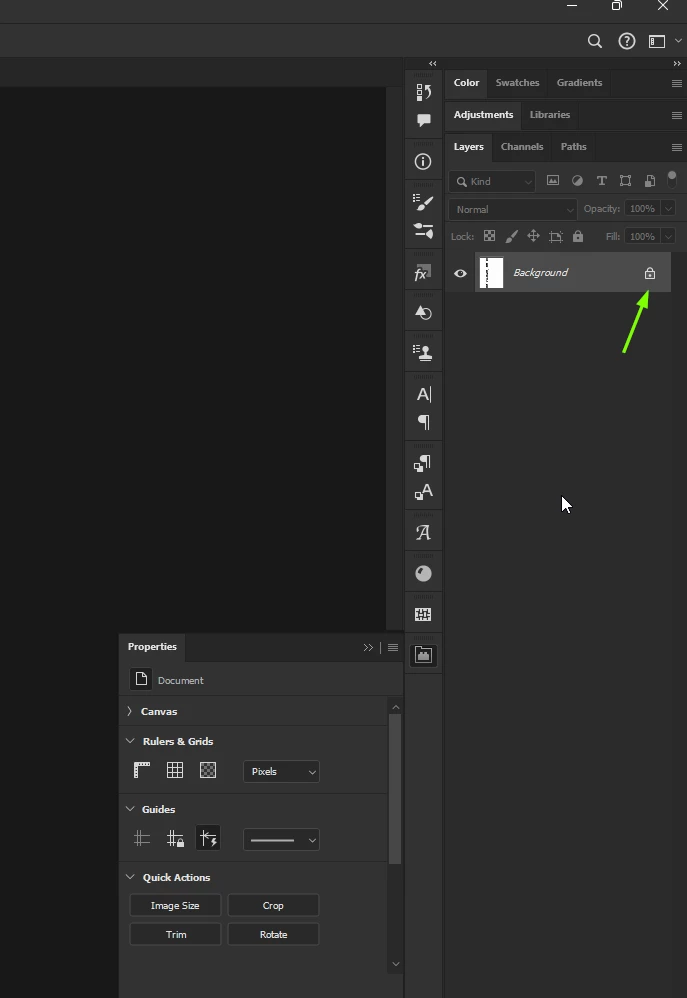
    @Gerald36265224ynp6 you need to unlock the background layer to show the Remove Background option

    3 replies

    Ged_Traynor
    Community Expert
    Ged_TraynorCommunity ExpertCorrect answer
    Community Expert
    March 23, 2024

    @Gerald36265224ynp6 you need to unlock the background layer to show the Remove Background option

    Participant
    March 23, 2024

    I have same question to ask, but now, I think my problem is solved. Thanks a lot...

    Bojan Živković11378569
    Community Expert
    Community Expert
    March 23, 2024

    Can you post screenshot of  the entire window with the Layers and Properties panels expanded and visible is required. 

    To view the 'Remove Background' button in the Properties panel, ensure you select a pixel-based layer, not including a Smart Object layer. 

    kglad
    Community Expert
    Community Expert
    March 22, 2024

    in the future, to find the best place to post your message, use the list here, https://community.adobe.com/

    p.s. i don't think the adobe website, and forums in particular, are easy to navigate, so don't spend a lot of time searching that forum list. do your best and we'll move the post (like this one has already been moved) if it helps you get responses.


    <"moved from using the community">