
Known Participant
March 11, 2024
Question

Removing handrail --- context-aware and generative fill failed

  • March 11, 2024
  • 3 replies
  • 384 views

Hello team,


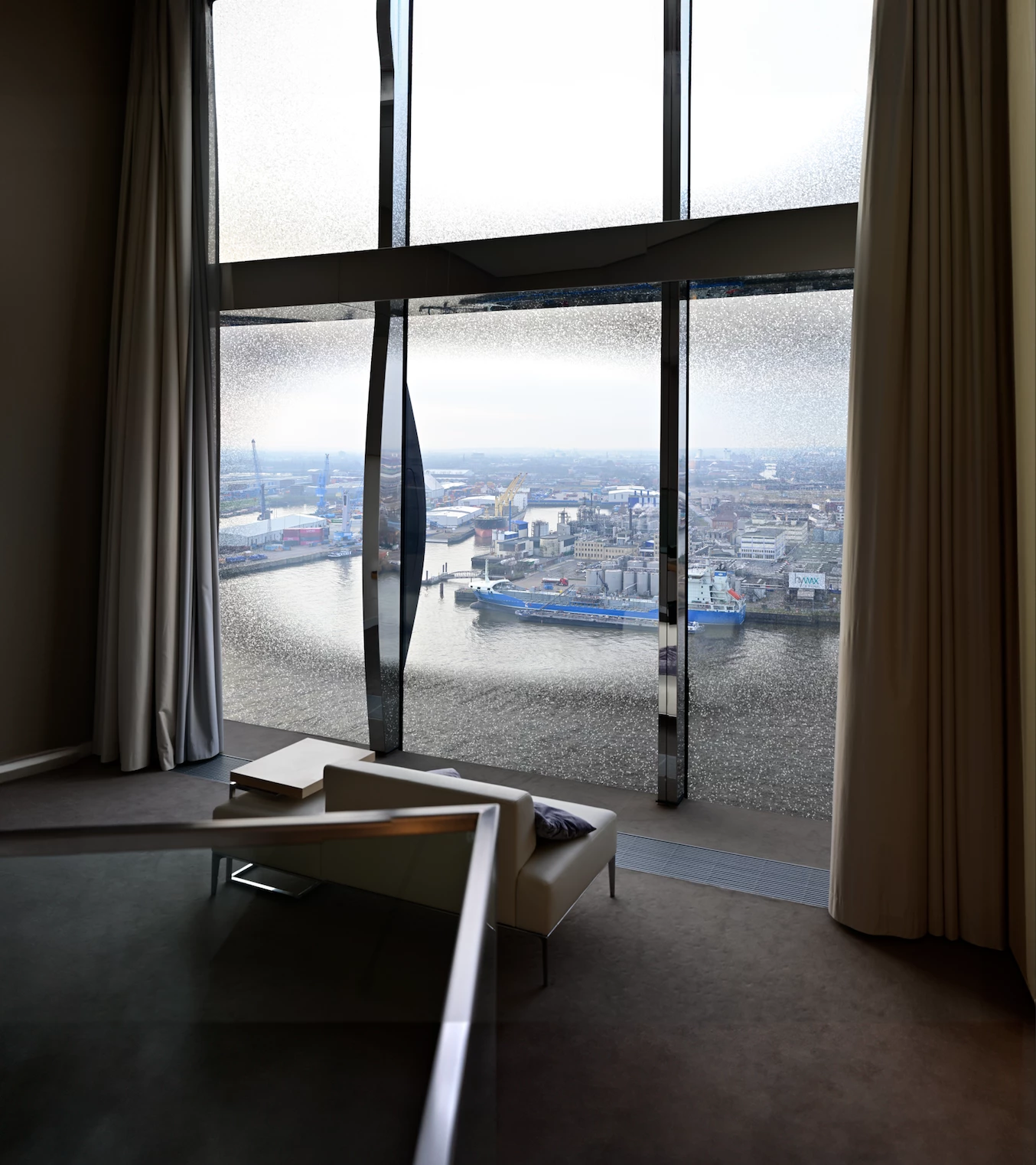
for background the attached picture is a compositite of multiple takes.


I am struggling removing the hand rail in the bottom left corner.


Both context-aware and generative fill failed. Any ideas?


best

Dan
 

This topic has been closed for replies.

3 replies

Legend
March 11, 2024

It can also be helpful to add a Levels adjustment layer temporarily, to change white/black/gamma points and contrast. This can make seeing details much easier.

c.pfaffenbichler
Community Expert
Community Expert
March 11, 2024

Temporary Adjustment Layers can be very helpful, sometimes hiding (but not deselecting) all but one of the Channels may suffice to notice issues. 

Legend
March 11, 2024

This is childs play. Just remove it manually with the patch tool or healing brush/clone stamp.

Known Participant
March 11, 2024

Nor of these solutions prove to be very effective so far to be honest... patch tool, healing brush and clone stamp aren't sadly. 

c.pfaffenbichler
Community Expert
Community Expert
March 11, 2024

The Remove Tool in several strokes seems to do fairly well. 

Known Participant
March 11, 2024

Good point! I did not think of it.


It worked well on the left carpet, way less on the sofa. Maybe because my picture is 14500 by 16500 pixels and the algo struggles vs the jpg snapshot I sent?


I can take a little bit more time trying some iterations.