Participant
May 3, 2019
Answered

Render Flame

  • May 3, 2019
  • 2 replies
  • 1724 views

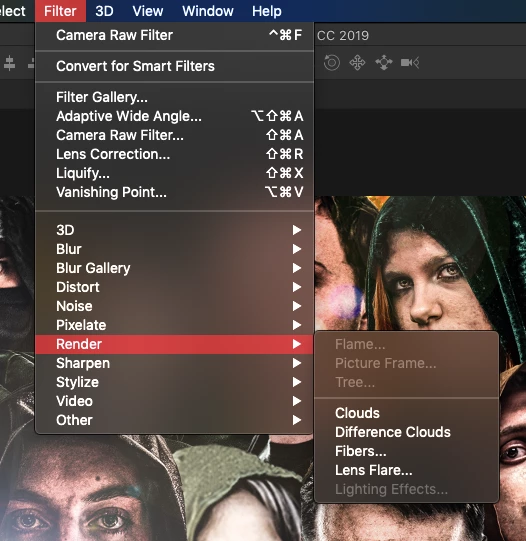
Hey, I know that in order to render flames in Photoshops you must first create a path and I've done this without incident for a while now. But it has suddenly decided that no matter the path, it won't let me render it. No error pops up, but  the option to render the flame is grayed out so I can't even click in it. Photoshop also does not need an update. I've also created new projects and created ridiculously long and short paths, neither of which have done anything to solve the problem. Does anyone have idea idea what to do here?

This topic has been closed for replies.
Correct answer gener7


Lighting Effects is also grayed out, which effects the render commands and that gives us an idea.

Check that in the Preferences > Performance > Advanced menu, the Drawing Mode is set to  Basic or Normal and then restart Photoshop.

If your system has automatic GPU switching, you may want to disable that in Energy Saving under your Mac System Preferences.

I don't what mac and macOS you are using, but I hope the graphics card meets requirements.

If the above does not help, look at this: https://helpx.adobe.com/photoshop/kb/troubleshoot-gpu-graphics-card.html

2 replies

Omar.Fathy
Community Expert
Community Expert
May 4, 2019

You are sure that your file color mode is RGB not CMYK?

Participant
May 4, 2019

Yes

Glenn 8675309
Legend
April 4, 2021

You ever get an answer on this, or figure it out?

michelew83603738
Community Expert
Community Expert
May 3, 2019

Do you have a layer targeted as well?

Participant
May 4, 2019

If by "targeted" you mean "selected," then yes. And I have tried rendering flame on several different layers but get the same results.

michelew83603738
Community Expert
Community Expert
May 4, 2019

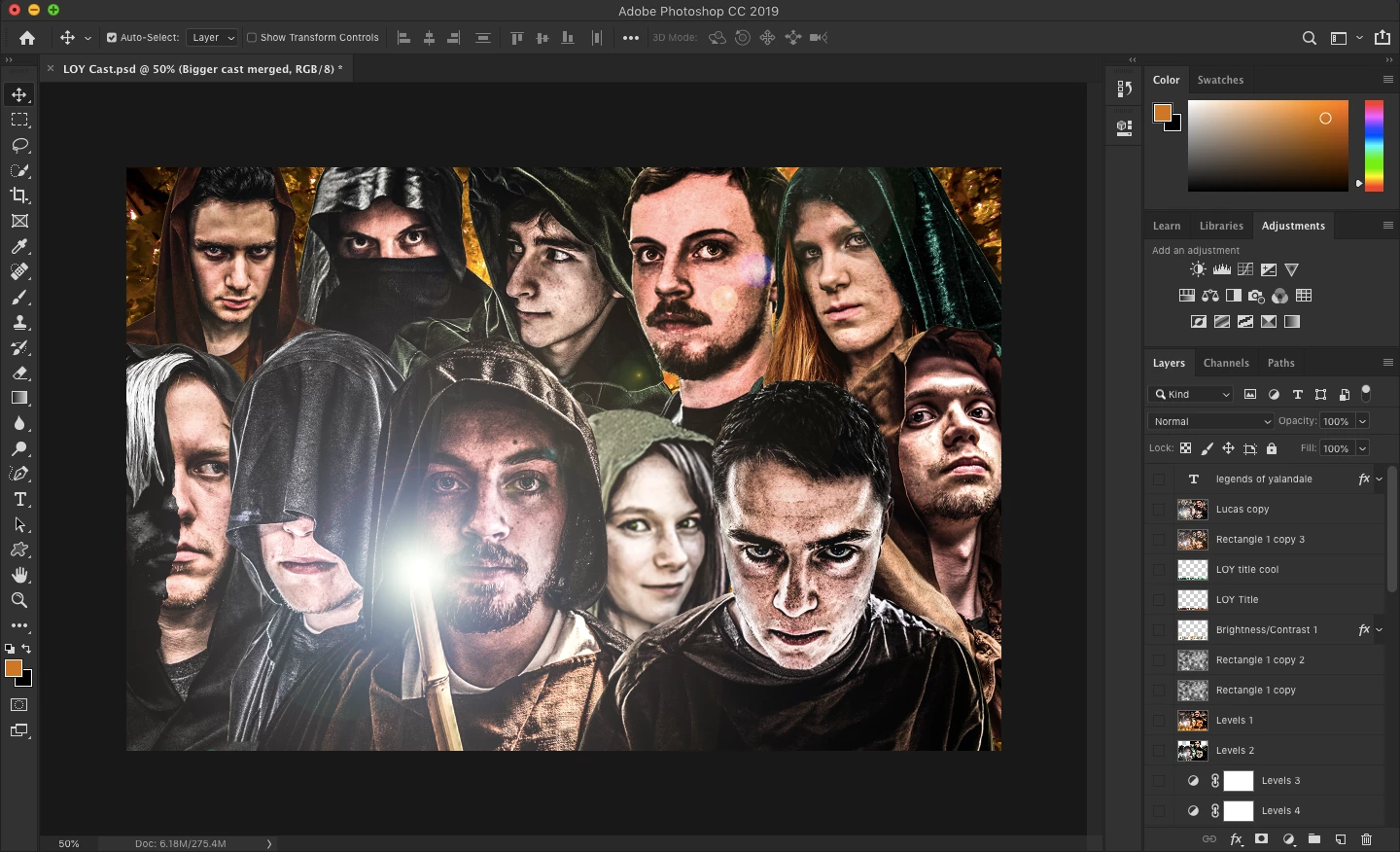
Can you show us a screenshot of your file with the layer panel showing.