
andys16903412
Inspiring
Sep 14, 2023 7:23 PM UTC
Answered

Render to video in Photoshop 25.0.0

I need help. I am using PC and trying to create a timelapse video from 100 photos. I did this last year and it worked fine BUT when I now try it fails at the Render to video stage.  In photoshop I can play the intended video but when I go to render to video all it offers me are image formats no video ie mp4 etc.  
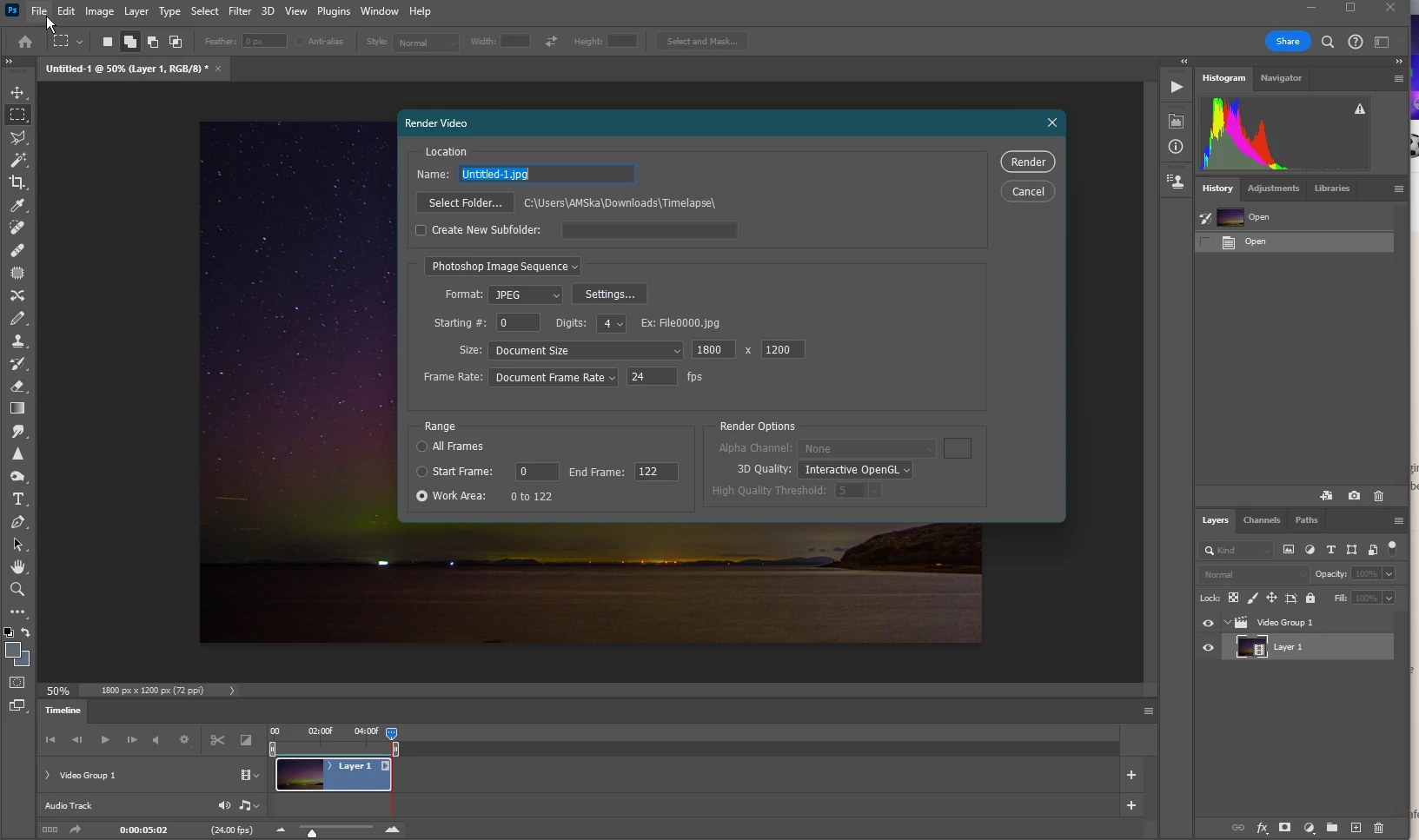
Any ideas what's changed or how I can create  VIDEO>?

This topic is closed to new replies. Start a new post to keep the conversation going.
andys16903412
andys16903412Correct answer
Inspiring
Sep 14, 2023 8:51 PM UTC

I have found the answer. I needed to change the Photoshop Image Sequence to Adobe Media Encoder

4 replies

andys16903412
andys16903412AuthorCorrect answer
Inspiring
Sep 14, 2023 8:51 PM UTC

I have found the answer. I needed to change the Photoshop Image Sequence to Adobe Media Encoder

Translate
Participating Frequently
Sep 14, 2023 7:27 PM UTC
  1. Open Photoshop.

  2. Import your sequentially named photos as layers via "File" > "Scripts" > "Load Files into Stack."

  3. Access the Timeline panel via "Window" > "Timeline."

  4. Convert layers into a video timeline by clicking "Create Video Timeline."

  5. Set frame rate and video duration.

  6. Export your timelapse as an MP4 video via "File" > "Export" > "Render Video." Choose H.264 format and configure settings. Click "Render" to create the video.

Translate
andys16903412
Inspiring
Sep 14, 2023 8:53 PM UTC

Thank you, the problem I had was that I did all that and I still had no option at the Export.  I was only offered image types.  Thank you though. I found the answer was quite simple. I need to change the Image Sequence to Adobe Media Encoder

Translate
Participating Frequently
Sep 26, 2023 8:11 AM UTC