
January 26, 2012
Answered

Restoring a corrupted PSD file

  • January 26, 2012
  • 30 replies
  • 263536 views

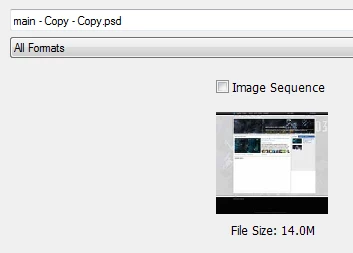
My computer crashed today while photoshop CS5.1 was saving/writing to a psd file. When I started my computer back up, and tried to open the file again, It only displayed 1 layer shown as a corrupted image (As Shown Below - the Red Image). When I click on the file in the "Open" window (The Gray Image Below), the psd shows up correctly in the Preview window but doesnt show correctly when opened. I have lost all of my layers, by the way I have worked on this psd for weeks and I need some way to recover it. I have tried "corrupted psd recovery programs", they did not work. I have tried forums - I found no answer. I have tried locating the .tmp file but it is no where to be found. Does photoshop have a cache or a history? maybe for previously saved versions of psd files? Or does Windows 7, 32 Bit have a file recovery method? I have tried a windows 7 recovery method but it only recovers files from previous restore points that may be weeks old. This is very important that I do my best to fix this psd file or at least recover some layers, I have put in too much time and effort.

Correct answer D Fosse

There are two kinds of people: Those who have experienced file corruption and take their precautions - and those who are about to.

30 replies

Participant
January 24, 2018

i just saved a corrupted photoshop file!!! Try this.. in photoshop go to file, then open, right click on the file in question, and select rename..add .psd to the end. If your file has ".temp" at the end, delete that part.

It shoud be

Filename.psd

hope this helps you!

Participant
January 20, 2017

My photoshop file is corrupted please help.

onciest
Participant
July 17, 2017

Yeah... my computer died while I was working and I also got a corrupt file. :/ It's been years now, so what is the definitive answer to fixing a corrupt file?

I've been just reading this thread but all I see is bickering back and forth and nobody really solving his issue. I get that the project might have saved correctly, but even if it has a "recovering" state... like my photoshop will open up a recovered document 50% of the time. This should be a 100% situation. I never know when it does it, but sometimes it does and sometimes it doesn't. I don't want to rely on something that is only half a solution and half a problem. This has happened to me several times already, it doesn't matter how many backups you save, sure it makes it (that much easier) to go back and do things, but it still should not happen. Regardless. There needs to be a standard. Either that or I don't really understand how to definitively back up a file. I've checked %appdata%/adobe/~cc 2017,etc... nothing is in there at all. What is this system, how do I utilize it, why is it not activated to it's absolute 100% BEST. What are you guys doing Adobe!!?!?!

onciest
Participant
July 17, 2017

Yet there's hero's like this saving the day...GitHub - joonaspaakko/Photoshop-Auto-Save-PSD-script: Enables you to easily save additional .psd files of potentially im…

Just hire this guy Adobe, get it to come STANDARD with photoshop packages...

Participant
January 19, 2017

Hey, I just had this exact problem. With the power cutting and having the PSD flattened with all those red lines etc~ And I actually made an account just so I could share what I found out. Cause it's a real pain to have so many hours of work wasted, and hopefully this helps someone.

1) Go to 'Open' in photoshop. 2) Right click on corrupted PSD and select properties. 3) Go to the 'Previous Versions' Tab. 4) Restore the file to an earlier Version. You won't get the most up to date progress on your work, but it saved me from starting all the way from the beginning.

Participant
November 27, 2016

In my case, I was able to recover a corrupted psd file by opening it in the FOSS program Krita:

https://krita.org/

--and then resave the file as ~recovered.psd.

This also worked using Corel Painter, though depending on your version you may get unsupported layer type warnings.

This will probably work with a wide variety of programs that support the .psd file format.

It's not a guaranteed thing--it depends on where and how much of the file is corrupted, and, probably, fluctuations in the Force.

To those demanding modifications to the way Photoshop saves files, or other technological wizardry to avoid this: you simply do not understand the computer science, and how backwards and worse some of the things you request are. The possibility of accidental file loss or corruption is an unavoidable fact of any computer and any software. There is no (magic) fix for this. The burden of backing up data frequently to alternate and/or offsite/cloud media falls to anyone who creates any data--and not to anyone else or any company. If you can't afford to lose something the moment you create or re-save it, you need a solution that automagically backs up every file in a given set of folders, in the background. There are many such solutions. We are talking about a fundamental computer science problem for which there is a wide array of specialized solutions--this is well out of the purview of what Photoshop (or in general any software) is or ought to be designed for.

Herbert2001
Inspiring
April 19, 2016

Yes, that is to be expected. At least you retrieved (hopefully) some of your work.

I am uncertain whether this is an Adobe thing: El Capitan is one of the buggiest MacOs X releases I have seen so far.

Participant
April 19, 2016

This happened to me 10 minutes ago - no power shut downs --  just opening and closing PS - boom file corrupt.

Brand new system - brand new download from adobe cc - literally just out of the box this weekend.

It's an adobe thing.

Participant
April 19, 2016

Photoline opened the compressed image - layers lost

Participant
April 6, 2016

There is an option if Youre lucky. My psd crashed same as OP. There was power cut of while PS was saving. And very similar broken psd.

But Im storing my files on dropbox. And Dropbox has magical option of restoring older versions of file. So Ive lost only few hours of work. Check that out.

And yes. PS not doing separate save file for saving proces is just stupid since its not cheap program for professionals. Its a open window for situations like this. And it should be fixed years ago.

Farrellart
Known Participant
March 11, 2016

Don't know who or what is to blame for this problem.

My work is very expensive and I always implement multiple save points during the day as different files, e.g image001 after 1 hour image002 after 2 hours etc and consolidate at the end of the day and back-up to and external Hard drive to avoid this very problem. It does take up a lot of disk space but I have a dedicated 2TB HD just for working projects so when there is a glitch the chances are I won't have lost the whole project, maybe an hour or so. I have never had an issue with corrupt files, but, I think it is essential to have some kind of back-up procedure in place to avoid missing deadlines and potentially hurting your professional relationship with the client when something goes wrong.

I know this won't directly help the OP with the corrupt PSD but it might be something to think about for future projects.

Herbert2001
Inspiring
April 6, 2016

I agree. For anyone who reads this thread: always, ALWAYS save multiple versions. When you hit a milestone in your file, save a new version. Before you flatten something, save a new version.

I do not understand why so many users still think it is a good idea to keep working on a single file which they overwrite again and again. Versioning is important! If you do not work with multiple versions, and your single work file gets corrupted due to a power outage, or a software crash, you have only one person to blame: yourself.

Take responsibility, save yourself potentially from hours of frustration and even soured client relationships, and save many versions! And backup your work at the end of a work session to a second drive (external or internal).

Having said all this, I feel it would be great if Photoshop would offer an option to take care of the versioning itself.

kevind82335850
Inspiring
April 6, 2016

As it turned out my problem was because I was working on files directly on a server (mapped network drive).  The reason why I did this was because the server saves multiple versions of my files a couple times per day. However saving over a network must have lost a byte or two causing my some of my larger files to be corrupted. 

I now work locally and have a simple batch file copy all of my files to our server twice per day.  This way I have a local and remote copy, and the server versions the copies!

March 8, 2016

Usually, this kind of issue happens when Mac system suddenly crashes at the time of saving data in photoshop PSD file. Somehow, you managed to start PC and when open photoshop, there is a chance of corrupting PSD file. I would suggest you to utilize this tool and fix all the issues in PSD file and recovers all layers from a corrupted file. http://remorecover.com/mac/repair-psd-mac.html