
January 26, 2012
Answered

Restoring a corrupted PSD file

  • January 26, 2012
  • 30 replies
  • 263536 views

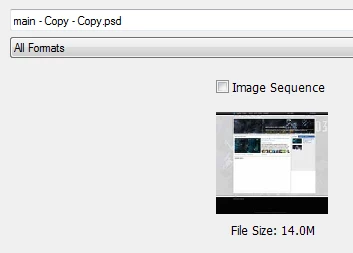
My computer crashed today while photoshop CS5.1 was saving/writing to a psd file. When I started my computer back up, and tried to open the file again, It only displayed 1 layer shown as a corrupted image (As Shown Below - the Red Image). When I click on the file in the "Open" window (The Gray Image Below), the psd shows up correctly in the Preview window but doesnt show correctly when opened. I have lost all of my layers, by the way I have worked on this psd for weeks and I need some way to recover it. I have tried "corrupted psd recovery programs", they did not work. I have tried forums - I found no answer. I have tried locating the .tmp file but it is no where to be found. Does photoshop have a cache or a history? maybe for previously saved versions of psd files? Or does Windows 7, 32 Bit have a file recovery method? I have tried a windows 7 recovery method but it only recovers files from previous restore points that may be weeks old. This is very important that I do my best to fix this psd file or at least recover some layers, I have put in too much time and effort.

Correct answer D Fosse

There are two kinds of people: Those who have experienced file corruption and take their precautions - and those who are about to.

30 replies

Participant
January 22, 2015

These are my 2 cents on this horrible bug - hopefully it will help Adobe take it a little more seriously and fix it:

Yes, this is a Photoshop bug. And it has not been fixed yet. It's still there, in every new release. But I'm not sure when it has been introduced. It reproduces from time to time since CS5 (at least in my case, but I didn't work with older versions).

Here is an example: Worked all day with a relatively large file (a little larger than 300 MB). Saved a few versions of my file during the day, but forgot to save it the last few hours. The size (WxH) of my PSD document is 6720x4480 pixels. Tried to save it once again (like usual), saved successfully (Ctrl + S), then tried to save a new version (my_file_version_b.psd) (Save as) and it finished 'successfully', or so I thought. Tried to add a new layer - suddenly photoshop froze my PC, then crashed the OS (Windows 7 64 bit). Alright, at least I have some backups ? No. After restart, I checked the last two files I saved. Everything was lost. It showed me only one black layer. Can I recover it ? Let's see. I opened each file in a Hex editor and looked whether it has any content. It starts with the header, signature of PSD (8BPS), then there is a little metadata which ends with '</x:xmpmeta>'. And then the entire file is filled with char 0 - meaning that it is empty and it will never be recovered. This is weird. Both files. Lost forever.

This did not happen only once. It did not happen several times. It happened dozens of times for the last few years. I lost a lot of work from time to time. The strange thing is that all the time, the file I checked was filled with char 0, except for the first few metadata. it also happened on different OS installations and on different hardware completely. It still happens from time to time. I might be wrong, but I guess Adobe has a wrong algorithm to save files. Whenever you press Ctrl+S it deletes the entire file and then writes the new data, and when it starts writing the new data there is a bug which reproduces only rarely and when it reproduces and crashes your PC and you lose everything, both old data (the file was filled with char 0) and new data (it did not get to writing any data from RAM to disk).

I work with relatively large files, usually more that 6000x5000 pixels. Windows 7 64 bit, 24 GB RAM, spinning disk (not SSD). The hardware is not an issue as it reproduced with different PCs having different hardware configurations.

Dear Photoshop Engineering team, please review your saving algorithms. The bug is there. Fix it. If you can't fix it because you can't reproduce the issue, change the algorithm. Just make it safer. It's not just me, as you see, many people complain.

Participant
March 11, 2024

totally agree..


September 29, 2014

Hi ,

Maybe you need to try this tool Advanced PSD Repair http://www.photoshop.recoverytoolbox.com/, i don’t know what OS you’re running so i’ve kept my search regarding to Windows, and i did not try this because i run MAC OS X .

Also you can find more information about your problem here: http://www.filerepairforum.com/forum/adobe/adobe-aa/photoshop/207-can-t-open-a-psd-file-through-photoshop

Inspiring
March 23, 2020

Wow. I fell for this link only to find I had to give credit card info. I'd pay 10$ USD but I don't feel safe giving money to a sketchy site for file recovery.You can tell me all day long its trustworthy but this is a big NO.

September 29, 2014

Maybe you need to try this tool Advanced PSD Repair http://www.photoshop.recoverytoolbox.com/, i don’t know what OS you’re running so i’ve kept my search regarding to Windows, and i did not try this because i run MAC OS X .

Also you can find more information about your problem here: http://www.filerepairforum.com/forum/adobe/adobe-aa/photoshop/207-can-t-open-a-psd-file-through-photoshop

Participant
February 15, 2014

I had the same problem and having searched the forums for answers, I've found that no solution currently exsists. Whether it's a hard drive problem or an Adobe problem was irrelevant to my need of recovering my file. Then I remembered that I'm connected to an Apple Time Capsule. So via the Time Machine app, I was able to retrieve a fairly up-to-date version.

So while someone might find themselves out of luck now, moving forward, I'd highly recommend buying or subscribing to some kind of daily backup hardware or service. As we've become more and more nonchalant to computer crashes, errors, etc. these things come in handy. The ~$300 spent a few years ago was definetely worth it now!

GL.

Participant
September 9, 2024

Another solve is to open file on illustrator, it opens with layers movable but won't necessarily be the same as a psd file


eliteflyers_com
Participating Frequently
June 5, 2012

With our experience. We would suggest saving as much as possible. Try and develop a habbit of command s or control s and save as frequently as possible.

Noel Carboni
Legend
February 9, 2012

I'd just like to say that in years of participation on this forum, I don't think I've seen one thread where someone said "my PSD is corrupted" and was able to restore any data from it.

I have requested, via several means, that Adobe start to employ the Windows Recycle Bin in the process of saving files.  One should NOT, on their own, HAVE to remember to save files in all kinds of different places in order to make sure one's data is safe.  That may have been the norm 20 years ago, but it's not the norm today.  Applications have been getting better at helping users keep from getting into trouble.

Sure, one should PLAN for disaster - saving multiple master copies is never a bad idea - but one should not have to EXPECT it.

In light of this thread I renew my request: 

Please, Adobe:  When saving files, instead of writing into the very same file or permanently deleting it as you do now, move the old file out of the way by using the Windows Recycle Bin feature, then save the new file.  Don't worry about filling the disk - people are allowed to set the size of their recycle bin for that reason, and it takes care of deleting the oldest files it is protecting.  If for ANY REASON you find some condition where the performance degrades or you can think of something that makes this simple change not in every way a better idea, just offer a configuration setting people can disable to return Photoshop to the "old way" of destroying old files in the process of saving new ones.

Do it for Photoshop CS6.  You still have time.

-Noel

Participating Frequently
February 9, 2012

@Noel: Well said!I totally agree...honestly,to have such an awesome program with such a very stupid flaw boggles my mind into sheer shock!!!Please Adobe,save us Creatives some precious time in this hectic industry and give us more of a life by protecting us from loss of data (which to us is more than just data,it's hours of work and many sleepless nights)!!!

Sent via my BlackBerry from Vodacom - let your email find you!

Participating Frequently
February 9, 2012

Awesome response, Noel!

Verheem, since I was a victim of the same issue (except it destroyed multiple unopened files) and have been trying to pinpoint the cause for weeks, I'd like to ask you two questions:

1) Were you doing a Search at the Finder level when you walked away from the computer?

2) Were you working from the internal drive of the computer?

You're absolutely right about clients not accepting the "corrupt" excuse. When it happened to me I felt like I'd said "the dog ate my homework".

Participating Frequently
February 9, 2012

Ok so the same problem just happened to me and I am furious beyond myself!!!! I've been working for hours on this deadline and 15 min away from completion, I saved my photoshop file, left to get my power cable and returned to a switched off computer - now here's the thing, my file saved correctly before I left and it didn't shut down whilst saving... yet now, my file opens to a beautiful window that says "photoshop files corrupted"...  This is clearly an Adobe thing.  I have saved, I have tried recovery toolkits and what I don't have time for is to redo it... we work with deadlines here people and clients don't accept "sorry my photoshop corrupted my files" as an excuse... so please if you have any advice or other toolkits, asap, I would really appreciate it (#beyond frustrated and disappointed)

PECourtejoie
Community Expert
Community Expert
February 9, 2012

Verheem, did you try the OPTION+SHIFT combo while opening to get a flattened copy? (I guess if preserve compatibility is on)

Participating Frequently
February 9, 2012

@PECourtejoie:Yes I did and alas...still nothing :,( like seriously nothing!

Sent via my BlackBerry from Vodacom - let your email find you!

PECourtejoie
Community Expert
Community Expert
January 26, 2012

Druss, you can try to open a flattened copy by holding ALT+SHIFT while opening the file.

Chris Cox
Legend
January 26, 2012

The thumbnail may be fine, and perhaps even the flattened composite is fine (check that in other apps that can't read layers).

But the layer data is corrupted - and that's what Photoshop is trying to read.

This isn't "an Adobe issue", just a matter of corrupt files due to problems outside of Photoshop (bad disk, system crash, etc.).

the_wine_snob
Inspiring
January 26, 2012

Chris,

If you have a moment, can you tell me how the structure of a Layered PSD is written. I am talking about what data is written first, second, third, etc.? This is just for my education.

With certain Video formats, the header is written first, and then the data that makes up the Frames in the file. In those, one can recover the header (first part of the file), and often some of the Frames. The file will obviously be truncated, as it was not completely written, but part might be useful. With some other Video formats, the header is the last thing written, and if it gets corrupted, or just not written, then there is nothing to recover.

Just curious, and TIA,

Hunt

Chris Cox
Legend
January 26, 2012

Bill - you'd have to read the PSD File format specificiation, which is downloaded with the SDK.

PSD is a complex format.  But yes it has a header, followed by chunks of data for layer structure, layer contents, etc.

Photoshop does try to read the parts that are readable.  But if the header or layer structure is messed up, then there may not be enough info to read much of the file.

Participating Frequently
January 26, 2012

This problem is identical to the one I opened a discussion on yesterday (http://forums.adobe.com/message/4164662#4164662) other than the fact that the Finder crashed while doing a search. Adobe and Apple phone support insited they have never heard of this problem before. Please contact them both to get the issue out there.

Please check out the discussion listed above and I wish you the best in trying to recover your files.

c.pfaffenbichler
Community Expert
Community Expert
January 26, 2012

The OP seems to be working on Windows, though.

Participating Frequently
January 26, 2012

Since this happened in both Windows and OS Lion, it's looking more like an Adobe issue than anything having to do with an operating system.