


aprilp66501269
Participant
March 12, 2020
Question

Restoring a water damaged photo

  • March 12, 2020
  • 2 replies
  • 3147 views

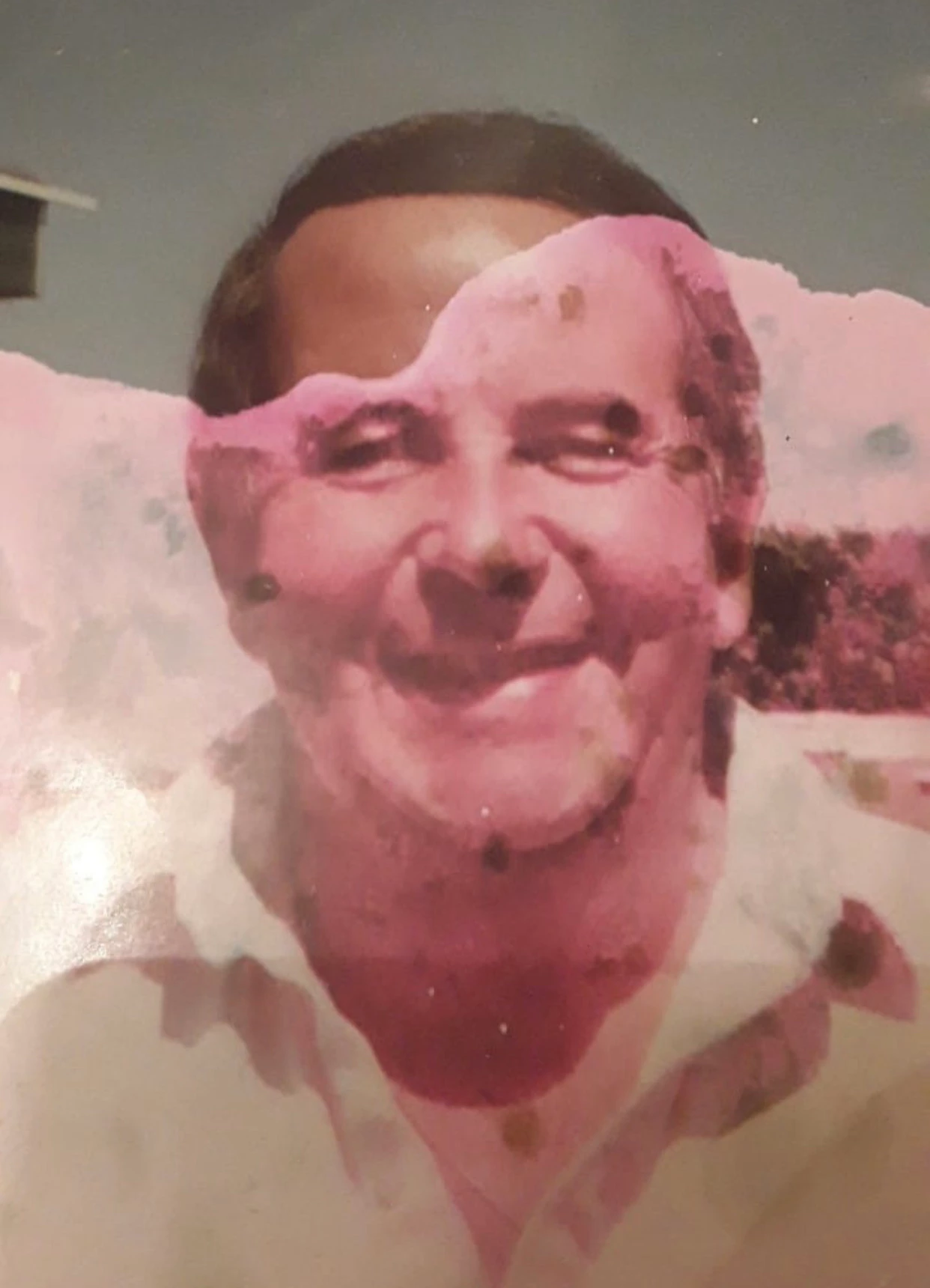
i am trying to restore this image in photoshop i am using the Clone tool but it has made him look fake is there a better way to do this ? here is the original image 
    This topic has been closed for replies.

    2 replies

    davescm
    Community Expert
    Community Expert
    March 12, 2020

    You could try frequency separation (see below) where you can separate the fine detail from the smooth colours then paint on the low frequency and clone/heal the high frequency.

    This needs a lot more work, but hopefully you get the idea:


    For frequency separation :

    1. Make 2 duplicates of your image layer

    Name the lower - "Low frequency"

    Name the Higher - "High Frequency"

    2. Select the Low frequency layer and use Filter Gaussian Blur (around 6.0)

    3. Select the High frequency layer
    Go to menu Image > Apply Image
    Set the source layer to Low Frequency
    Set the blending mode to Subtract
    Set Scale to 2 *
    Set offset to 128 *
    Click OK

    4. Change the blending mode of the high frequency layer to Linear Light

    5. Now you can clone out blemishes on the high frequency layer and lighten or darken areas on the low frequency layer


    * Note - the above steps are for 8 bit/channel images. For 16 bit/channel step 3 changes slightly

    3. Select the High frequency layer
    Go to menu Image > Apply Image
    Set the source layer to Low Frequency
    Check "Invert" next to channel

    Set the blending mode to Add
    Set Scale to 2
    Set Offset to 0
    Click OK

    Now carry on with step 4 above


    Dave

    Kevin Stohlmeyer
    Community Expert
    Community Expert
    March 12, 2020

    There really isnt a lot of original clean source material to use.

    There are several options:

    1. isolate the discolored areas and attempt to use adjustment layers to change the color/tone to match each piece.

    2. Find another image for a source and clone/patch from there.

    3. Hand paint the discolored image.

    This is a seriously rough pass using just the healing brush tool and two adjustment layers. There is potential to improve obviously.
