


Known Participant
January 26, 2017
Answered

RGB value looks different in two files

  • January 26, 2017
  • 2 replies
  • 7044 views

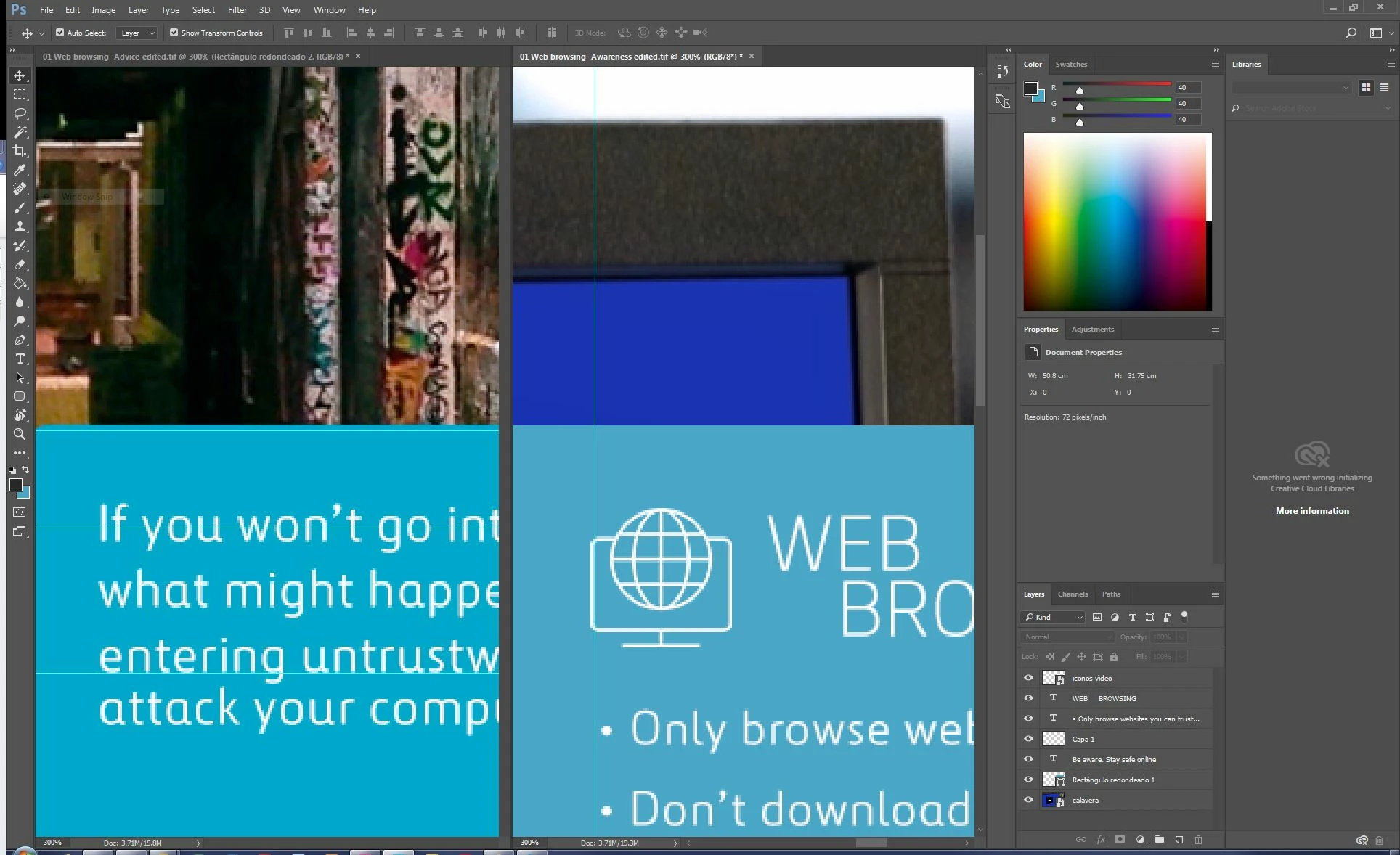
I've got a coloured box that I need to change the colour of on multiple files. I have selected the box and changed it in all of the files, but it looks different in some of the files, and it eyedroppers with different values. All files use RGB workspace. I'm stumped. Can anyone help?

This topic has been closed for replies.
Correct answer davescm

Not sure if this helps...


Some questions for clarity - as something appears off here.

1. Does the eyedropper show the exactly the same value in both those blue areas when switched to each document and clicked?

2. What is your eyedropper options set to, for example:

3. Although you say both are tagged Adobe RGB can you switch the bottom of your screen to show the profiles on both

4. Do you have any opacity/blending modes , adjustment layers in play

Edit - crossed post

Dave

2 replies

D Fosse
Community Expert
Community Expert
January 26, 2017

Different color spaces. No, that's not "RGB", but sRGB, Adobe RGB or ProPhoto RGB.

Decide which one you want (if you don't know, the safe bet is sRGB) - and convert the others with Edit > Convert to profile.

Then the numbers will match.

davescm
Community Expert
Community Expert
January 26, 2017

All the files may be using RGB (as opposed to CMYK or Grayscale) but what is the colour workspace as described by the documents' colour profile - e.g sRGB, Adobe RGB etc.  The number without the profile is meaningless and the same colour in different colour spaces will have different RGB numbers.

To describe a colour the RGB values and the colour space profile are needed.

Dave

M-Z-JayAuthor
Known Participant
January 26, 2017

Thanks for the super-speedy response Dave. However I made a mistake in my original post. Both colours eyedrppper the same value.

Both files use Adobe RGB workspace.

M-Z-JayAuthor
Known Participant
January 26, 2017

Not sure if this helps...

