
Participant
October 30, 2017
Question

Rotate Canvas not working even though settings show GPU Active [Quadro]

  • October 30, 2017
  • 4 replies
  • 5707 views

I am hoping someone can figure this out, maybe I'm missing something?

This has been happening with both 2017.  I installed 2018 and I still am unable to rotate a canvas.

I have Photoshop cc and I have no problems rotating a canvas.

I'm including an image that shows settings in the Nvidia as well as Photoshop.
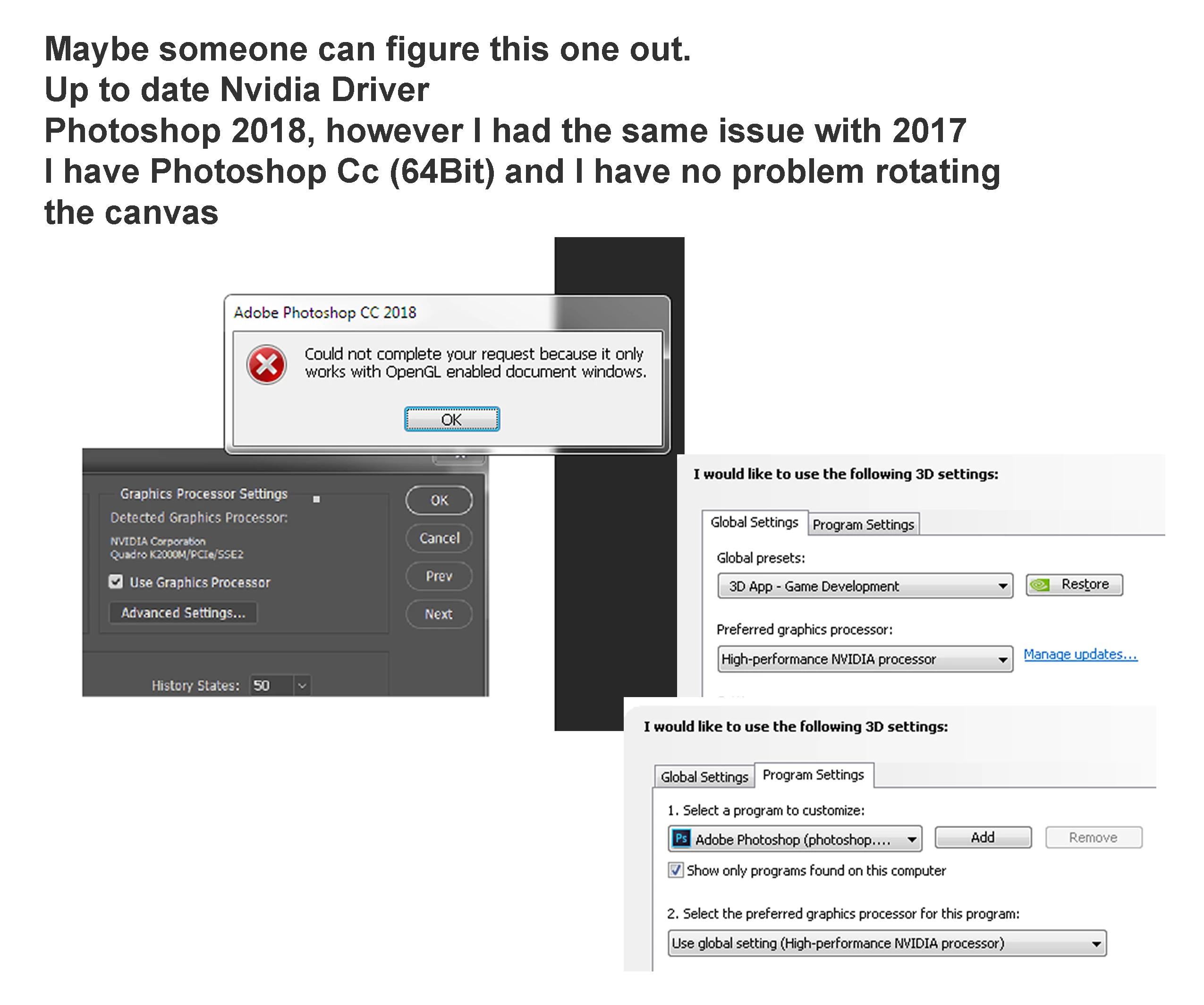
Nvidia Quadro Up to date

Intel i5-3320M 2.6 GHz 2.6GHz

16 GB ram

windows 7

64 bit OS

Thank you.

    This topic has been closed for replies.

    4 replies

    Participant
    April 25, 2018

    I'm hoping that you got this issue resolved if not try going to preference ---> Tools and ensure "Enable Gestures" is checked.

    teryakiwok
    Participating Frequently
    October 31, 2017

    I have had this issue for the past week. Closing and restarting fixed the issue for me. I have this sneaking suspicious feeling there are memory leaks in this update as the longer I have photoshop open, more and more of these bugs seem to crop up as the amount of layers increase.

    Trevor.Dennis
    Community Expert
    Community Expert
    October 31, 2017

    The only regular poster who I can think of who uses a Quadro card is JJMack   He'll hopefully be along to help.

    Are there other GPU dependent functions that are not working?  Perspective Warp is one that used to be very fussy, and would only work with Drawing Mode set to Advanced (if your driver allowed it).  Oil Paint is another.

    Photoshop graphics processor (GPU) card FAQ

    JJMack
    Community Expert
    Community Expert
    October 31, 2017

    I saw the post.  I have no problem with the rotate tool to rotate the canvas  for stroking or rotating layer with transform.. On my Quadro 4000. I have not install cc2018 on my wife machine with the quadro k2200  and my son's machine with the quadro m2000 does not have Photoshop.

    I do have a problem with Wacom Intuos pro touch rotating canvas on CC 2018 something strange happens with the cursor icon and there is no rotation.  CC 2014 works correctly with touch reaction but double tapping does not reset rotation back square..

    JJMack
    Legend
    October 31, 2017

    Have you tried looking at the Advanced Settings for the Graphic Processor in the Preferences and adjusting these?

    See also the following link provides some things to look at and settings to change in Photoshop as well: Troubleshoot Photoshop graphics processor (GPU) and graphics driver issues

    mielkevAuthor
    Participant
    October 31, 2017

    Hello, Thank you for responding.

    I turned on the OpenCL, the native GPU is greyed out, I assume that's because the graphics card that is native is the Intel Graphics card and the NVidia card I assume is overriding it.

    The part that is confusing is that the older version of Photoshop has no issue, I am able to rotate the canvas.

    When I go to the system info, Photoshop lists the NVIDIA card.

    I reinstalled the NVIDIA driver again and it is still telling me I can't do a rotation.

    I've also turned off all programs and only running Photoshop I still am unable to rotate the canvas.

    Thank you