
Participant
March 2, 2024
Frage

Rotation Tool Not Working In Photoshop 2024

  • March 2, 2024
  • 3 Antworten
  • 424 Ansichten

When I try to use the rotation tool in photoshop it says "could not complete request because it only works with OpenGL enabled document windows". 


I tried going into Prefrences> Performance> Use Graphics Processor> and made sure that the check box is turned on. 


I then tried to go into Advanced Settings to find the OpenGL checkbox, but there was no check box that said that gave me that option. 
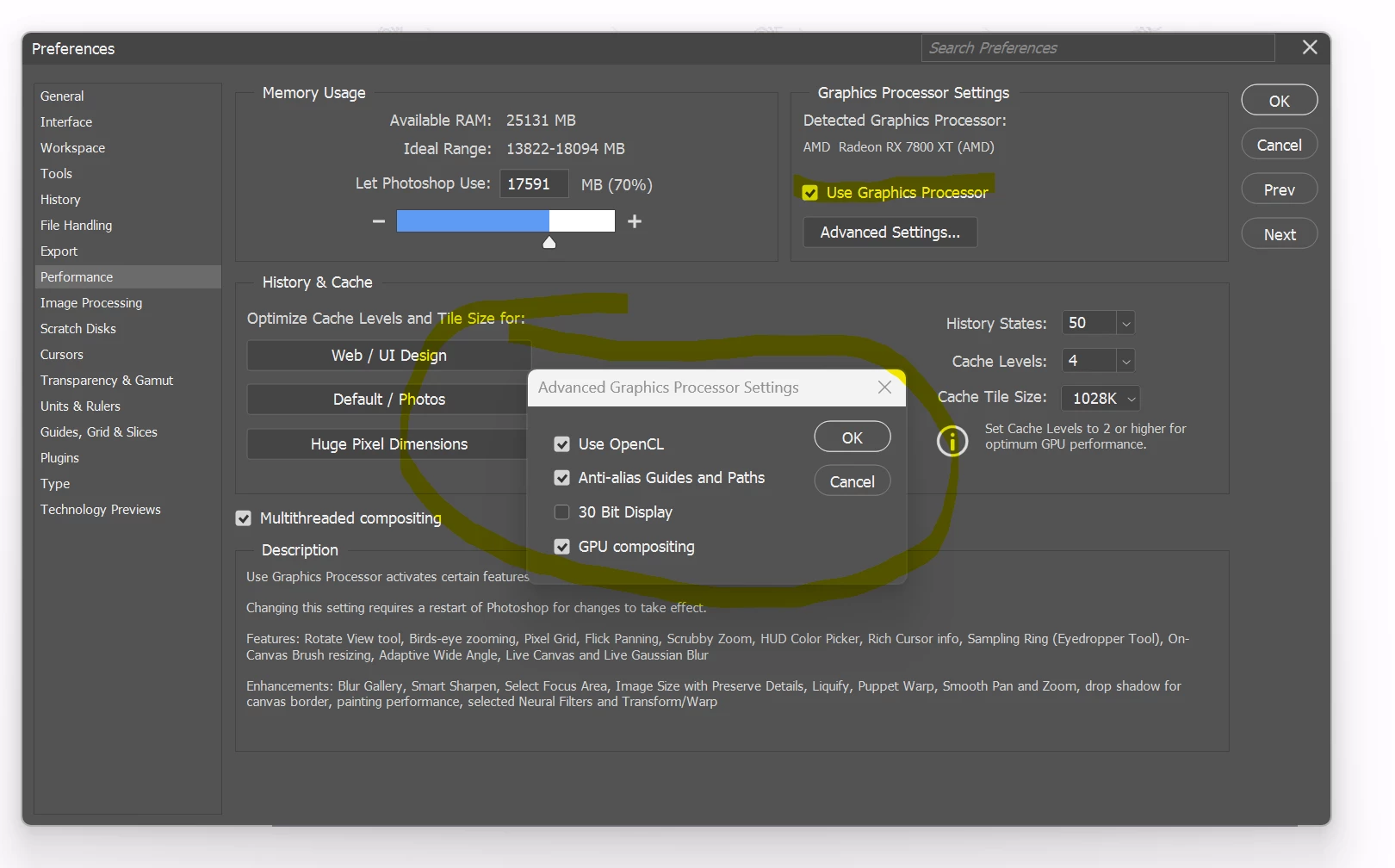


I'm using Windows 11 and my photoshop 2024 is up to date. 


How can I fix this issue? 

    Dieses Thema wurde für Antworten geschlossen.

    3 Antworten

    c.pfaffenbichler
    Community Expert
    Community Expert
    March 4, 2024

    What does Help > GPU Compatibility give? 

    Trevor.Dennis
    Community Expert
    Community Expert
    March 3, 2024

    I am afraid I am not going to be terribly positive, but we do often find that Photoshop does not get on well with AMD GPUs

    The GPU Help page does mention AMD and its drivers, so maybe an answer there.


    https://helpx.adobe.com/nz/photoshop/kb/troubleshoot-gpu-graphics-card.html


    Good luck and please let us know how you get on?

    John T Smith
    Community Expert
    Community Expert
    March 2, 2024

    You need to ask program questions in the forum for the program you are using
    To ask in the forum for your program please start at https://community.adobe.com/
    Moving from Using the Community (which is about the forums) to the correct forum