Participant
March 4, 2025
Answered

Round corners on custom shape

  • March 4, 2025
  • 2 replies
  • 567 views

Is it possible to round the corners on a custom shape similar to how you would on a rectangle shape?
I created an arrow shape, but I want the corners to be rounded.

Correct answer Trevor.Dennis

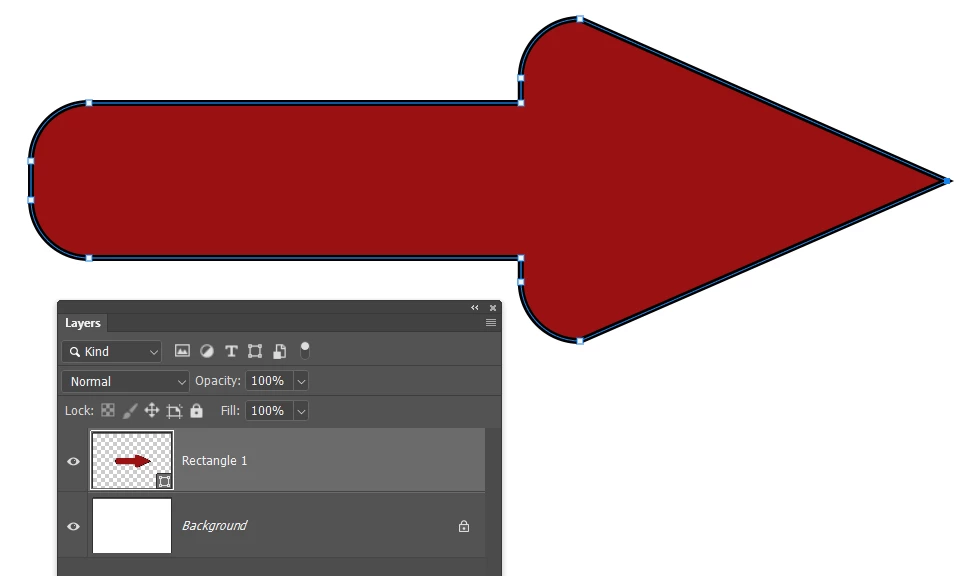
It would only take a moment to build it using the Rectangle shape tool.

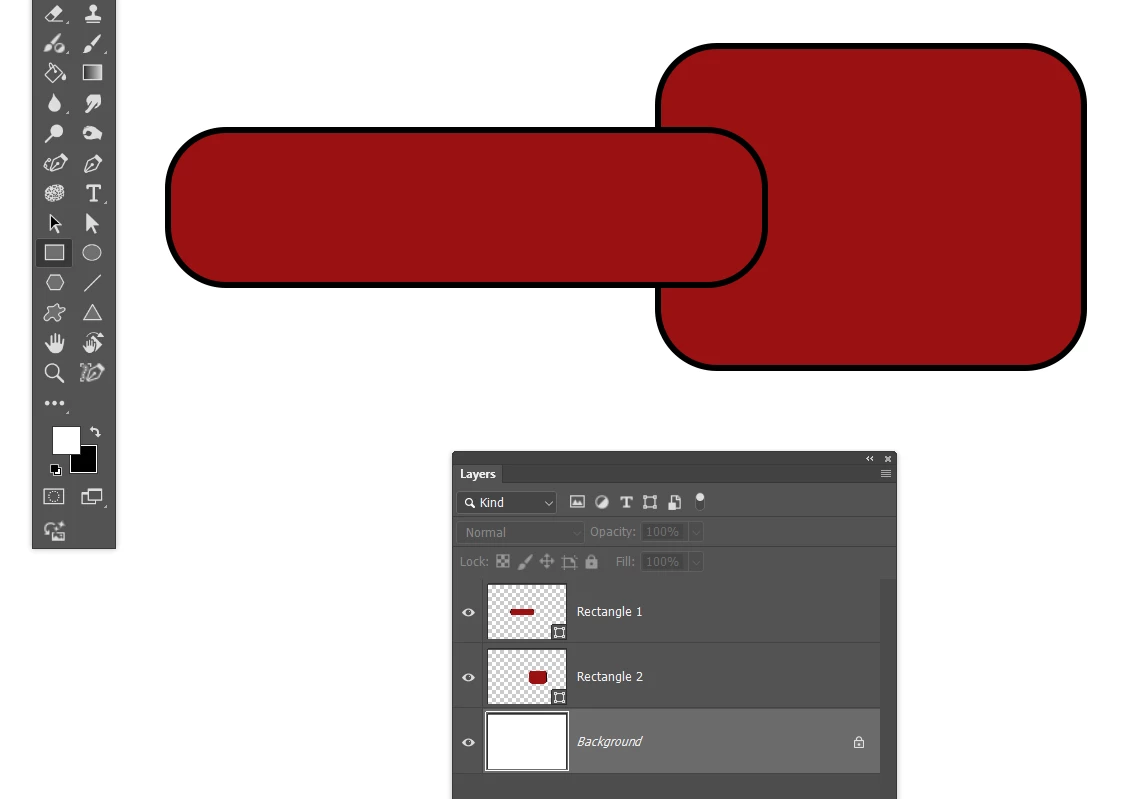
 Create two rectangle shapes and round the corners.

I used the Move tool > align to center them.


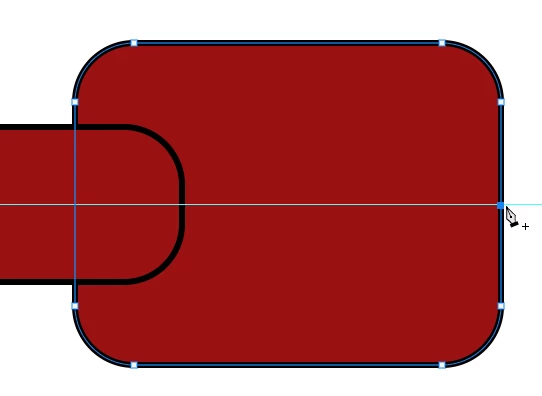
Use the Pen tool to add a point for the point.  You can see that I snapped a guide to show me the centre and where to place the new point.

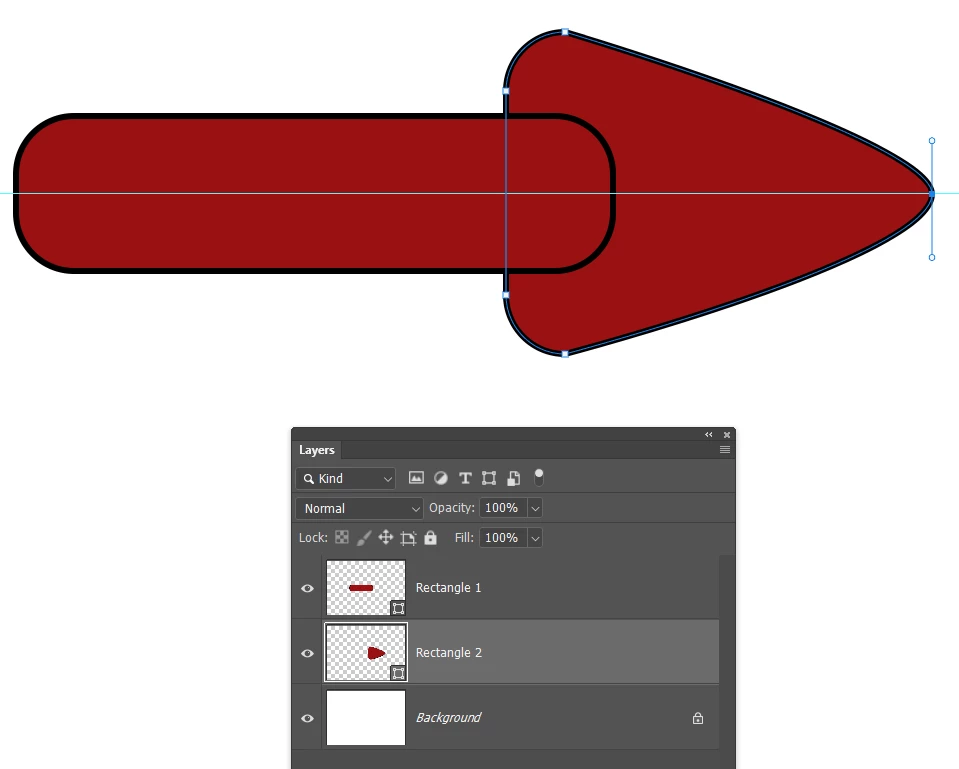
Use the Pen tool to delete the front corner points, and adjust the point radius.

Opt click the point point to make it a sharp angle.


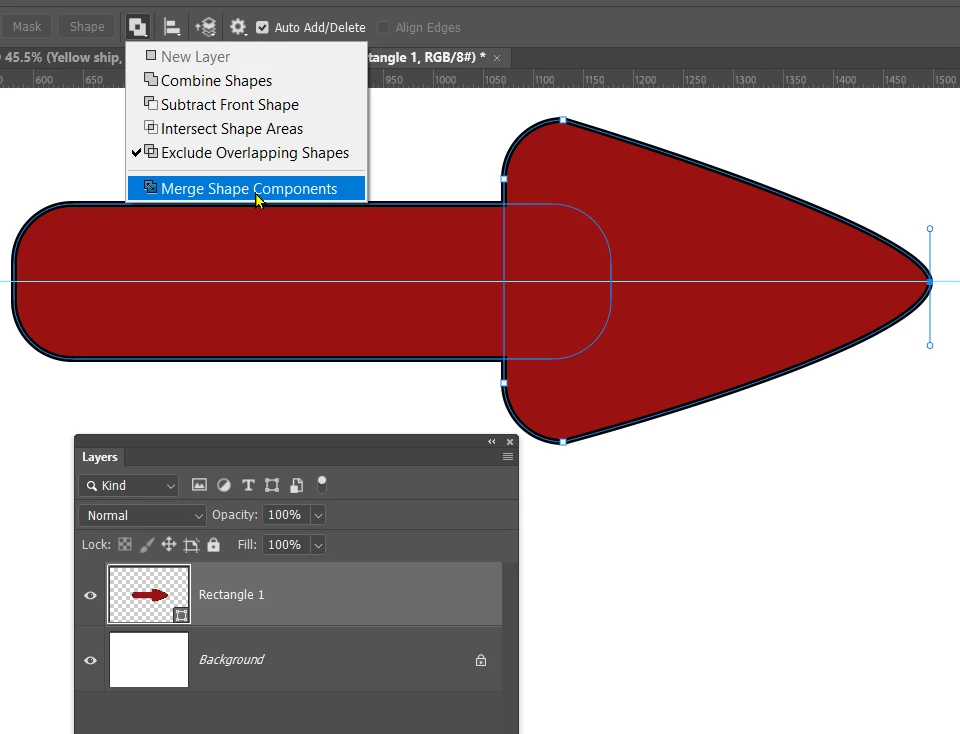
Select both shape layers and merge them (Cmd E)

And merge the paths in the Options bar


That's less than a minutes work, and you can save it to your Shapes library

2 replies

Trevor.Dennis
Community Expert
Trevor.DennisCommunity ExpertCorrect answer
Community Expert
March 5, 2025

It would only take a moment to build it using the Rectangle shape tool.

 Create two rectangle shapes and round the corners.

I used the Move tool > align to center them.


Use the Pen tool to add a point for the point.  You can see that I snapped a guide to show me the centre and where to place the new point.

Use the Pen tool to delete the front corner points, and adjust the point radius.

Opt click the point point to make it a sharp angle.


Select both shape layers and merge them (Cmd E)

And merge the paths in the Options bar


That's less than a minutes work, and you can save it to your Shapes library

Semaphoric
Community Expert
Community Expert
March 4, 2025

If you add a point to each leg, equidistant from the corner, and then delete the corner point, you will be left with an open shape. Click on one of the end points to pick up the path, and then the other to close it.