
Participant
January 18, 2020
Answered

Ruler Tool

  • January 18, 2020
  • 1 reply
  • 668 views
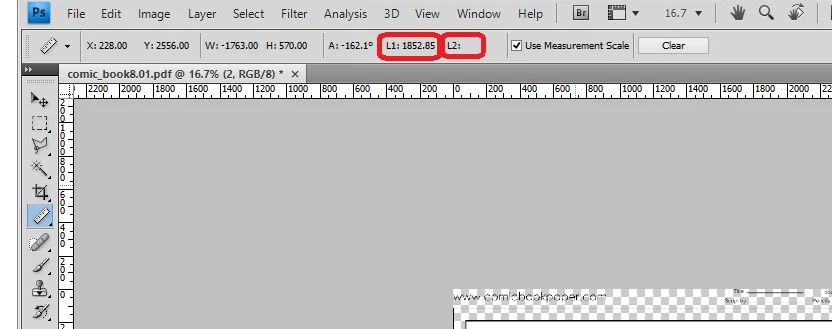
  1. In the Ruler Tool I can measure a line and the measure appears as "L1".  I want to create a second line as well, but have the measurement appear as "L2" in the same screen.  Is there a way to do this? I really like to use this method to measure comic book panels to render a matching image.  Thanks for your help!
This topic has been closed for replies.
Correct answer Chuck Uebele

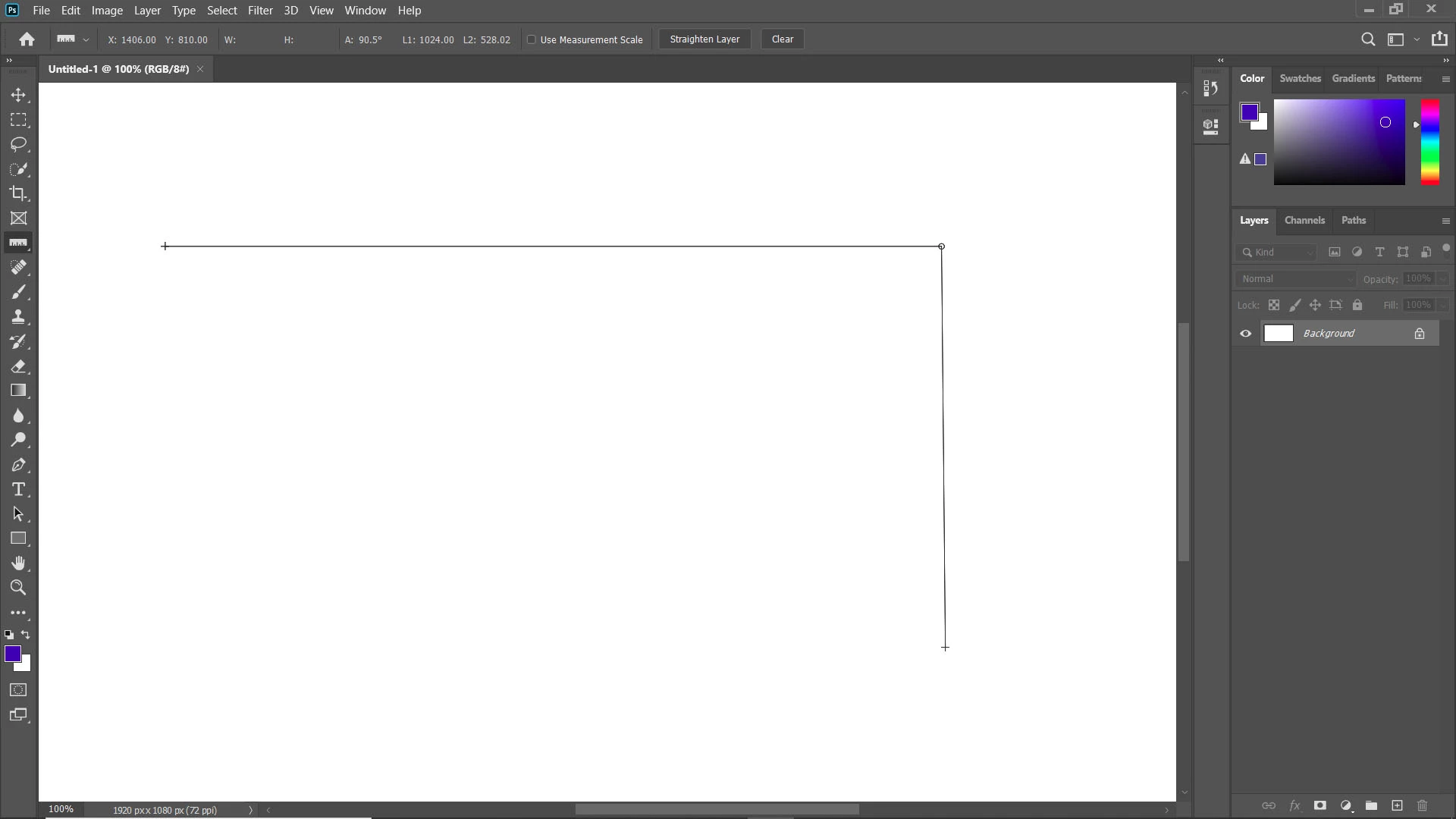
This only works if the two lines share a common end point. Draw one line, then hold the alt key and drag a new line from the end point of the other line.

1 reply

Chuck Uebele
Community Expert
Chuck UebeleCommunity ExpertCorrect answer
Community Expert
January 18, 2020

This only works if the two lines share a common end point. Draw one line, then hold the alt key and drag a new line from the end point of the other line.

Participant
January 18, 2020

This exactly the answer the answer I was looking for! I just make my measurements along the borders and I get both measurements at once! You're the best, Sir!