dragantomas
Inspiring
November 14, 2024
Answered

"Save As" Causes Spinning Wheel in Photoshop 26.0.0 ( in Mac)

  • November 14, 2024
  • 1 reply
  • 657 views

Hi friends,

(Photoshop 26.0.0, M1 Max MBP)

Since I updated Photoshop to the latest version, a spinning wheel appears every time I save an image until the saving process is complete. This issue did not occur in the previous version of Photoshop, where a blue progress bar was displayed in the bottom left corner during saving.

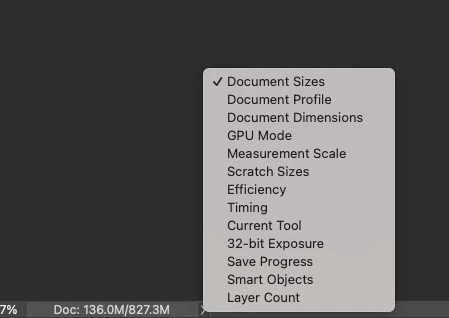
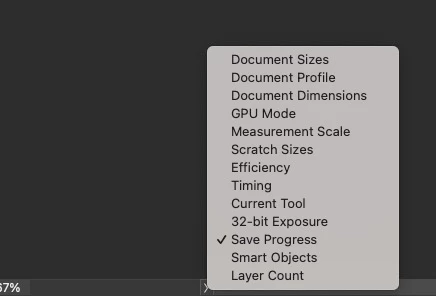
I have uninstalled and reinstalled Photoshop, but it did not resolve the issue. Interestingly, when I select the ‘Save Progress’ option, the bar in the bottom left does not show its ‘Save Progress’ label. However, it does display the label when I choose a different option. Please refer to the screenshots.



Someone knows the fix?

This topic has been closed for replies.
Correct answer Mohit Goyal

Hi there, 


Welcome to the Adobe Community! Is Photoshop taking longer to save files after the recent update? Are you saving file locally or on a network drive? Also, please check how much free space is left in MacOS HD drive? 


We can try to reset Photoshop preferences to make sure all the setting are set correctly after the update. Below are the steps to perform that:


Go to the location of the preference folder mentioned below and rename it to back up. (https://adobe.ly/3u7u84j)
macOS: Hold down the Option key in the Finder when using the Go menu. The library will appear below the current user's home directory.Library > Preferences > Adobe Photoshop [version] SettingsRename the Adobe Photoshop folder by adding a .old at the end. (Adobe Photoshop 2025 > Rename > Adobe Photoshop 2025.old)


This will give a fresh start to Photoshop as a new installation.
Let me know if it helps.


Thanks!

Mohit

1 reply

Mohit Goyal
Community Manager
Mohit GoyalCommunity ManagerCorrect answer
Community Manager
November 14, 2024

Hi there, 


Welcome to the Adobe Community! Is Photoshop taking longer to save files after the recent update? Are you saving file locally or on a network drive? Also, please check how much free space is left in MacOS HD drive? 


We can try to reset Photoshop preferences to make sure all the setting are set correctly after the update. Below are the steps to perform that:


Go to the location of the preference folder mentioned below and rename it to back up. (https://adobe.ly/3u7u84j)
macOS: Hold down the Option key in the Finder when using the Go menu. The library will appear below the current user's home directory.Library > Preferences > Adobe Photoshop [version] SettingsRename the Adobe Photoshop folder by adding a .old at the end. (Adobe Photoshop 2025 > Rename > Adobe Photoshop 2025.old)


This will give a fresh start to Photoshop as a new installation.
Let me know if it helps.


Thanks!

Mohit

dragantomas
Inspiring
November 15, 2024

Hi Mohit, steps you recommended have fixed the problem. Thanks a million bro!.


Dragan