
Roberto Bruce
Known Participant
December 5, 2023
Question

Save files in WEBP format

  • December 5, 2023
  • 2 replies
  • 659 views

In fact I believe that the problem is not the saving in WEBP (which I found in "save a copy") but in the management of the movie. I actually saved the file but I DO NOT see the animation on Chrome. However, on the timeline, Photoshop works well. I think I need to do something on the video before saving, but so far I haven't been able to find anything.
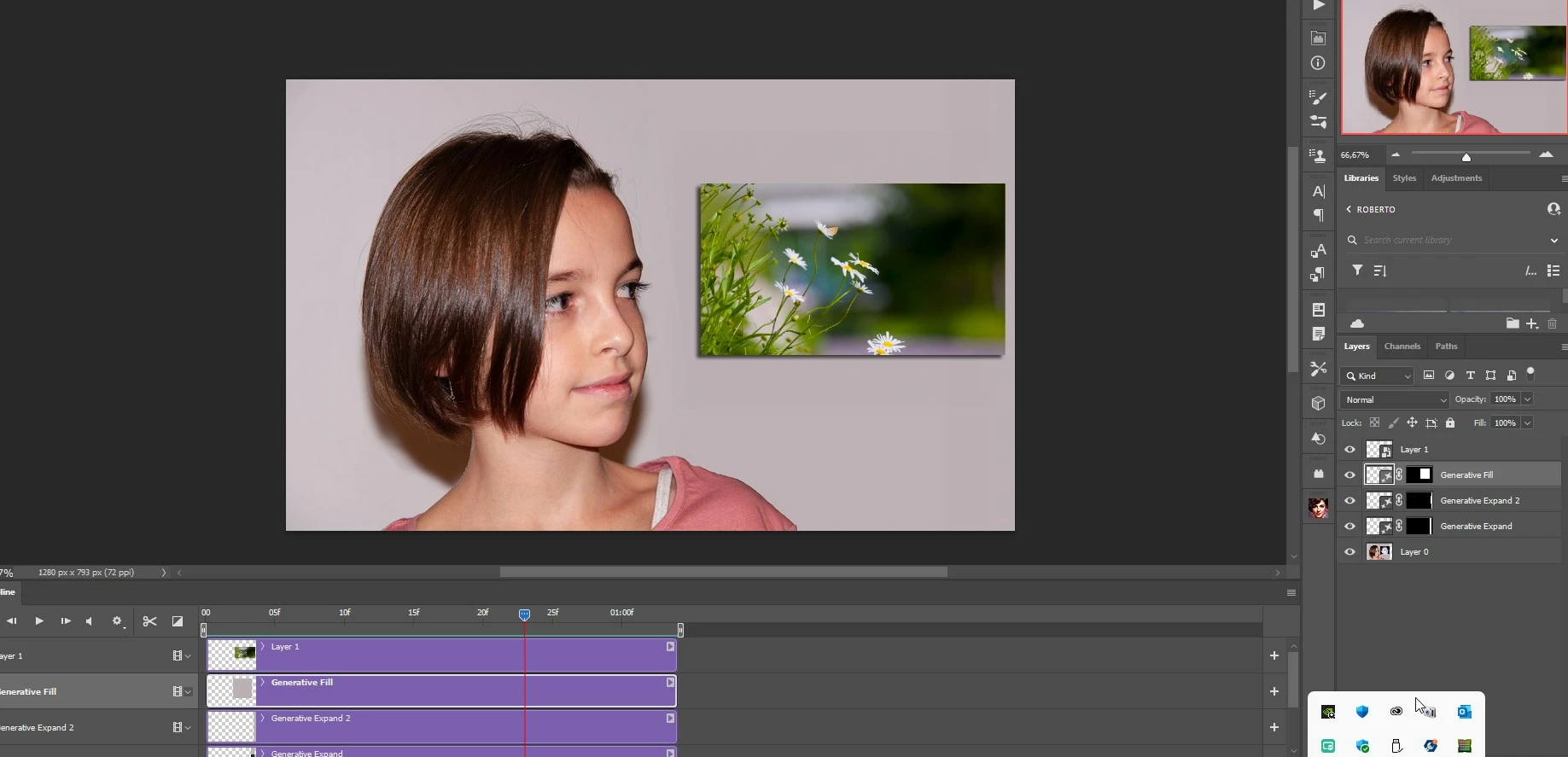
 

The animation is in the small box at the top right.
Thank you
Roberto

This topic has been closed for replies.

2 replies

Roberto Bruce
Known Participant
December 10, 2023

Thanks Mya. I don't see HTML5 saving on my Photoshop and I don't even see the plugin I installed (I checked several times and it's in the correct directory). However I ended up saving it as a GIF. I hope you see the animation. It's a little jerky but it's the first experiment...
Thank you all

Stephen Marsh
Community Expert
Community Expert
December 5, 2023

Why do you believe that Photoshop supports animated WebP?

Roberto Bruce
Known Participant
December 6, 2023

I read it at this link (in Italian): https://helpx.adobe.com/it/photoshop/kb/support-webp-image-format.html

I also downloaded the plugin that is mentioned in the article but Photoshop can't you see it?!?! I installed it here (Windows: \Program Files\Common Files\Adobe\Plug-Ins\CC) but when I open Photoshop "I don't see it>).

I also saved the file in GIF but the result is the same: a static image without "movement".

Grazie e ciao
Roberto

Stephen Marsh
Community Expert
Community Expert
December 6, 2023

The Adobe WebP native save doesn't support animation.


The 3rd party WebP plugin that you linked to mentions an animation option, however I haven't explored that feature.


Animated GIF files are created using Export > Save for Web (Legacy)