Participant
December 6, 2019
Question

Save for web error - Mac OS Catalina

  • December 6, 2019
  • 42 replies
  • 81433 views

Hello everyone,

I have an issue saving gif for web with my OS to Catalina (10.15.2).

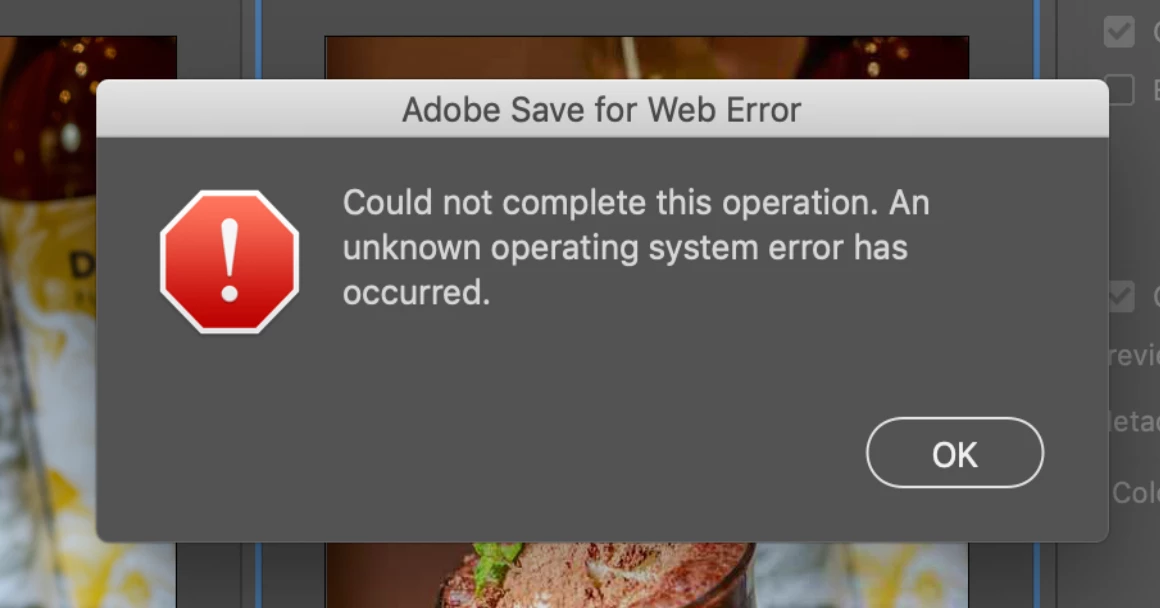
When I try to save, there's a message saying :

"Adobe save for web error. Could not complete this operation. An unknown operating system error has occured."

I tried to delete "save for web prefs.psp" but nothing has changed.


42 replies

Participant
January 30, 2020

One solution that worked for me was to reset all preferences on PS. But because i was having other issues meanwhile, i decided to format my MAC and since then no more crazy issues. 

sash13
Participating Frequently
January 30, 2020

Same Problem,,  i tried everythink what i can but NO   nothink helps 

waiting for somone find right answer -   now i work on another  Mac on old version mac Os High Sierra Adobe works Great.


and i also have mac bok pro - with new Catalina.  and it waiting for solutions this problem.

I think it's not a problem of Adobe  -  i think it's Catalina have to update new version of Catalina

Yardmax
Known Participant
January 30, 2020

It's Adobe – they no longer have been supporting Save for Web feature. It's been in legacy for a while now. With the release of Catalina, it's really broken and will not work. Apparently, everyone is now supposed to use the Export As feature.

Participant
January 30, 2020

I am here with the same problem. Just updated to macOS Catalina 10.15.3 yesterday night and straight away, Save To Web As is broken for me. Checked with Adobe Creative Cloud. My Photoshop is up to date. What gives? Urghhh...

Yardmax
Known Participant
January 30, 2020

I think we're all wasting our breath here – this has been slowly phased out of Photoshop, and was already in legacy version (meaning Adobe doesn't update any new code). Apparently, they (Adobe) want us to use the Export As... feature now. Which yes, really sucks by comparison. With the release of Catalina, it really broke it and will not work. 

Participant
January 26, 2020

Hi Guys,


I have the problem that I cannot save pictures as web.


I spent many hours trying to find the bug but to no avail.


I reinstalled Photoshop, reinstalled Mac OS, etc.


The version for Photoshop is: 21.0.3.

The OS version is: Catalina: 10.15.2


 Please help! I am a web designer.

Yardmax
Known Participant
January 28, 2020

Exactly the same setup as yours, Shopiago. Same version of Photoshop installed, and save version of Catalina on my MBP. Did anyone help you with this yet???

Participant
January 30, 2020

Guys, 


here the solution: 


Photoshop have a new option to save picutres with optimizaed image size like "save for web". 


Klick on File -> Export -> Export as 


Sorry for the germany language but I think this help you! 


I hope this help everybody! 


Participant
January 23, 2020

Having the same problem on a Mac Book Pro with Catalina. Since this "update" everything stopped working properly.

Photoshop updated, V21.0.3

Participant
January 24, 2020

Fixed. Reinstall Photoshop did the job.

Participant
January 25, 2020

Guess not. Only works when saving JPEGS. PSD files the error comes back.

Participant
January 14, 2020

I have been getting this same error on MAC OS Catalina 10.15.2 but I am running Adobe Photoshop CC 20 .0.7.. Under my system preferences/privacy - Adobe Photoshop CC 2019.app is checked.. Is there something else I should be looking at?  Thanks

99jon
Legend
January 14, 2020

You are in the Photoshop Elements community; so I will get your message moved to Photoshop.


I can only suggest you update to the latest version which is Adobe Photoshop Version: 21.0.2 20191122.r.57 2019/11/22. Launch Creative Cloud and update from the apps tab.

Participating Frequently
January 13, 2020

Running on Mac OS Catalina 10.15.2


I use Save for Web extensively every day and it has just suddenly stopped working today.


Error message reads "Could not complete this operation. An unknown error has occurred."


I have tried every workaround recommended but nothing works.

marliton
Community Expert
Community Expert
January 13, 2020
Marlon Ceballos
Participating Frequently
January 13, 2020

I had, but just to be sure, I went through all of that again.

Now my Photoshop looks weird but still the same error message 😞

wkjsahjashjsadsad
Participant
December 31, 2019

I have the same problem.

Is it widespreaded or just particular cases?

Participant
December 31, 2019

Having the same issue. I just finished chatting with Adobe support and was told it is a known issue with Catalina that they are working on... And I thought I'd waited long enough to update. : /

Kevin Stohlmeyer
Community Expert
Community Expert
December 31, 2019

There is an update it's CC2020. This issue was addressed with that update as far as I know.

Participant
December 19, 2019

This error appears today in my MacBook Pro, when I choose to Export -> Save for Web -> set for JPG, GIF or PNG -> Save, shows the following error message. I already delete the files Adobe Save For Web CC 2018 and Adobe Save For Web CC 2019, but remains.

Any real solution?

Sahil.Chawla
Adobe Employee
Adobe Employee
December 19, 2019

Hi there,

Sorry to hear about the save for web error, could you please try updating Photoshop to version 21.0.2 via the Creative Cloud Desktop app and let us know if it helps?


Regards,
Sahil

Alexandre Becquet
Community Expert
Community Expert
December 18, 2019

Hello, what is the version of Photoshop ?

Participant
December 19, 2019

Hey! I am ahving the same problem. I am using Photoshop CC 2019. I try to export using Save for Web (Legacy) but it gives me the same error. I tried using a windows computer too but it did not work.

Participant
December 23, 2019

I am also having the same problem and using the most current photoshop, 19.1.0.  I weekly have to save images for the web and then now it will not work.  Thought my file might be corrupt, but tried several I made legacy jpegs for and I get the same error.

I then thought it was maybe a memory problem, so purged lots of files to free up space.  Still same error.

This is a big problem for since I just updated to Catalina 10.15.2