
Save for Web PNG-24 = Soft/Blurry Fonts
Hey everyone,
This one is driving me nuts. I'm trying to export a simple graphic for my website with a final display size of 360x125px.
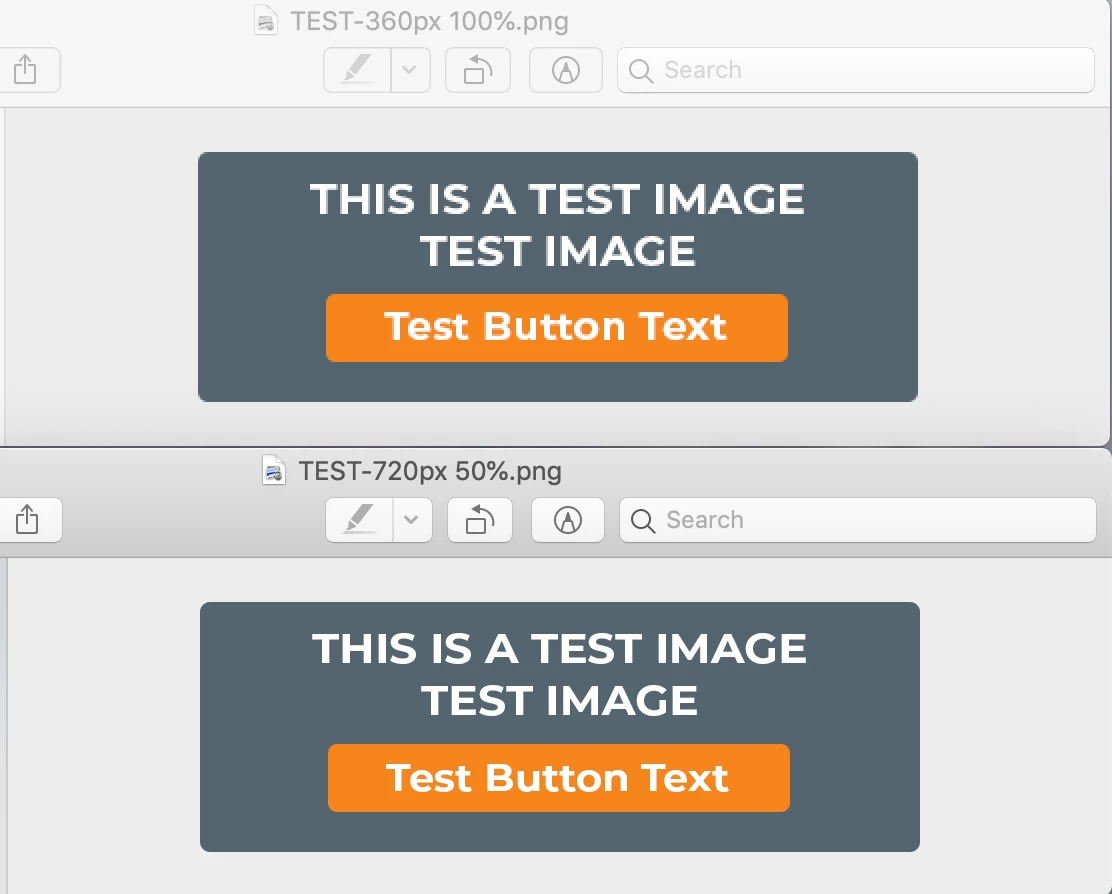
But when I export at this size, the fonts in my graphic look terrible. Particularly on Retina screens.
The only way I've found to get it as clean as I want, is to export at 2x the dimensions (720x250px) and view at 50%. The problem is, this technique isn't practical for use on the web. I need to be able to upload the final size for a variety of reasons, and I need it to look sharp.
I've tried GIF, PNG-8, and PNG-24 (as there's a small transparent background), and cannot get the font to look sharp no matter what I do.
Any other ideas?
Thanks in advance,
KV
Photoshop CC 2019
TOP: 360px 100% (looks blurry, especially on my Apple devices)
BOTTOM: 720px 50% (looks sharp)
 AdChoices