

bobtem
Inspiring
March 5, 2020
Question

Save/Replace Dialog asks me twice [PS 21.0.2 on Catalina] [LOCKED]

  • March 5, 2020
  • 17 replies
  • 5839 views

Title edited by moderator to reflect the version and OS. This thread is now picking up posts about Save a Copy which is a different issue so I am locking it. If you are using 22.4.2 you can revert to the previous behavior in Preferences > File Handling > File Saving Options:

  • Enable Legacy Save As
  • Do not append Copy

See this help page for details and cautions: https://helpx.adobe.com/photoshop/using/saving-images.html  


For other questions, please start a new post.

~~~~~~~~~~~~~~~~~~~~~~~~~~~~~~~~~~~~~~~~~~~~~~~~~~~~~~~~~~~~~


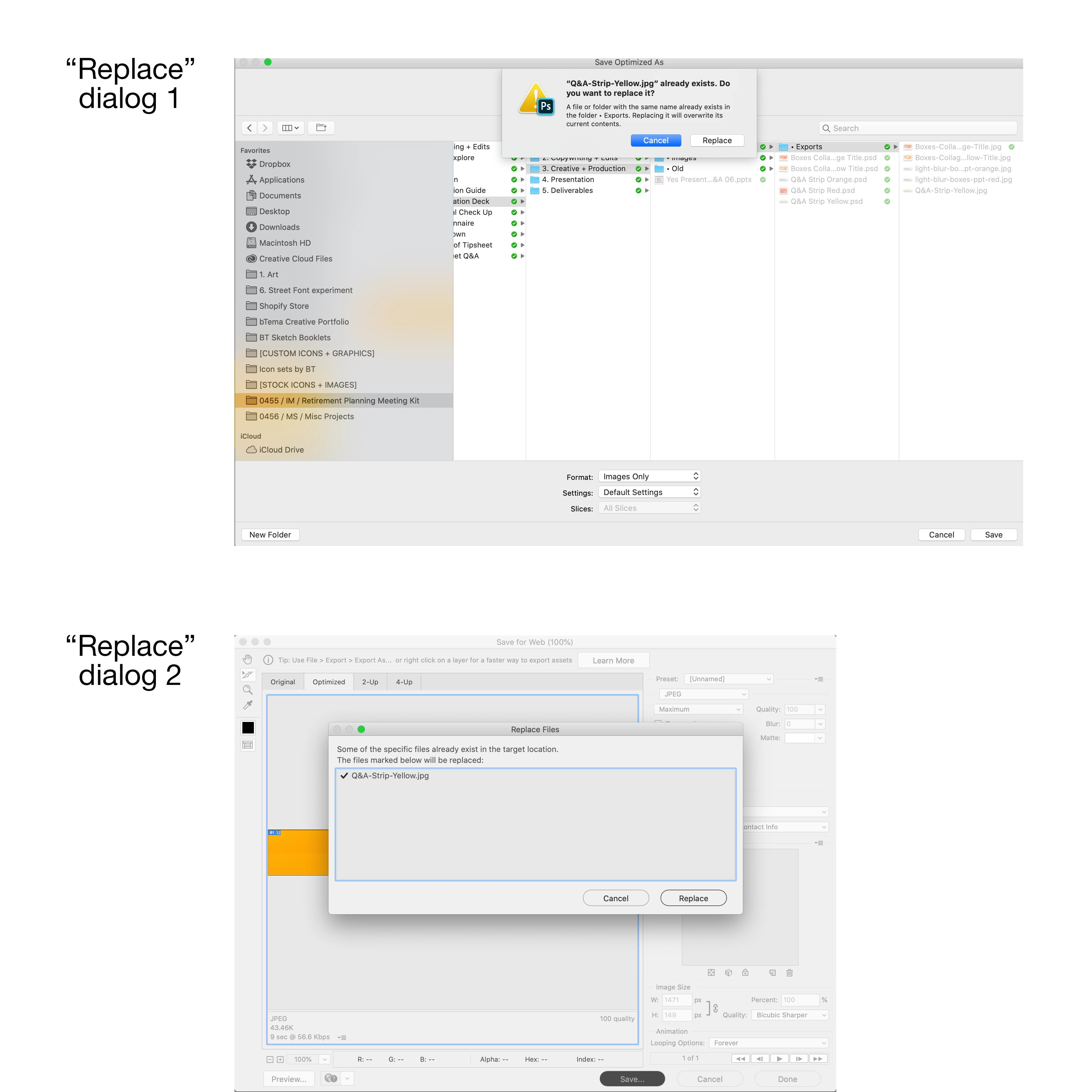
When saving over a file (a .jpg in this example) I get two different "do you want to replace..." dialogs that I have to click through. See screen shot.

Why? I don't remember this being the case before, and there is no reason for it. Please explain.
 

This topic has been closed for replies.

17 replies

csgaraglino
Known Participant
September 4, 2020

Same here! Another example of Lazy Programming by Adobe - just ignoring the Mac!

Known Participant
August 27, 2020

Having this problem too, with Catalina 10.15.6 and up-to-date Photoshop. Completely annoying redundancy.

Inspiring
June 17, 2020

I have exactly the same issue and have had it for many years, through numerous PS versions and MacOS versions. Only in Save for web. I have no idea how to get rid of it.

Inspiring
June 17, 2020

Im using PS 21.2 on a Mac running OSX Catalina 10.15.5 and Photoshop when trying to replace a file, PS asks "Do you want to replace?", but then save s a COPY, so I have to manually delete the original file, and rename the copy. 


This did not happen to me before PS 2020.


Adobe - Please fix, as if you have to do lots of edits, this quickly becomes very tedious!! 


Redpalette Media
Participant
June 21, 2020

Agree, please fix. Still known issue since 21.1. running 21.2 and still unable to avoid double (are you sure, are you really sure) window prompts.

Eugene Reisch
Inspiring
June 9, 2020

Exact same issue for me - also I get an issue where if I'm trying to save over an old file, when you get that first 'Do you want to replace it' dialogue, you used to be able to just press the 'enter' key (making for a fast workflow if you're saving out a number of JPEGs from teh same PSD over existing ones), but now the 'cancel' button is the default and you have to use the mouse to physically click the 'replace' button

Jeff Arola
Community Expert
Community Expert
March 5, 2020

Is that on macOS Catalina 10.15 when using File>Export>Save for Web?

Inspiring
May 20, 2020

yes, only on save for web. 

Sulaco
Inspiring
March 5, 2020

I am not sure if I am missremebering; but I think there was a setting in older PC versions where you could choose between the WinOS file selector or the Adobe one. Don’t think the setting is still there though or maybe I am thinking of a different program. Nor am I certain that there is/was a similar setting in the Mac version. But it might be worth having a look at your Photoshop Preferences, might possibly be connected to your problem ... 🙂

Bojan Živković11378569
Community Expert
Community Expert
March 5, 2020

No problem on Win 10 with latest Ps release , it may be Mac specific or only on your machine. Can you specify versions of OS and Photoshop what can be useful when checking and trying to replicate the problem. 

bobtem
bobtemAuthor
Inspiring
March 5, 2020

Latest OS and Photoshop. Catalina, and PS 21.0.2 (whatever that means).


Bojan Živković11378569
Community Expert
Community Expert
March 5, 2020

Do you have any update available? Try to update Photoshop to latest release which is 21.1.0 Release.