



質問
Save/Replace Dialog asks me twice [PS 21.0.2 on Catalina] [LOCKED]
Title edited by moderator to reflect the version and OS. This thread is now picking up posts about Save a Copy which is a different issue so I am locking it. If you are using 22.4.2 you can revert to the previous behavior in Preferences > File Handling > File Saving Options:
- Enable Legacy Save As
- Do not append Copy
See this help page for details and cautions: https://helpx.adobe.com/photoshop/using/saving-images.html
For other questions, please start a new post.
~~~~~~~~~~~~~~~~~~~~~~~~~~~~~~~~~~~~~~~~~~~~~~~~~~~~~~~~~~~~~
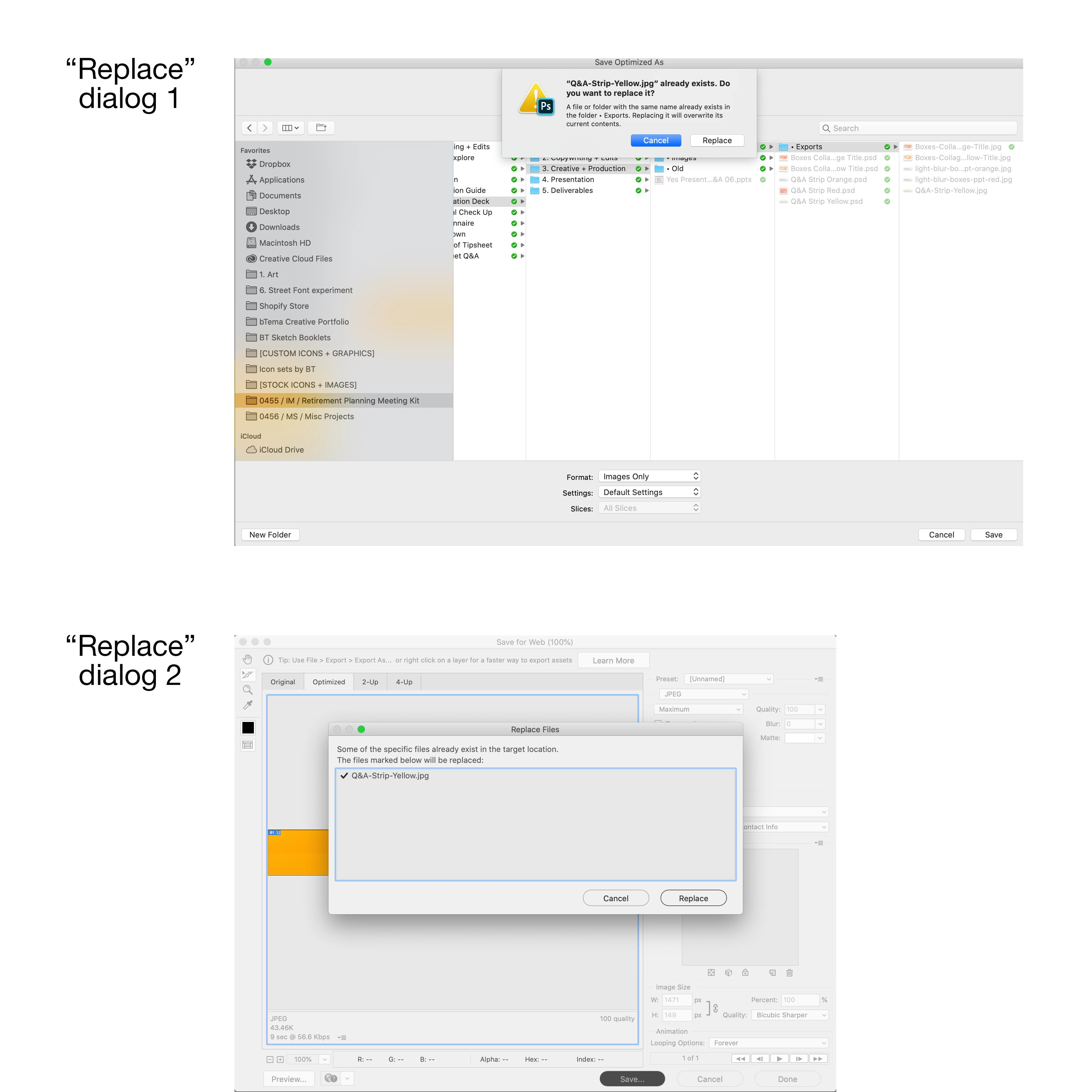
When saving over a file (a .jpg in this example) I get two different "do you want to replace..." dialogs that I have to click through. See screen shot.
Why? I don't remember this being the case before, and there is no reason for it. Please explain.
 AdChoices