z3292209
Participant
October 22, 2024
Question

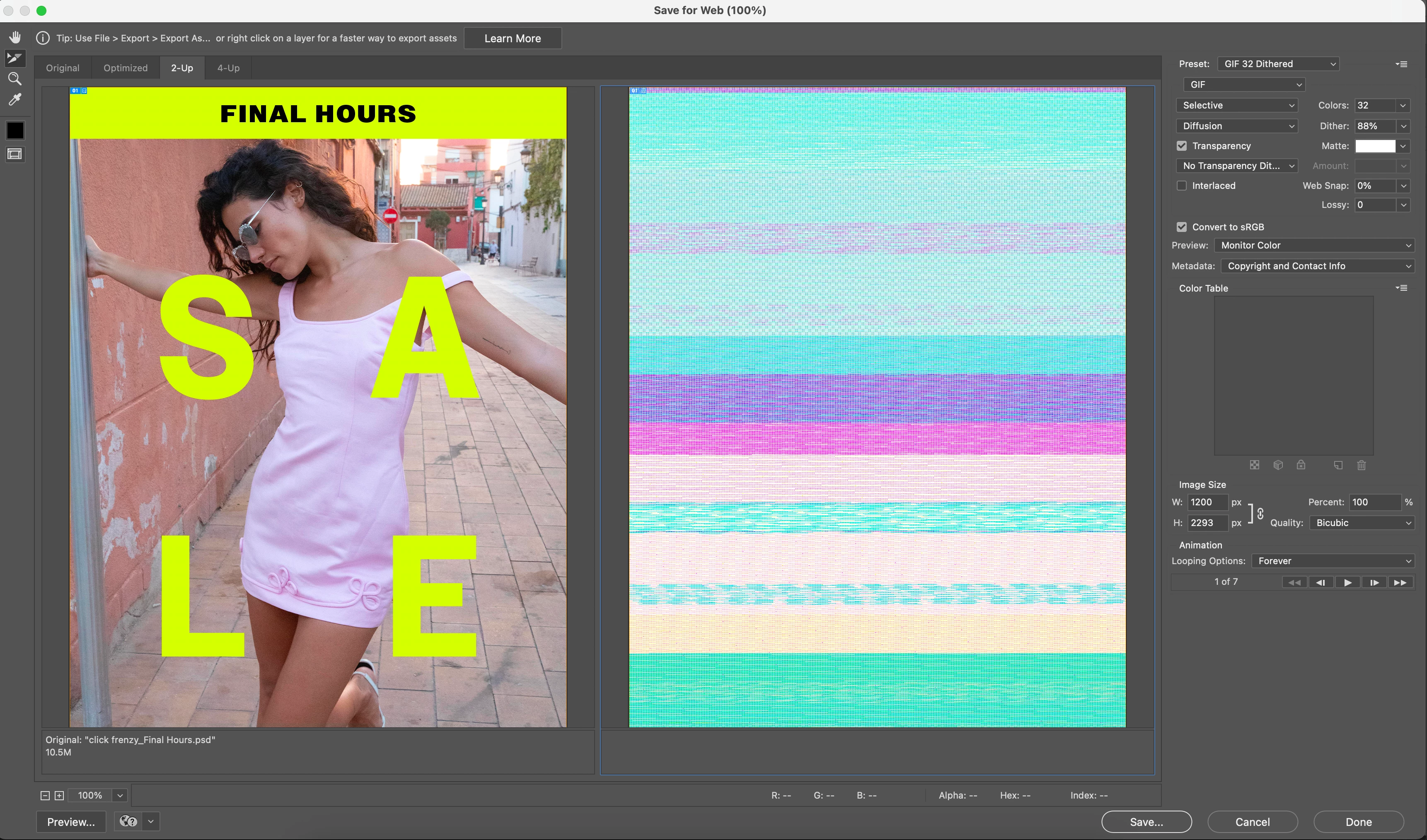
Save to Web Photoshop 2025 not exporting - glitchy lines appearing
  • October 22, 2024
  • 2 replies
  • 588 views


Hi everyone,


This has just started happening with the 2025 update. When I click 'save' nothing happens and all gifs open as pictured above - totally glitchy. 


Help!!

 

This topic has been closed for replies.

2 replies

z3292209
z3292209Author
Participant
November 1, 2024

Hi Mohit, thanks for your reply - this did not work sadly. I've just updated my software to Sequoia, but still having the same issue. Photoshop v 24 won't open at all now. 

Mohit Goyal
Community Manager
Community Manager
October 23, 2024

Hi there,


We're sorry for the export issue. Just to clarify, it was working fine for you before the latest update of Photoshop? Let's try with some basic steps to resolve this problem for you. We will try an reset Photoshop preference back to defaults and to make sure all settings are correct:


Go to the location of the preference folder mentioned below and rename it to back up. (https://adobe.ly/3u7u84j)


macOS: Hold down the Option key in the Finder when using the Go menu. The library will appear below the current user's home directory. Library > Preferences > Adobe Photoshop [version] SettingsRename the Adobe Photoshop folder by adding a .old at the end. (Adobe Photoshop 2025 > Rename > Adobe Photoshop 2025.old)

This will give a fresh start to Photoshop as a new installation.


Let me know if it helps. Thanks!

Mohit