saving an image after using polygon tool
I have drawn a property line on my drone image using the polygon tool. It will not save as a jpeg with the lines still there. How do i save it so the lines show up?

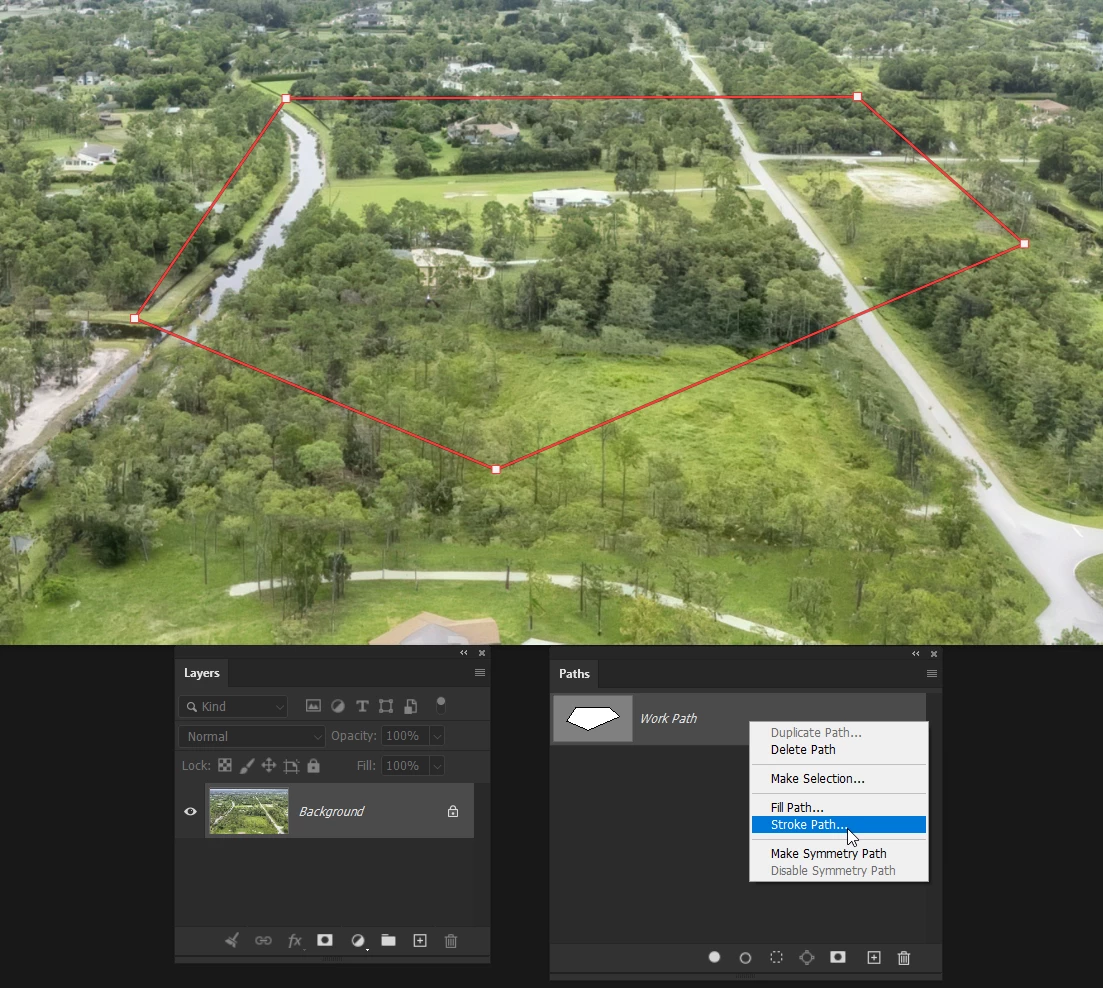
What you are seeing are workpaths. Go to the Paths panel and you’ll see them there. Paths are identifiable by the Points — the white dots in your screen shot.
To make them part of the image you have to either make the path into a shape layer, or stroke the path on a raster layer.
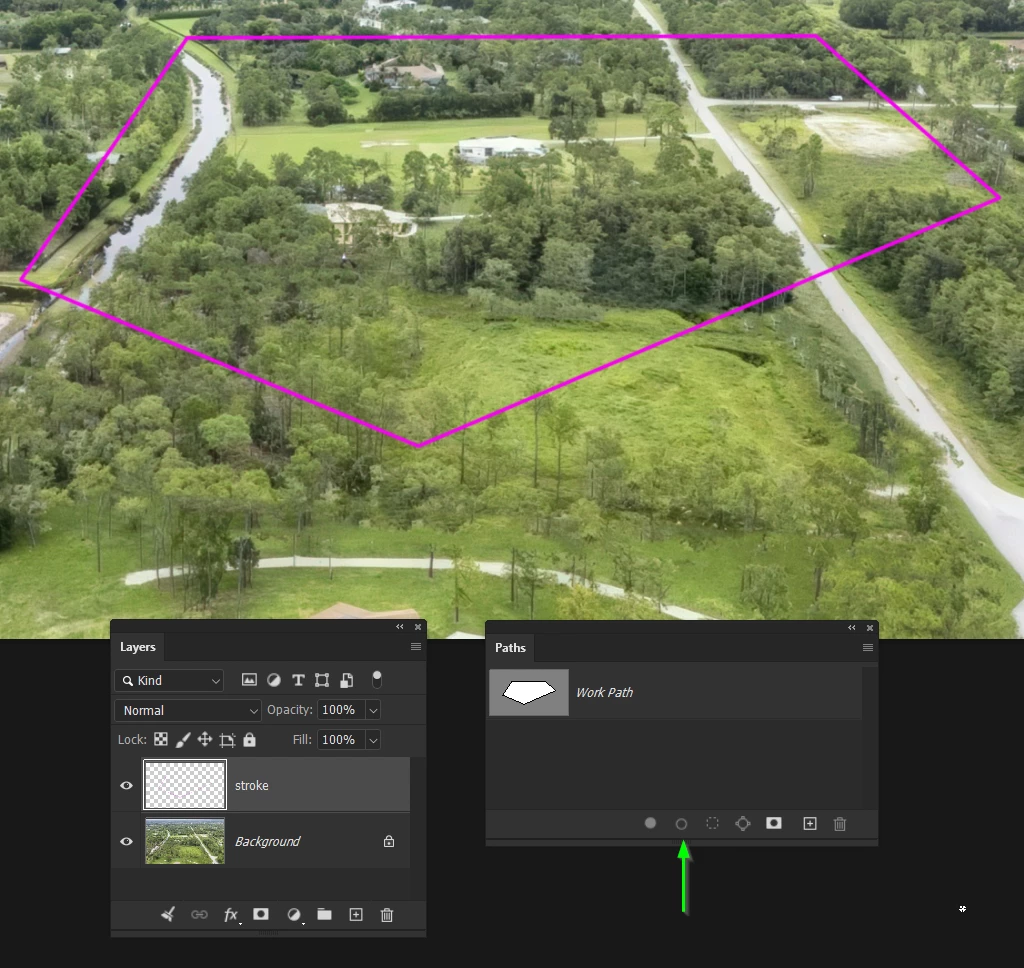
I have created a path on your background, and created a new layer to stroke.
Right click the path and choose Stroke Path. Note: you need to set the brush to the required thickness before stroking a work path.

I’ve stroked the path with Magenta using a four pixel fully hard brush.
Note: when the brush is already selected you can simply use the icon I have the green arrow directed at.

Already have an account? Login
No account yet? Create an account
Enter your E-mail address. We'll send you an e-mail with instructions to reset your password.