
Saving an image with sRGB conversion brightens it
I’m using Photoshop 27.3. I can’t guarantee this happen since this version specifically, but the issue is pretty recent. I’m not even sure it could be considered a “bug”, so I prefer to ask here first.
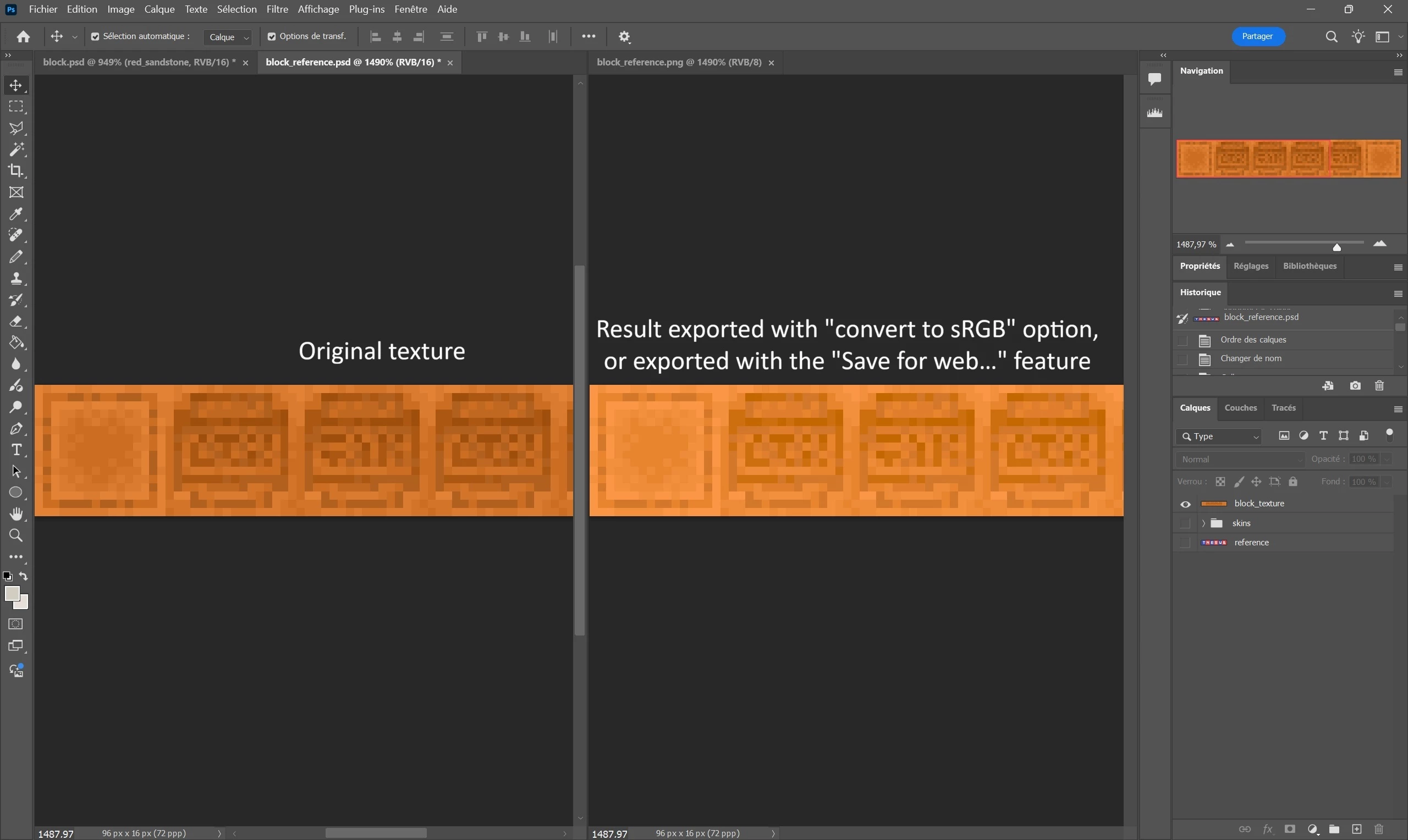
I had a script that I used to run that splits layers into several layers and export them one by one. Until now I never encountered any issue with it. Yesterday I used it again, and figured out the saved images were far brighter than they should be (like almost 30% brighter). I tried to save them manually with different export options to figure out what the issue was, and it seems to be related to the “convert to sRGB” option.
This option seems to have been enabled by default now, and it significantly alter the image’s colors when used.
I can uncheck the option when I try to export a file, also unchecked it in the preferences, but it persists when I use “Save for web ...” and there seems to be no way to prevent it. It is pretty inconvenient, as the “Save for web” feature allowed me to have very light (low-weight) and very consistent PNG files, before the sRGB issue became a thing.
Is there any way I can fix that?


 AdChoices