
Inspiring
October 20, 2024
Answered

Saving Files from Photoshop 2025.12

  • October 20, 2024
  • 1 reply
  • 1709 views

Just recently I noticed that when I did a File Save As the images in there are no images in the directory I am saving to, all that shows is a generic icon. That happens no matter what file type I save. It used to be that I'd get an image of all the files in the directory. I can go into the same directory using Bridge and all the images are displayed. I'd appreciate if anyone could give some guidance.

I am on Windows 11 with all updates applied.

A screenshot of the Save as dialog is attached.
This topic has been closed for replies.
Correct answer Jeff Arola

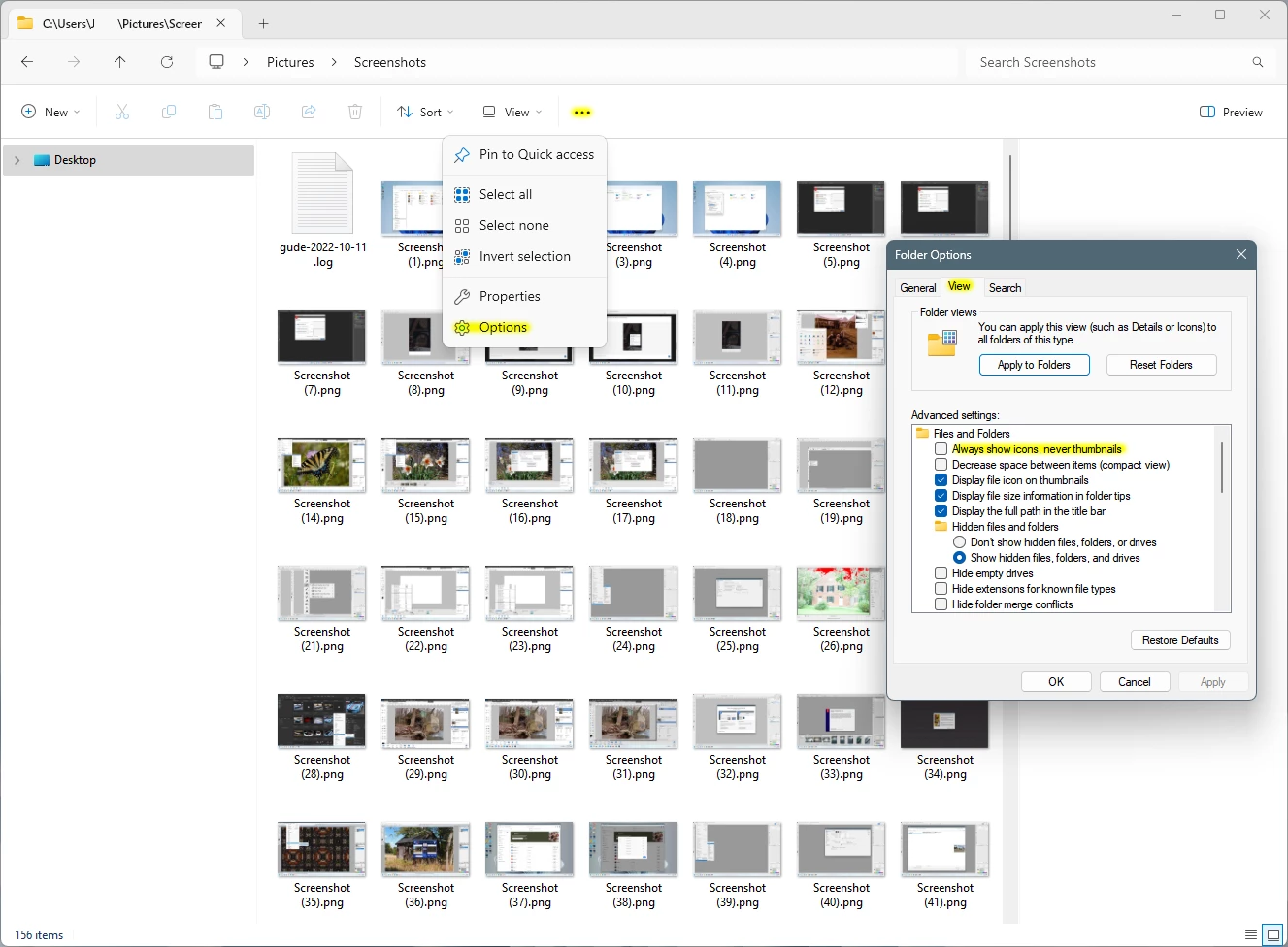
In the Windows File Explorer Options>View, do you have Always show icons, never thumbnails checked?


1 reply

Jeff Arola
Community Expert
Jeff ArolaCommunity ExpertCorrect answer
Community Expert
October 20, 2024

In the Windows File Explorer Options>View, do you have Always show icons, never thumbnails checked?


jane-e
Community Expert
Community Expert
October 20, 2024

@sjhoyes 


Your file extensions are hidden, so we can't see if your files are psd, jpeg, png, etc. If they are PSDs, then you need to install a codec to view the thumbnails on Windows computers. If they are jpegs or pngs the thumbnails shoud be appearing.


It's a Microsoft OS issue, as macOS displays them.


Jane

sjhoyesAuthor
Inspiring
October 20, 2024

The files are pngs and until just a couple days ago they always displayed.