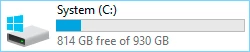
heres the screenshot.
OK. Your disk is full, period. No wonder you get that message.
Before I say anything more I need to emphasize that you have a much bigger problem than Photoshop. The whole machine may freeze up at any moment unless you take some drastic measures to clean out the drive.
You should never allow the system drive to fill up beyond 70% or so. The system needs free disk space for routine maintenance, and it doesn't have that now.
When you've sorted that out, so that you have, say, 50 GB (preferably more) free space, you can look at the scratch disk situation. What are your options? Can you add another drive internally, or do you need to rely on external drives? The latter will be slow and not quite optimal, but it will work. Make sure it's formatted to NTFS, not FAT or FAT32. Note that USB thumb drives will not work.
Start by running disk cleanup in Windows. Check as many options as you can, you need an aggressive cleanup here. Then move everything possible off the drive. Store it wherever you want, just get it off the drive. Then consider uninstalling applications you don't need.
As a rule of thumb, a standard configuration of operating system and a normal range of applications, including several CC apps, should not take up much more than 100-120 GB:




 AdChoices