November 4, 2016
Answered

Script for creating texture patterns

  • November 4, 2016
  • 2 replies
  • 3892 views

Hi,

I would like to know is it possible to create a Photoshop script that can create texture pattern according to a mathematical formula?

If it is possible, please provide me with materials where to start to learn creating such scripts with examples if possible.

Take this website as a reference to get my point:

Textures.js

Thanks,

Jen

This topic has been closed for replies.
Correct answer Chuck Uebele

Here's using the Deco Fill script, which has sliders to adjust some of the pattern placement:

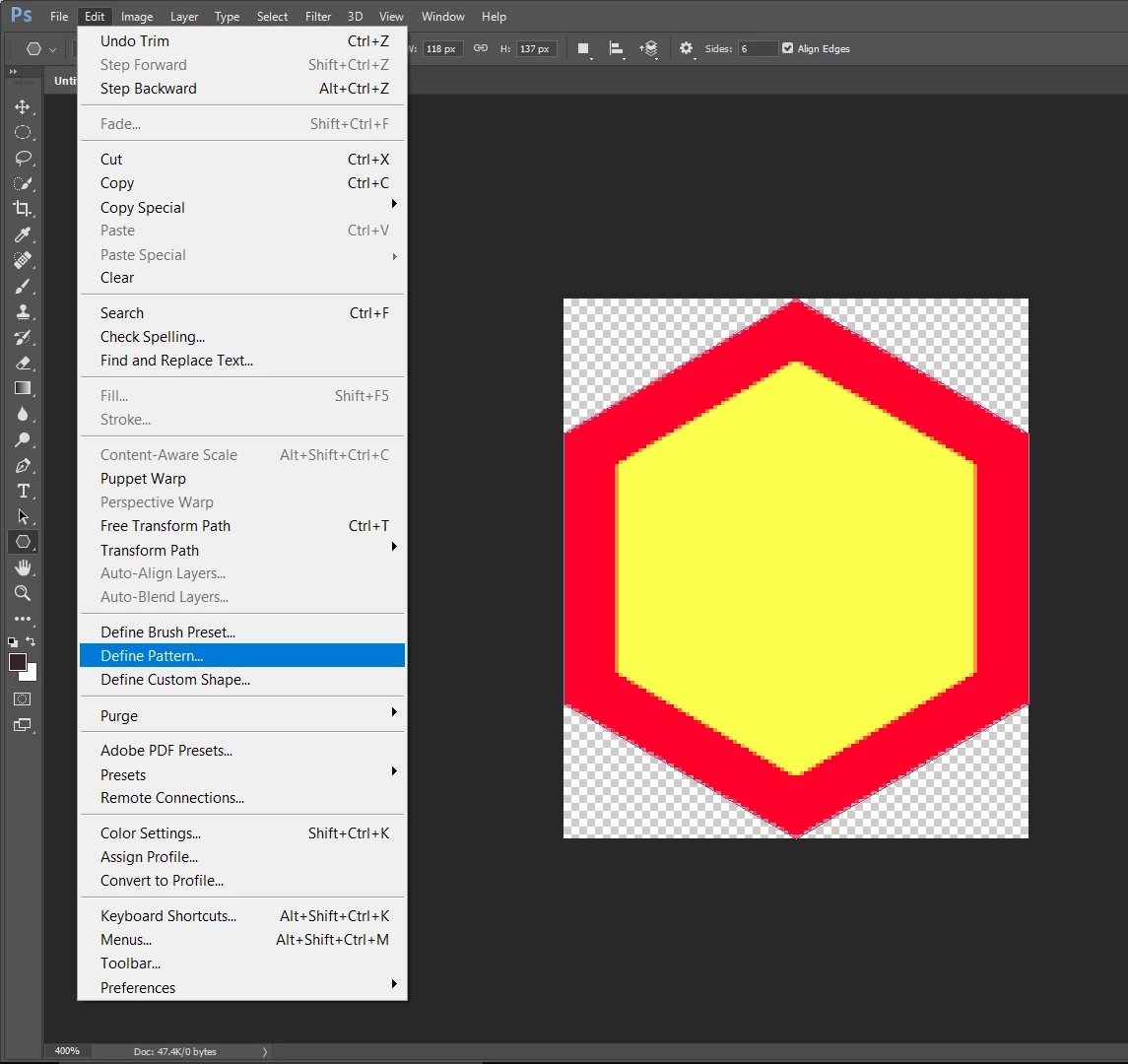
Make a patter:

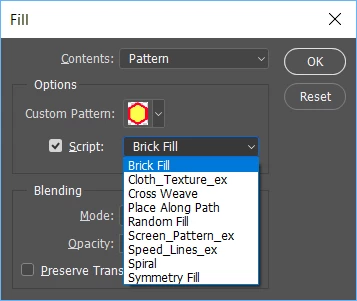
Under the Edit menu, select "Fill" and use Pattern for contents, and click on the Script box. Then Select the type of fill you want from the drop down list.

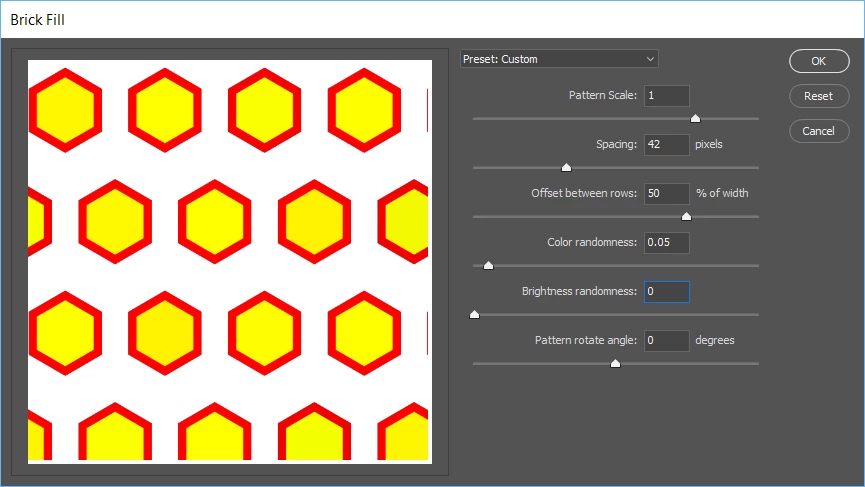
Click Okay, and the next dialog box will appear, where you can adjust the pattern's placement:

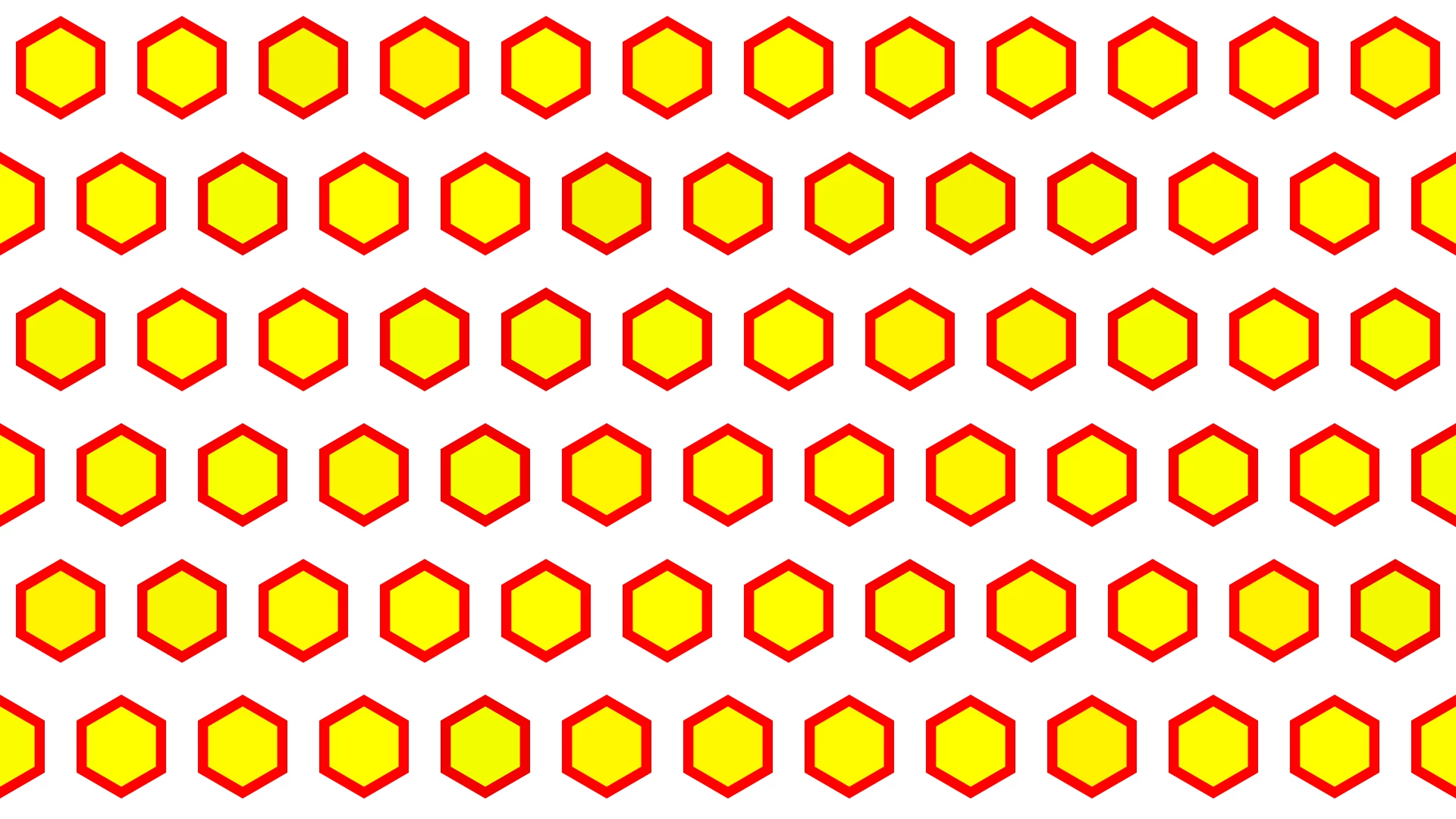
When you're happy with the placement, click OK:

2 replies

Chuck Uebele
Community Expert
Community Expert
November 6, 2016

Yes, you can create textures or patterns with extendscript. you just need to figure out what you want to do - what type of pattern. A good starting point is the Deco fill scripts. you can create your own custom patterns then change the parameters using the UI in the script. I went a bit further with this script and modified it so that I could apply the color of the base image to the pattern and have it also affect the rotation of the pattern:

You can also create other scripts. The main thing is just to have a loop that repeats some pattern. For example, I just made a script that makes a dot, but varied the color of that dot and moved placed it differently with a mathematical formula.

November 11, 2016

Can you post a script example please, so I can analyze it and try to build one myself according to the provided example?

Also, is it possible to implement a certain filter value in a script and control it with a html slider?

Thanks,

Jen

Chuck Uebele
Community Expert
Chuck UebeleCommunity ExpertCorrect answer
Community Expert
November 11, 2016

Here's using the Deco Fill script, which has sliders to adjust some of the pattern placement:

Make a patter:

Under the Edit menu, select "Fill" and use Pattern for contents, and click on the Script box. Then Select the type of fill you want from the drop down list.

Click Okay, and the next dialog box will appear, where you can adjust the pattern's placement:

When you're happy with the placement, click OK:

Jarda Bereza
Inspiring
November 4, 2016

Old Photoshop versions has PixelBender. But it's no logner supported.

You can write you own filter plugin in C++ find Photoshop SDK. There are examples. You can use Visual Studio. But this is more hard than script. But it can be really fast and it is real filter which you can apply on Smart Objects. It looks like this: https://scontent-frt3-1.xx.fbcdn.net/t31.0-8/13923292_1302261026470379_7817625681848121845_o.jpg

Or you can use HTML panel where is running chrome and use Canvas and already writen javascript libraries. It's maybe a bit dirty solution but it should be more easy. Depends what you want achieve.