Scott Falkner
Community Expert
Community Expert
September 19, 2018
Answered

Scripts not showing in Scripts menu

  • September 19, 2018
  • 4 replies
  • 4094 views

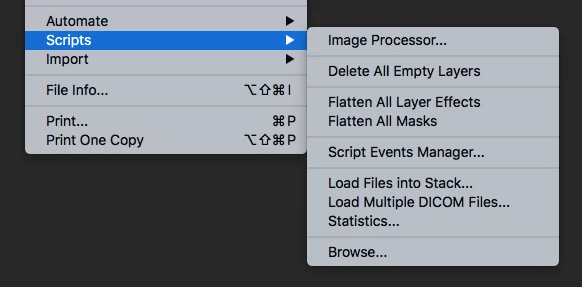
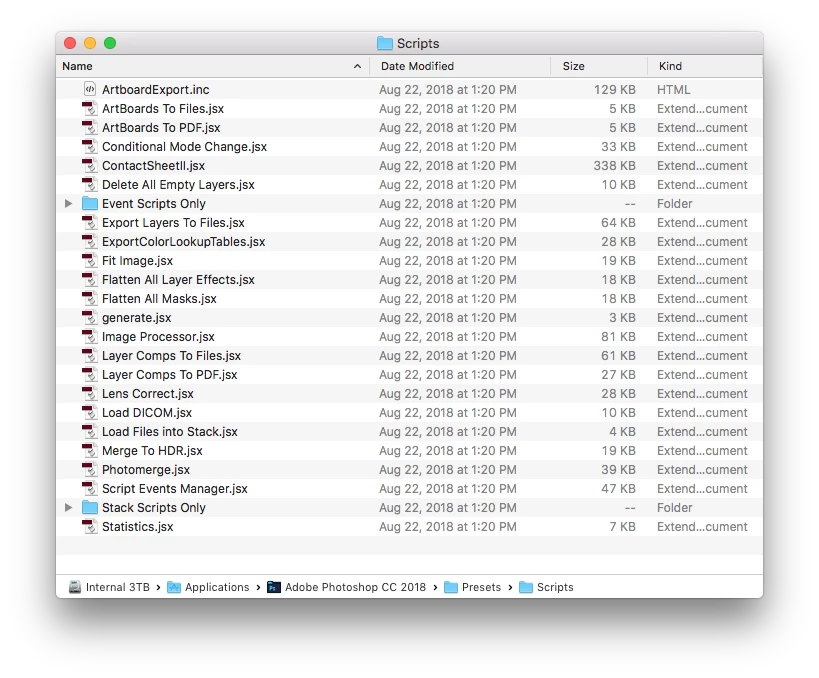
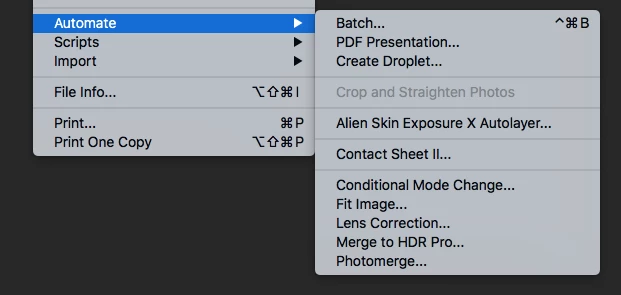
I have many scripts installed that are not showing in the Scripts menu. I can run them with Browse, but why aren’t they showing in the menu? I’m particularly interested in Layer Comps to Files.

MacOS 10.13.6

Photoshop 19.1.6
    This topic has been closed for replies.
    Correct answer Jeff Arola

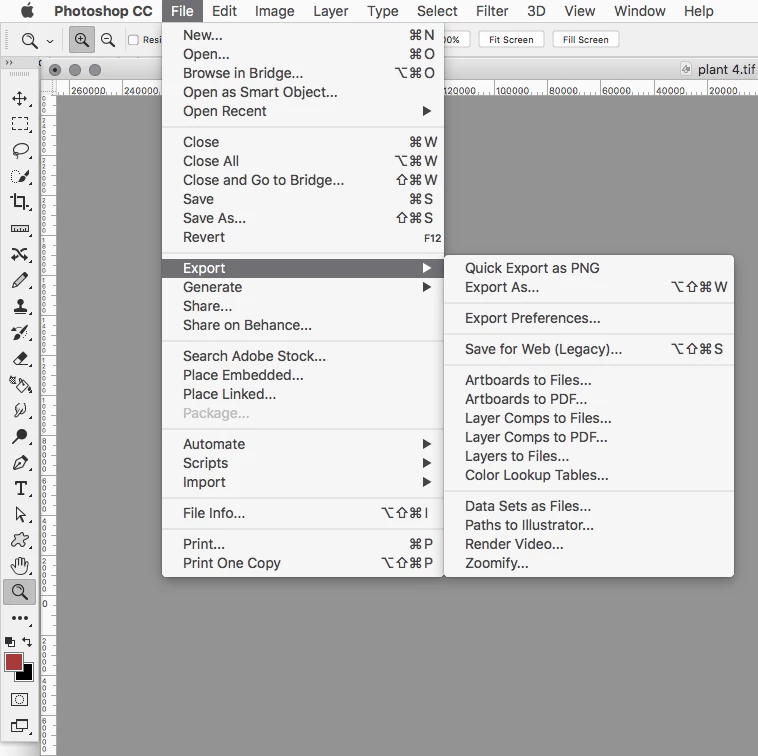
    Some scripts that are of an export variety like Layer Comps to Files are now under File>Export.

    4 replies

    Jeff Arola
    Community Expert
    Community Expert
    March 2, 2020

    jimm,


    Which particular scripts are you referring to?


    What operating system and version of photoshop are you using?

    jimm7329411
    Known Participant
    March 2, 2020

    Hey!  I am having the same problem, was there ever an answer on how to get the scripts to show in the script list?


    Leon Lao
    Participant
    August 15, 2023

    Late to the discussion, but I had the same problem and found I placed the script in the wrong directory. Make sure the script is placed in 

    C:\Program Files\Adobe\Adobe Photoshop CC 2023\Presets\Scripts 

    and not

    C:\Users\(name)\AppData\Roaming\Adobe\Adobe Photoshop CC 2023\Presets\Scripts

    Jeff Arola
    Community Expert
    Jeff ArolaCommunity ExpertCorrect answer
    Community Expert
    September 19, 2018

    Some scripts that are of an export variety like Layer Comps to Files are now under File>Export.

    Scott Falkner
    Community Expert
    Community Expert
    September 20, 2018

    https://forums.adobe.com/people/Jeff+Arola  wrote

    Some scripts that are of an export variety like Layer Comps to Files are now under File>Export.

    Aha! This is not intuitive for experienced users. I expect scripts to be in the scripts menu, where they always have been. Thank you!

    Sahil.Chawla
    Adobe Employee
    Adobe Employee
    September 19, 2018

    Hi Scott,

    As the scripts are not appearing in the script menu, I would suggest you to back up your scripts, presets, brushes and actions. Then reset the preferences of Photoshop back to default and install the scripts again.

    Preferences Reset Photoshop - https://helpx.adobe.com/photoshop/using/preferences.html

    Regards,
    Sahil

    JJMack
    Community Expert
    Community Expert
    September 19, 2018

    Did you  start Photoshop after you copied you script into Photoshop's Presets\scripts ?.  Photoshop create the Script Name list menu items when you start Photoshop.  If you copy the script into Presets\script while you are using Photoshop.  The script's name will not be in the current list of script name.  You would need to restart Photoshop for the name to be added.

    JJMack
    Scott Falkner
    Community Expert
    Community Expert
    September 20, 2018

    JJMack  wrote

    Did you  start Photoshop after you copied you script into Photoshop's Presets\scripts ?.  Photoshop create the Script Name list menu items when you start Photoshop.  If you copy the script into Presets\script while you are using Photoshop.  The script's name will not be in the current list of script name.  You would need to restart Photoshop for the name to be added.

    The scripts were there already. Some, perhaps all, of them are default scripts yet they do not show. A restart of Photoshop and of the computer did nothing, even with a preferences rebuild.