
Participant
October 25, 2025
Answered

Searching for a way to automate the detection or identification of gaps in an image (AI use case?)

  • October 25, 2025
  • 1 reply
  • 97 views

Hi there, 


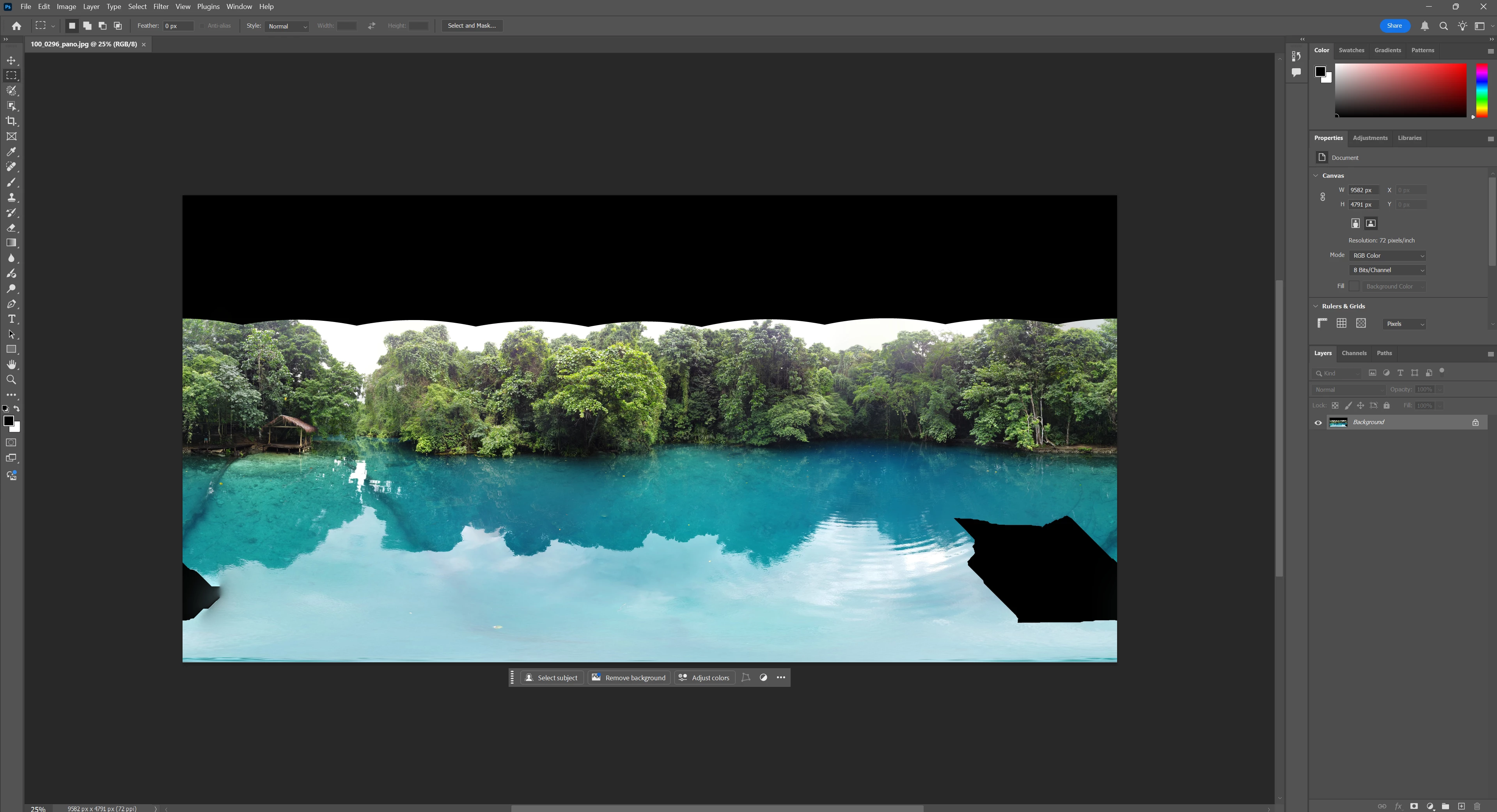
I'm interested to understand if there is a way to automate/detect the areas within this image that are showing as black? It's a photo from a drone that is missing the sky and a few areas beneath it. I can manually lasso the areas and have AI generatively fill them, but I'm wondering if there's a command or way to interface with Photoshop that allows the platform to analyze the image and identify the areas where there is the black fill. 


I have a feeling there should be a way to ask the AI component of the tool to identify the black areas for me. Has anyone heard of something similar?  


Thanks
 

Correct answer Conrad_C

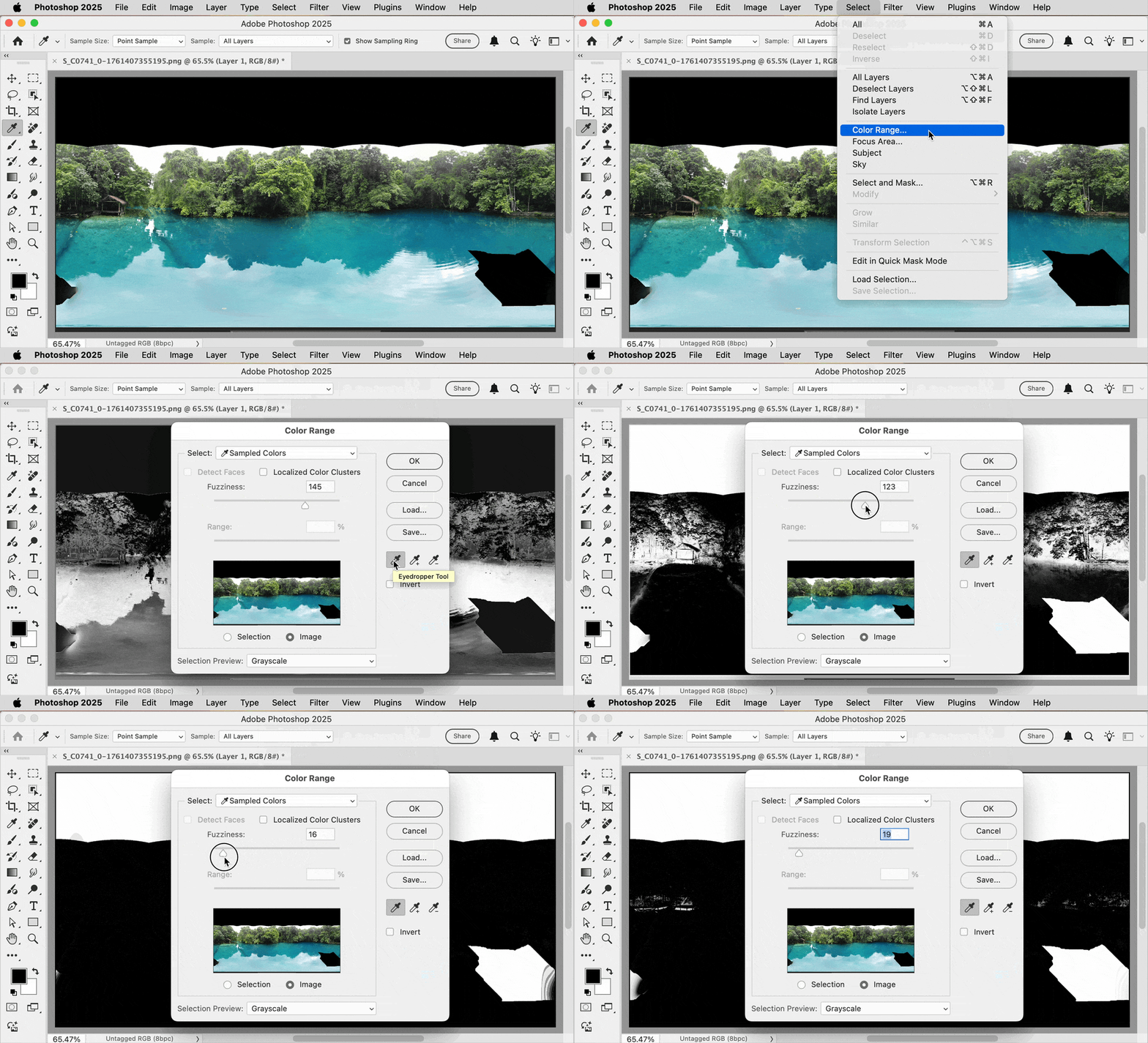
If all you need is to isolate solid black, AI is probably not necessary. You can use the decades-old color selection features. One way is to use the Magic Wand tool with the Contiguous option deselected. Another way, shown in the demo below, is to use the command Select > Color Range, use the eyedropper to sample the black color you want, then adjust Fuzziness to include areas that might not be the exact same solid black, or set Fuzziness to 0 if you only want to select one specific color value of black. Once you’re familiar with this command, it should only take a few seconds to do, no AI needed. When you click OK, the area you marked is converted to a selection and you can use generative fill on that. 


1 reply

Conrad_C
Community Expert
Conrad_CCommunity ExpertCorrect answer
Community Expert
October 25, 2025

If all you need is to isolate solid black, AI is probably not necessary. You can use the decades-old color selection features. One way is to use the Magic Wand tool with the Contiguous option deselected. Another way, shown in the demo below, is to use the command Select > Color Range, use the eyedropper to sample the black color you want, then adjust Fuzziness to include areas that might not be the exact same solid black, or set Fuzziness to 0 if you only want to select one specific color value of black. Once you’re familiar with this command, it should only take a few seconds to do, no AI needed. When you click OK, the area you marked is converted to a selection and you can use generative fill on that. 


S_C0741Author
Participant
November 1, 2025

Great, thanks!