
Inspiring
December 5, 2018
Answered

Select and Mask is not working

  • December 5, 2018
  • 2 replies
  • 2344 views

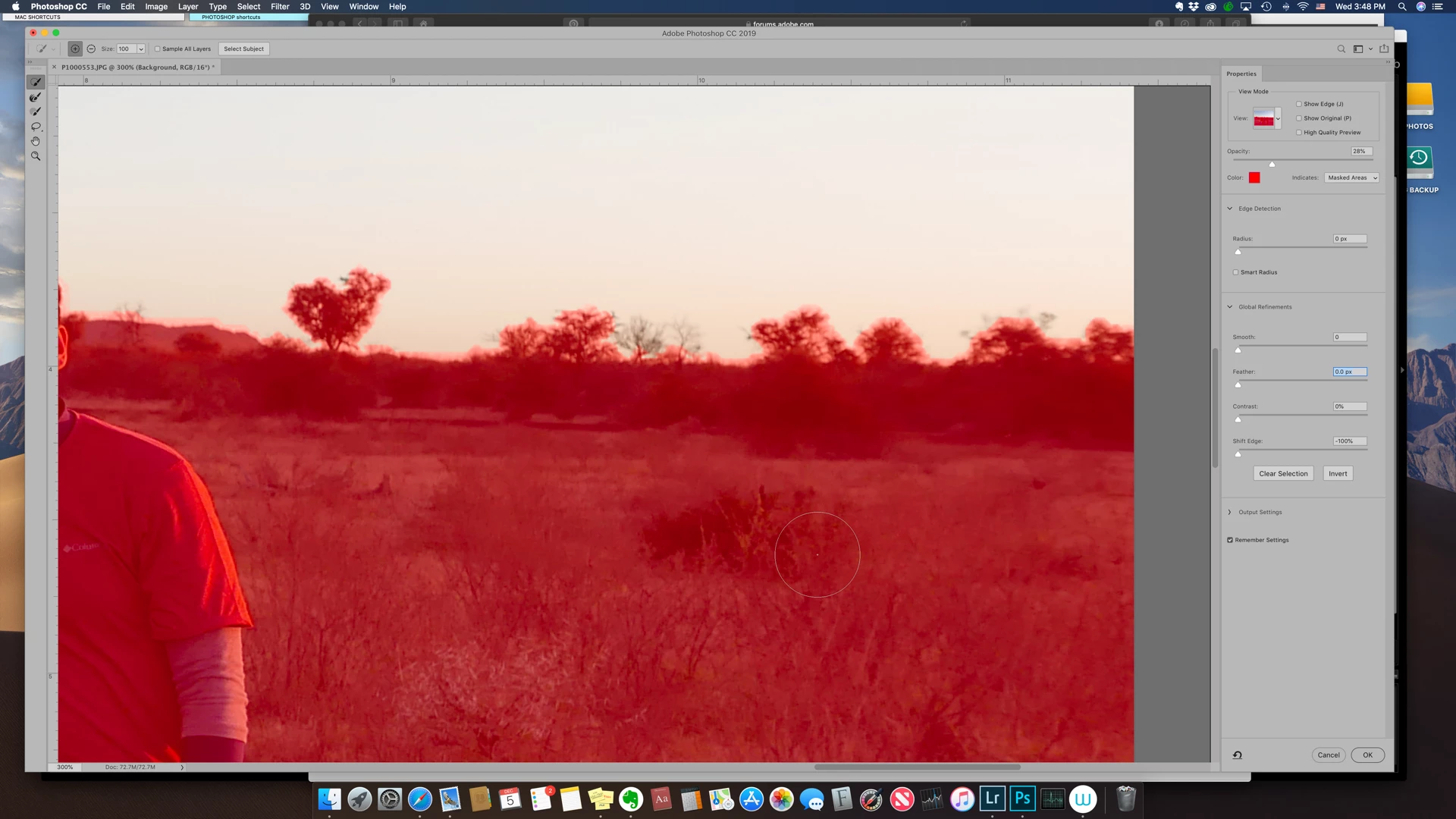
Select and mask is not working properly.  Selections are not finding edges and refine edge works more as an eraser and obliterates the edge.  I am running Photoshop CC 20.0.1 on a Mac running Mojave 10.14.1. 

Here is a screenshot initially using the quick selection brush:
Edge identification is pretty rough.

Here is effect of using the refine edge brush:

It is just deselecting (like an eraser).  If I switch it from add to subtract from selection, it does nothing at all.  The issue is the same if I switch the mode from 16 bit to 32 bit. 

Any help would be appreciated.  Thanks!

    This topic has been closed for replies.
    Correct answer WRB22

    OK - figured it out.  Shift edges is set to -100.  Didn't notice it but setting at 0 seems to have solved the issue.  Thanks for checking on it for me.

    2 replies

    Participant
    April 27, 2019

    This didn't work for me. Mask quality is still poor and very difficult to work with.

    Inspiring
    September 30, 2019
    I''m having the same issue. I've spent hours watching videos and following instructions EXACTLY, to no avail. the refine edge brush is not working properly. All it does it make a mess. Please help! CC 2019, Win 10.
    Sahil.Chawla
    Adobe Employee
    Adobe Employee
    December 5, 2018

    Hi there,

    That shouldn't be happening, could you please try enabling "Legacy compositing" located in Photoshop's Preferences > Performance, then relaunch Photoshop and let us know if it helps?

    Regards,
    Sahil

    WRB22Author
    Inspiring
    December 5, 2018

    Switching to legacy compositing and relaunching did not change it.  If any question btw, this is not a composted image - just an ordinary photo and a simple selection of the sky.

    WRB22AuthorCorrect answer
    Inspiring
    December 5, 2018

    OK - figured it out.  Shift edges is set to -100.  Didn't notice it but setting at 0 seems to have solved the issue.  Thanks for checking on it for me.