
Inspiring
March 25, 2026
Answered

Selecting corners for scaling

  • March 25, 2026
  • 1 reply
  • 34 views

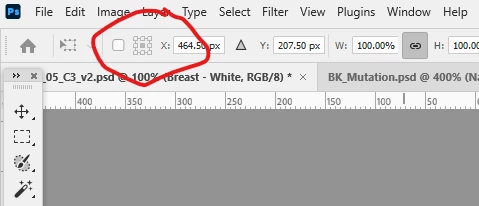
I recently moved from CS4 to the latest Creative Cloud. One thing I can’t work out is how to select the corner or edge to scale from when doing Transform? The grid in the toolbar is always greyed out - can someone please tell me what I am doing wrong?
 

    Correct answer Conrad_C

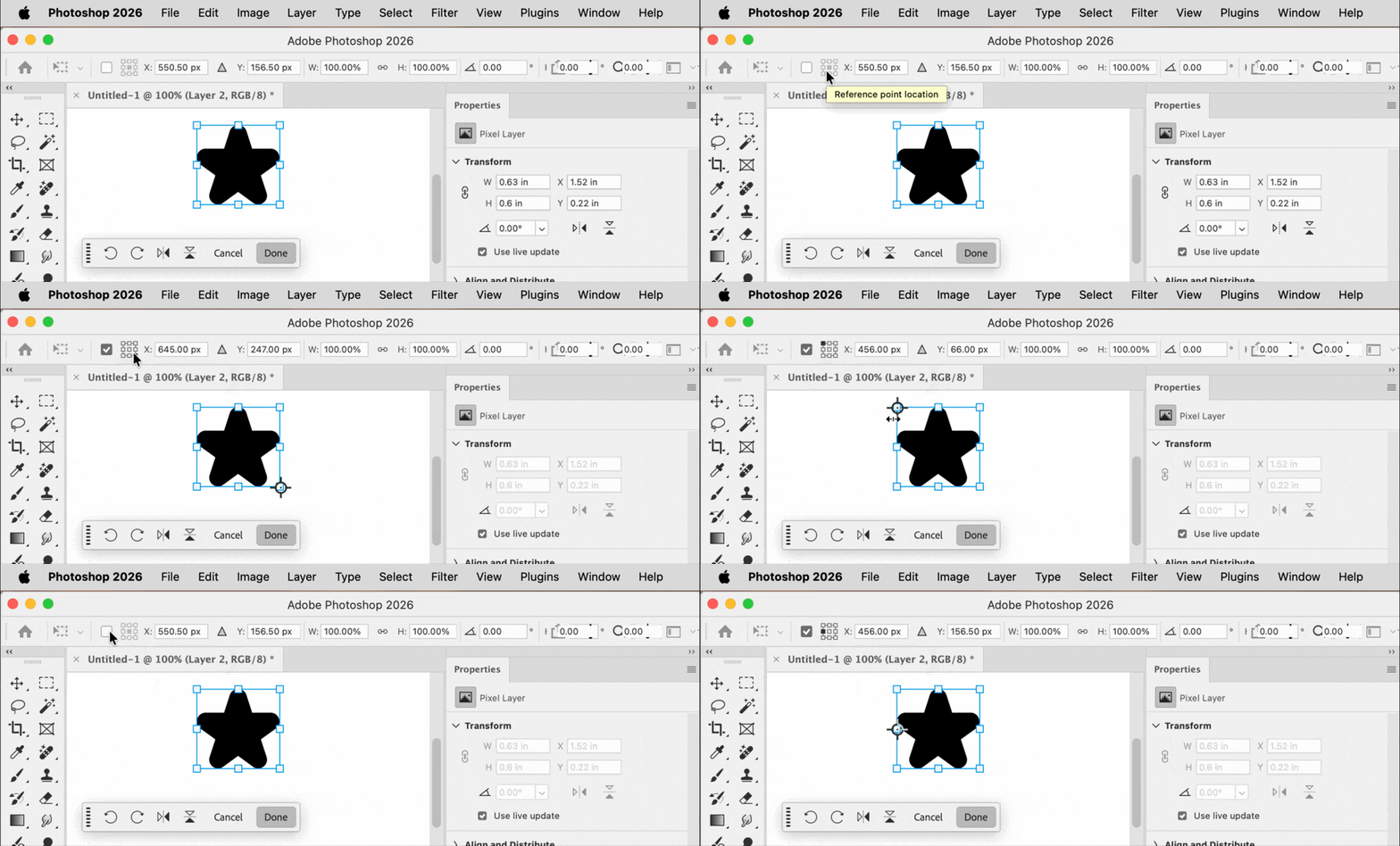
    Select the Toggle Reference Point check box next to the transform proxy, as shown in the demo below. 

    You’ll see that it enables/disables the Reference Point Location proxy in the options bar, and also enables/disables the draggable reference point icon over the layer transform controls box on the canvas.  


    1 reply

    Conrad_C
    Community Expert
    Conrad_CCommunity ExpertCorrect answer
    Community Expert
    March 25, 2026

    Select the Toggle Reference Point check box next to the transform proxy, as shown in the demo below. 

    You’ll see that it enables/disables the Reference Point Location proxy in the options bar, and also enables/disables the draggable reference point icon over the layer transform controls box on the canvas.  


    Inspiring
    March 25, 2026

    Oh wow. I knew it would be something easy - but I couldn’t find it. Thank you very much. 😊

    Trevor.Dennis
    Community Expert
    Community Expert
    March 26, 2026

    @Anthony274639151s3h  Welcome to a world where Photoshop is more like a big box of magic tricks, that a simple image editor.