
Inspiring
Sep 4, 2023 6:54 PM UTC
Answered

selecting text color with eyedropper not working

Photoshop 2023, Mac Ventura 13.5.1, 
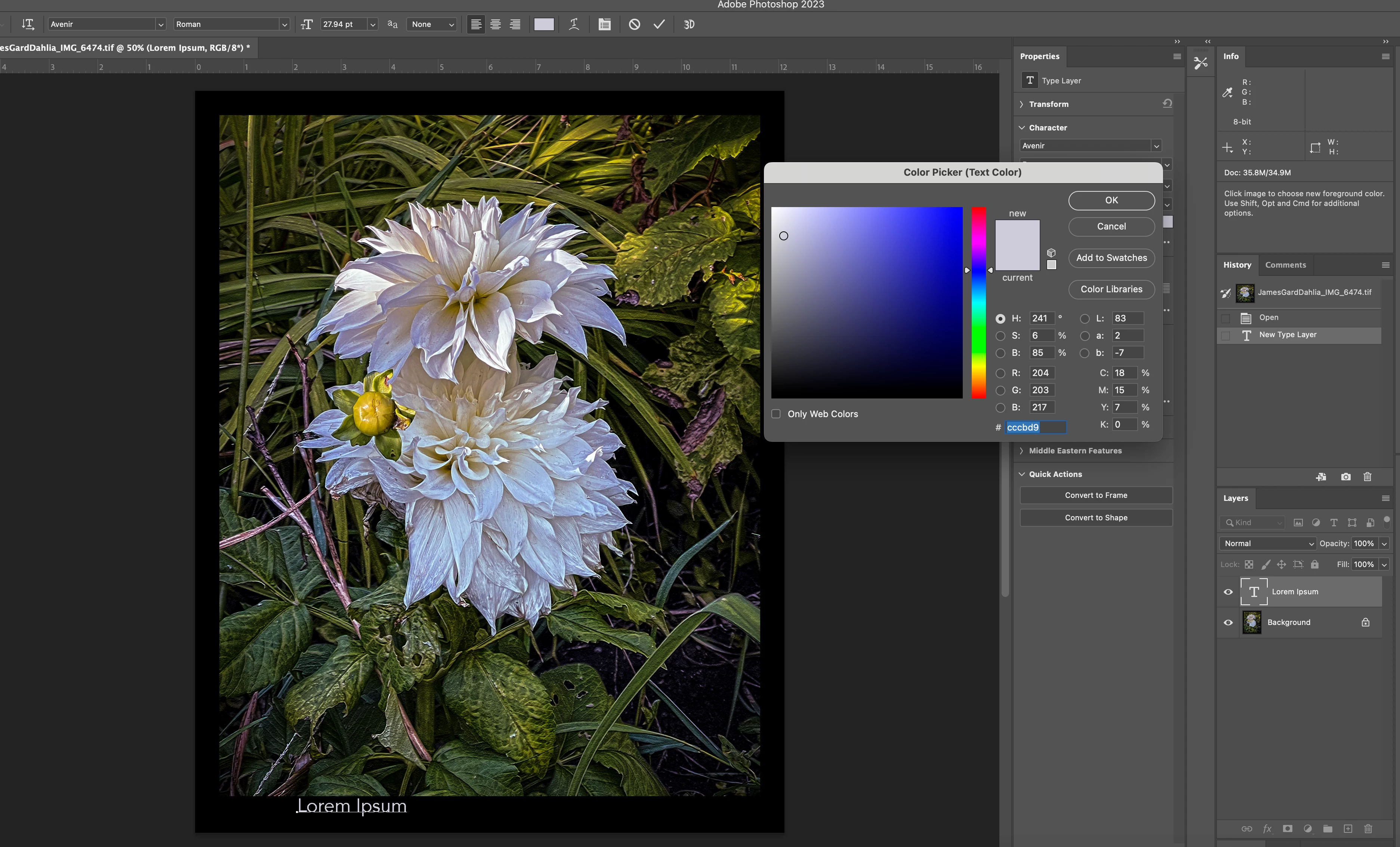
When selecting text on text layer to change its color, and clicking on the color box at the top for text color, using the eyedropper on the image to select a color does not work. But it  does work in Photoshop Beta 25.1.

I am attaching a screen shot of Photoshop 2023. I cannot use the eyedropper to select the color from the canvas, but I can manually choose a color in thw window for the color text picker. The eyedropper option does not change the color? 
 

This topic is closed to new replies. Start a new post to keep the conversation going.
GregusaurusCorrect answer
Inspiring
Sep 5, 2023 5:08 PM UTC

IT IS FIXED!
My fault. I did not have "all layers" selected for the eyedropper tool. Thanks for trying to help. 

So sorry. Sometrimes it is just a simple fix. 

12 replies

GregusaurusAuthorCorrect answer
Inspiring
Sep 5, 2023 5:08 PM UTC

IT IS FIXED!
My fault. I did not have "all layers" selected for the eyedropper tool. Thanks for trying to help. 

So sorry. Sometrimes it is just a simple fix. 

Translate
gener7
Community Expert
Community Expert
May 21, 2024 8:59 PM UTC

I'm a bit late  on marking this correct, but others may want to know what to check if they are running into the same issue. Resetting the Eyedropper Tool also defaults it to "All Layers".

Translate
Known Participant
Sep 5, 2023 5:06 PM UTC

Should not make much of a difference as 13.5 mainly contained a bugfix for location services/system preferences.

Translate
-------- Mac Mini M2 Pro, Ventura 13.6, PS 24.7.3 PS Beta 26.4.0 --------
Inspiring
Sep 5, 2023 5:02 PM UTC

Thanks Felix31283606af5x for telling me that. 

"No problems here changing the color via eyedropper.


Ventura 13.4, PS 24.7 Mac Mini Pro"


I am on Ventura 13.5.1

Translate
Known Participant
Sep 5, 2023 4:55 PM UTC

No problems here changing the color via eyedropper.

Translate
-------- Mac Mini M2 Pro, Ventura 13.6, PS 24.7.3 PS Beta 26.4.0 --------
Jeff Arola
Community Expert
Community Expert
Sep 5, 2023 4:20 PM UTC

Sounds like preferences reset is in order for photoshop 24.7

https://helpx.adobe.com/photoshop/using/preferences.html

Translate
Inspiring
Sep 5, 2023 4:17 PM UTC

Bojan,

Photoshop 2023,  24.7.0 

However it does work in Photoshop Beta 25.1.0

Translate
Inspiring
Sep 5, 2023 4:15 PM UTC

"A couple of other ways to try:

Double click on the Text Layer in the Layers Panel or highlight the text in the document area then try with the color picker."
-Jeff Arola
Thanks Jeff, But that is what I have been doing.  The eyedropper tool does not change the color of the font. 

Photoshop 2023, 24.7.0 

However it does work in Photoshop Beta 25.1.0

Translate
Jeff Arola
Community Expert
Community Expert
Sep 5, 2023 6:56 AM UTC

It works here on a 2022 Mac Studio running macOS Ventura 13.5.1 with photoshop 24.7 production.


A couple of other ways to try:

Double click on the Text Layer in the Layers Panel or highlight the text in the document area then try with the color picker.

Translate
Bojan Živković11378569
Community Expert
Community Expert
Sep 5, 2023 5:49 AM UTC

Testing on Win, Photoshop 24.7.0 and everything works fine. It is probably Mac related. Post exact version of Photoshop: Help > About Photoshop and wait someone with Mac to check.

Translate
Inspiring
Sep 5, 2023 4:36 AM UTC

Is anyone else having this problem? 

Translate
Participant
May 21, 2024 7:06 PM UTC

Ya, it is happening to me and bothering me a lot.

Translate