
emjaycalago
Participant
May 27, 2025 12:22 AM UTC
Answered

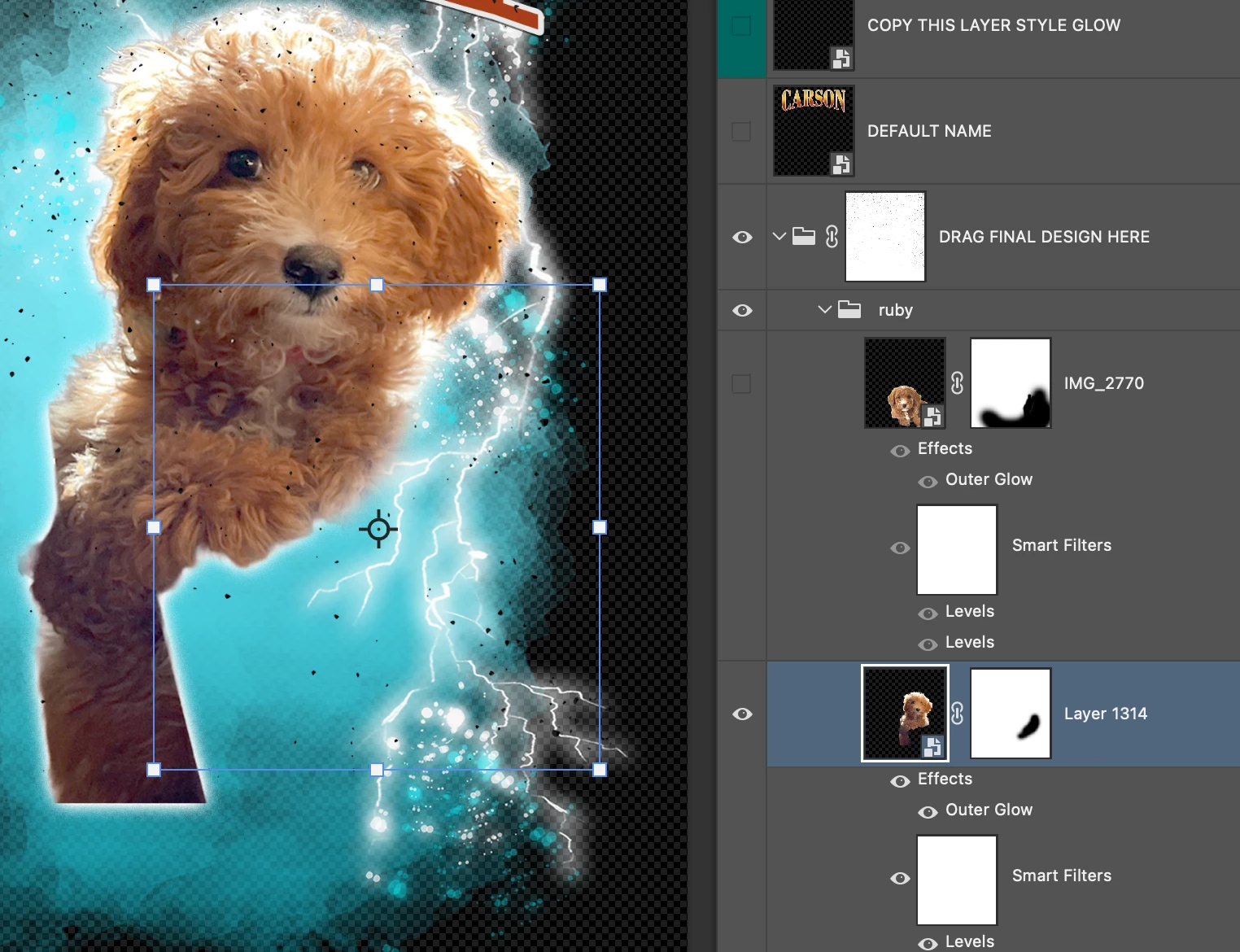
Selecting the layer will automatically select the mask? BUG?

After the update, the selected layer with a layer mask will automatically select the layer mask not the layer, even if I CMD+T the layer.

Is there any way to fix this issue? Thanks
 

emjaycalago
emjaycalagoCorrect answer
Participant
May 28, 2025 5:37 AM UTC

Uninstalling PS and installing it again fixed it. Thank you for noticing and replying.

5 replies

emjaycalago
emjaycalagoAuthorCorrect answer
Participant
May 28, 2025 5:37 AM UTC

Uninstalling PS and installing it again fixed it. Thank you for noticing and replying.

Translate
Bojan Živković11378569
Community Expert
Community Expert
May 28, 2025 5:19 AM UTC

I cannot reproduce the issue on my end with Photoshop 26.7.0 on Windows. Everything functions as expected with the Move tool active and Auto-Select > Layer checked. I tested with pixel-based, vector-based, and Smart Object layers with the layer mask. The only instance where the mask was selected upon clicking on content was when the mask was applied to a Type layer. The Outer Glow effect does not alter anything.

Translate
emjaycalago
Participant
May 28, 2025 2:23 AM UTC

it is just a image with removed background and convert into smart object. and 1 outer glow.

Translate
Bojan Živković11378569
Community Expert
Community Expert
May 27, 2025 3:26 PM UTC

Can you provide more details about the types of layers and how you are selecting them? Version of Photoshop is 26.7.0?

Translate
emjaycalago
Participant
May 27, 2025 12:31 AM UTC

If I have adjustments to the image I have to drag and hold the edges of the mask not the whole edges of the layer.

Translate