May 25, 2023
Answered

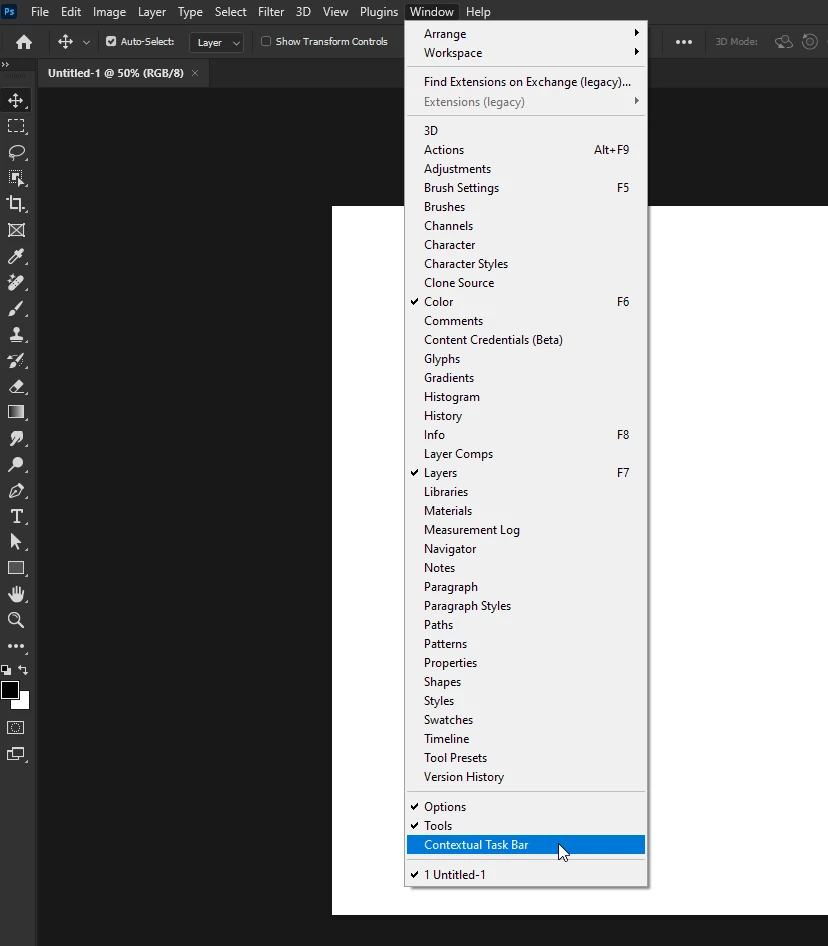
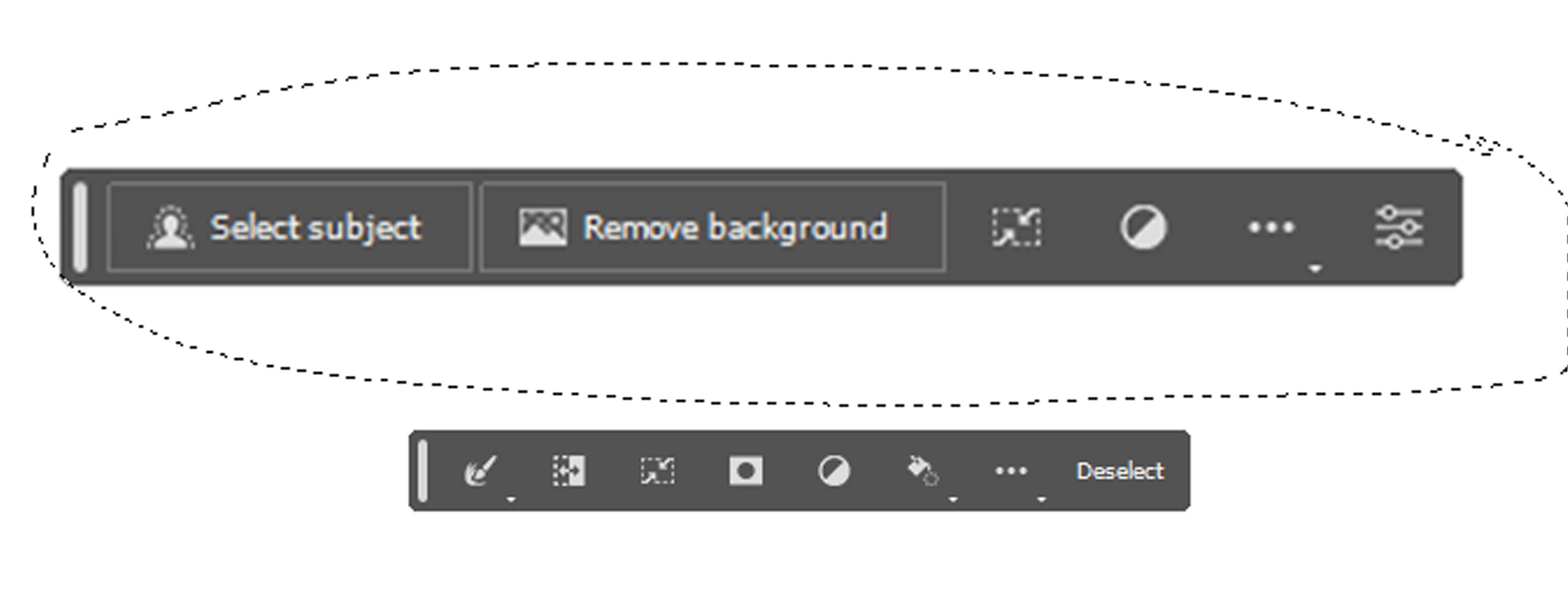
Selection tool popup

  • May 25, 2023
  • 3 replies
  • 4029 views

How can I turn off the popup fom the selection tool? It is super annoying.
Pleae let me know.

Kind regards,
René

    Correct answer Ged_Traynor

    You can disable it from here

    3 replies

    Participant
    March 4, 2024

    It is super annoying! Between that and the stupid tool tips, I feel like I'm on a bad website with too many pop ups every time I try to work on a project. Abobe, if you're reading this, please stop trying to be helpful.


    Ged_Traynor
    Community Expert
    Community Expert
    March 5, 2024

    @Jane24492067rszo you can disable the tooltips in preferences

    Participant
    March 5, 2024

    Yes, I am aware and I have done that. However, every time I update my software, I have to reset my preferences. Turning these features off is not consistent between all the Creative Suite programs, so I have to poke around and try to remember (or google) how I did it last time. I wish Adobe would put the preference in the same place across all their programs. It's probably not possible, but it would be amazing if users could manage their preferences in the cloud and have them apply automatically across all programs and with each update. 

    Ged_Traynor
    Community Expert
    Ged_TraynorCommunity ExpertCorrect answer
    Community Expert
    May 25, 2023

    You can disable it from here

    May 25, 2023

    Thank you very much! That is very helpful!

    Ged_Traynor
    Community Expert
    Community Expert
    May 25, 2023

    You're welcome

    kglad
    Community Expert
    Community Expert
    May 25, 2023

    @18917885 


    in the future, to find the best place to post your message, use the list here, https://community.adobe.com/


    p.s. i don't think the adobe website, and forums in particular, are easy to navigate, so don't spend a lot of time searching that forum list. do your best and we'll move the post if it helps you get responses.


    <moved from using the community>

    May 25, 2023

    It is photoshop, through some update it enabled it. Very frustrating.
    It did take me 20 min before I found that I can turn it off by clicking on the three dots and hide the bar. No idea where it gets enabled or disabled outside of that, but it is gone now. I was searching in all kind of settings to see if it was something that could be ticked on or off, but did not find anything.

    This function should, like any photoshop tab, have the option to right click, reveal an option to close it, or get a pop up menu. I don't find it user friendly at all.

    Also I did not know where else to ask, I rarely post or ask things, so sorry if i posted it somewhere it shouldn't be.