
Inspiring
May 17, 2019
Answered

Selection won't contract if selection was made by Ctrl+a or simply selecting everything

  • May 17, 2019
  • 3 replies
  • 8784 views

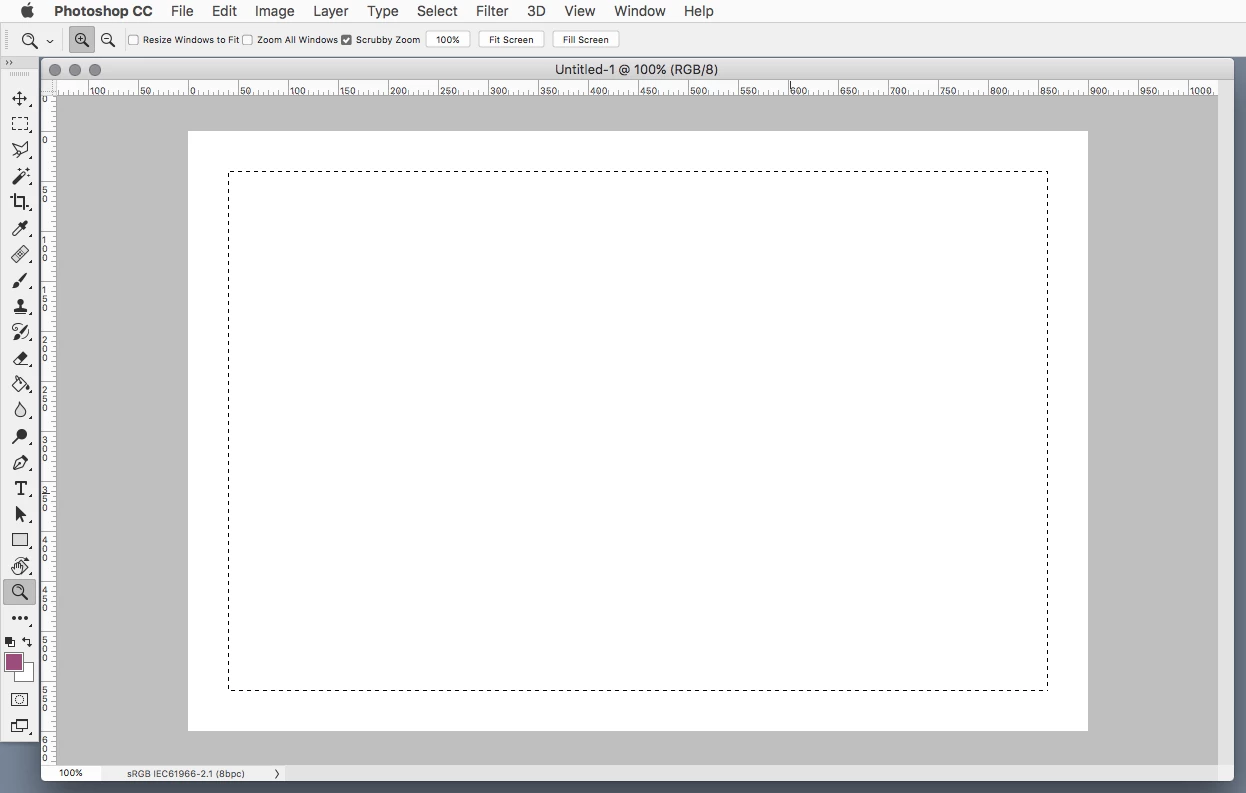
So I wan't to make a selection of an entire page with an equal border around it that isn't selected. To achieve this I used Ctrl+a to select everything and then Select>Modify>Contract. However, for whatever reason this won't actually reduce the selection around the canvas. I also have this problem if I select the entire canvas manually using the rectangle marquee tool.

If I make a selection has some areas not touching the border, then only the areas not touching the border will contract. So how do I contract a selection if it's touching the edge of the canvas?
    This topic has been closed for replies.
    Correct answer Jeff Arola

    What version of photoshop are you using?

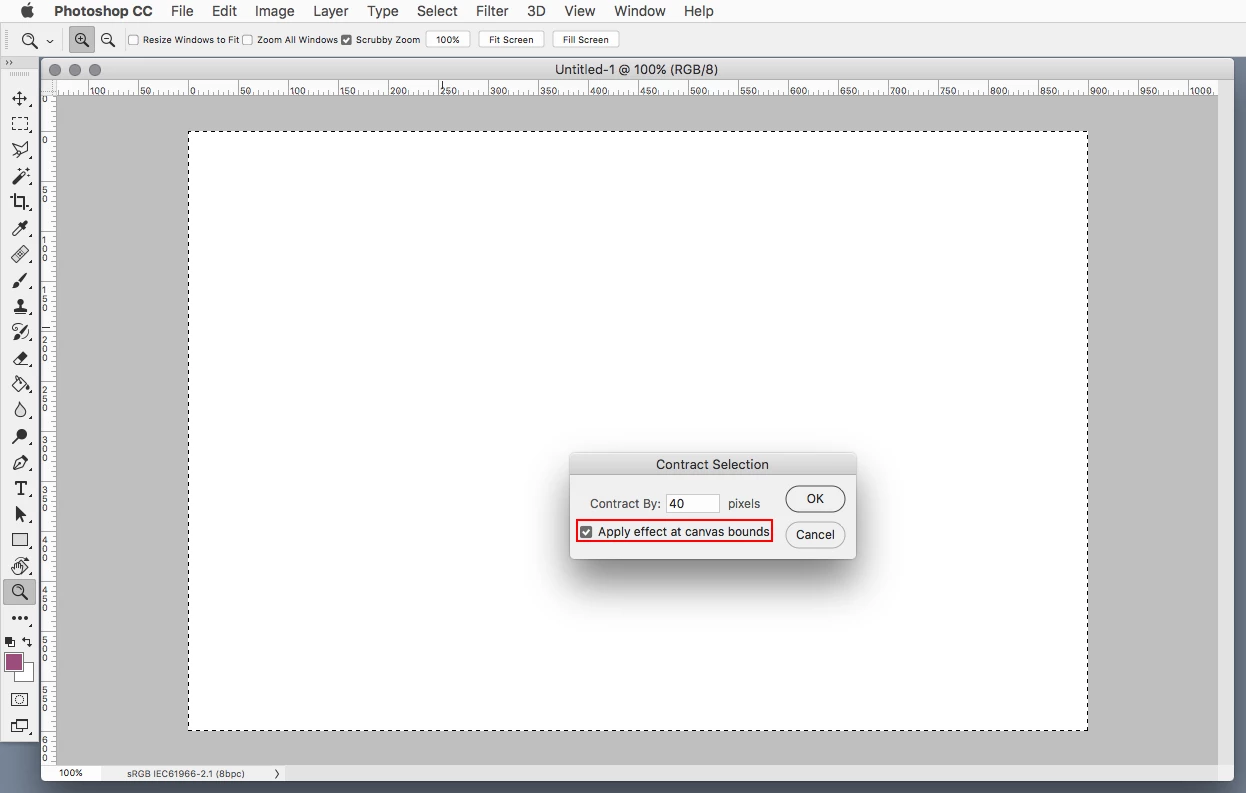
    In more recent versions of photoshop one can check Apply effect at canvas bounds in the Contract Selection dialog to contract the selection from the edge of the canvas.

    3 replies

    Jeff Arola
    Community Expert
    Jeff ArolaCommunity ExpertCorrect answer
    Community Expert
    May 17, 2019

    What version of photoshop are you using?

    In more recent versions of photoshop one can check Apply effect at canvas bounds in the Contract Selection dialog to contract the selection from the edge of the canvas.

    Inspiring
    May 17, 2019

    Thank you very much. That worked

    D Fosse
    Community Expert
    Community Expert
    May 17, 2019

    Normally, a selection is sticky to the document edges. For most practical purposes this is a good thing - but sometimes it's not. So that's why they added the option to unstick.

    Sahil.Chawla
    Adobe Employee
    Adobe Employee
    May 17, 2019

    Hi Alex,

    That does not sound right, as you're not able to contract a selection around the canvas in Photoshop, could you please let us know the version of Photoshop and operating system you're working on

    Also, does it happen with a specific document or all files?

    Could you try resetting the preferences of Photoshop and let us know if it helps?

    Preferences in Photoshop

    Note: Please make sure that you back up all custom presets, brushes, actions etc before resetting the preferences.

    Regards,
    Sahil

    Inspiring
    May 17, 2019

    Hi. Thanks for your reply. I am using Photoshop CC 2019 and my creative cloud app says it's up to date. I deleted my Adobe Photoshop CC 2019 Prefs file in the tutorial you sent me but the problem is still present. It is every file where the problem is present.

    davescm
    Community Expert
    Community Expert
    May 17, 2019

    Hi

    Use Ctrl+A followed by Select >Transform Selection

    Dave