
Shadows/Highlights adjustment makes changes without my input
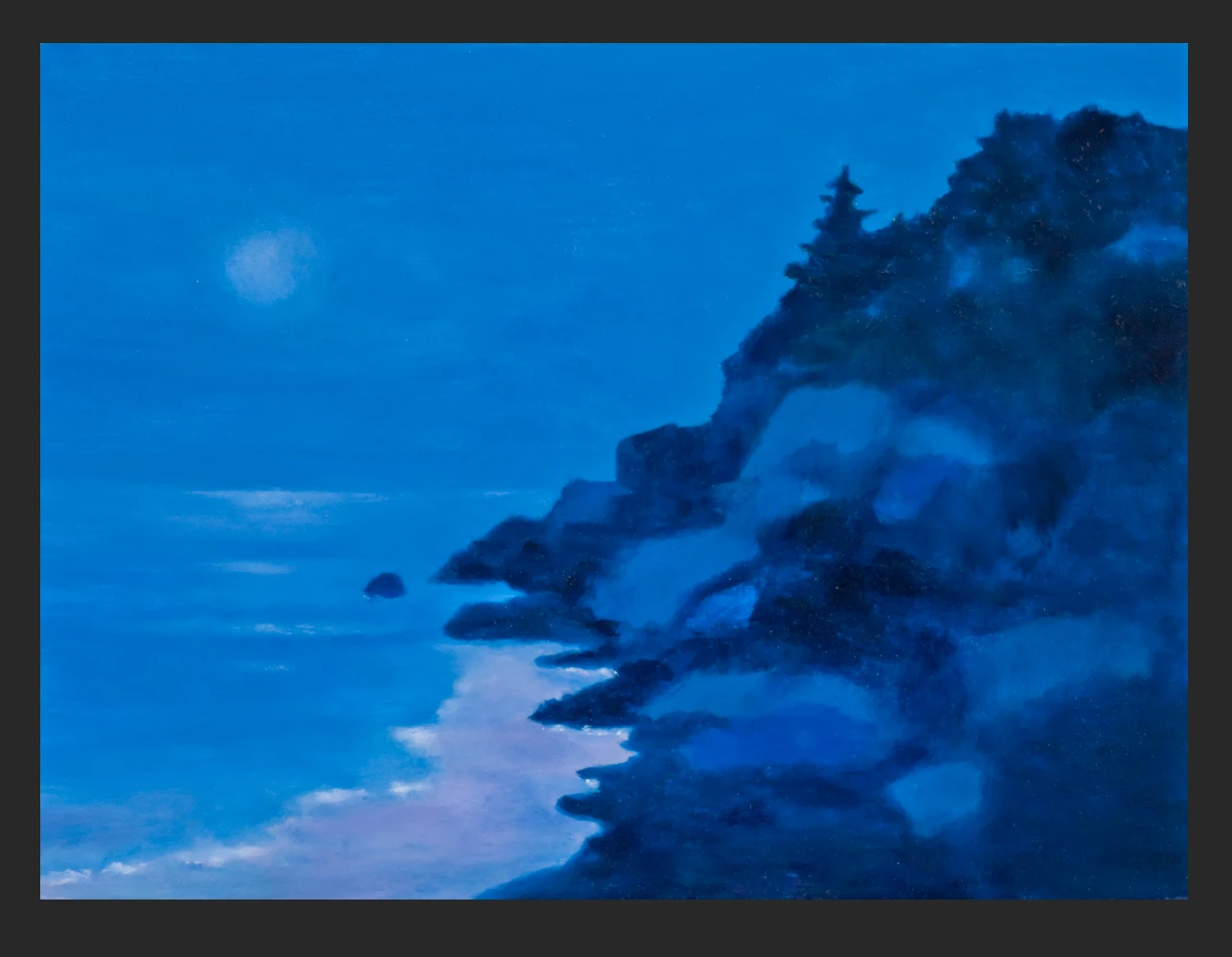
I'm laying out a print book of paintings for an artist, and a couple of the images printed darker in the proof than their originals. The printing house suggests that I "reduce the shadow gamut by 5%" on anything that prints dark.
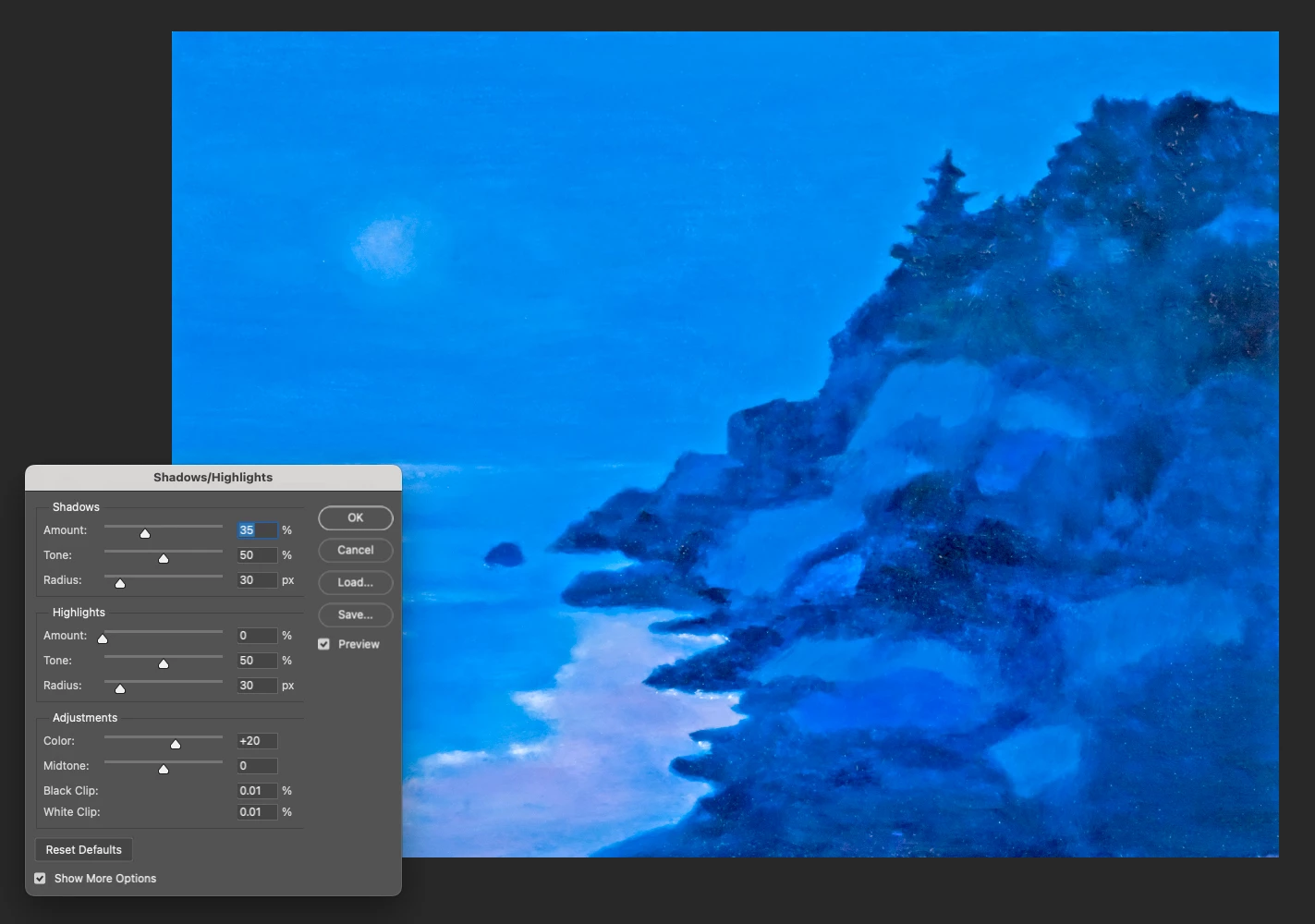
When I tried to make this adjustment in the Shadows/Highlights adjustment panel, the entire painting changed just by virtue of opening the panel - I hadn't even entered any change in the values in any fields, but all the colors changed when the panel was opened.
Is there any way I can get the Shadows/Highlights panel to open without changing the image? Can I get it to show me what the original settings are so I can then make the adjustment the printing house wants?
I've attached a screenshot of the original - then a screenshot after I've opened the Shadows/Highlights panel (but not made any changes to the settings).
Other question: Is there somewhere else I should be making this gamut reduction besides in the Shadow/Highlights panel?
I'm running PhotoShop 2024 on a MacBook Pro, OS 13.6.1 (Ventura).


 AdChoices