jdartcore
Participant
Feb 28, 2017 9:20 PM UTC
Answered

Shere is the shape properties window that will allow me to change path operations, corner radius, etc?

Hi,

Im using photoshop cs6 on windows 10.

Im following a tutorial by someone who is using cs5 I think.

While working with shapes, He has a window open that allows him to change shape properties.

I can not find a way to get a propeties window to display those options.

What Am I missing??

I have included screenshots of what I see vs what I would like to find.

Thanks for reading,

J

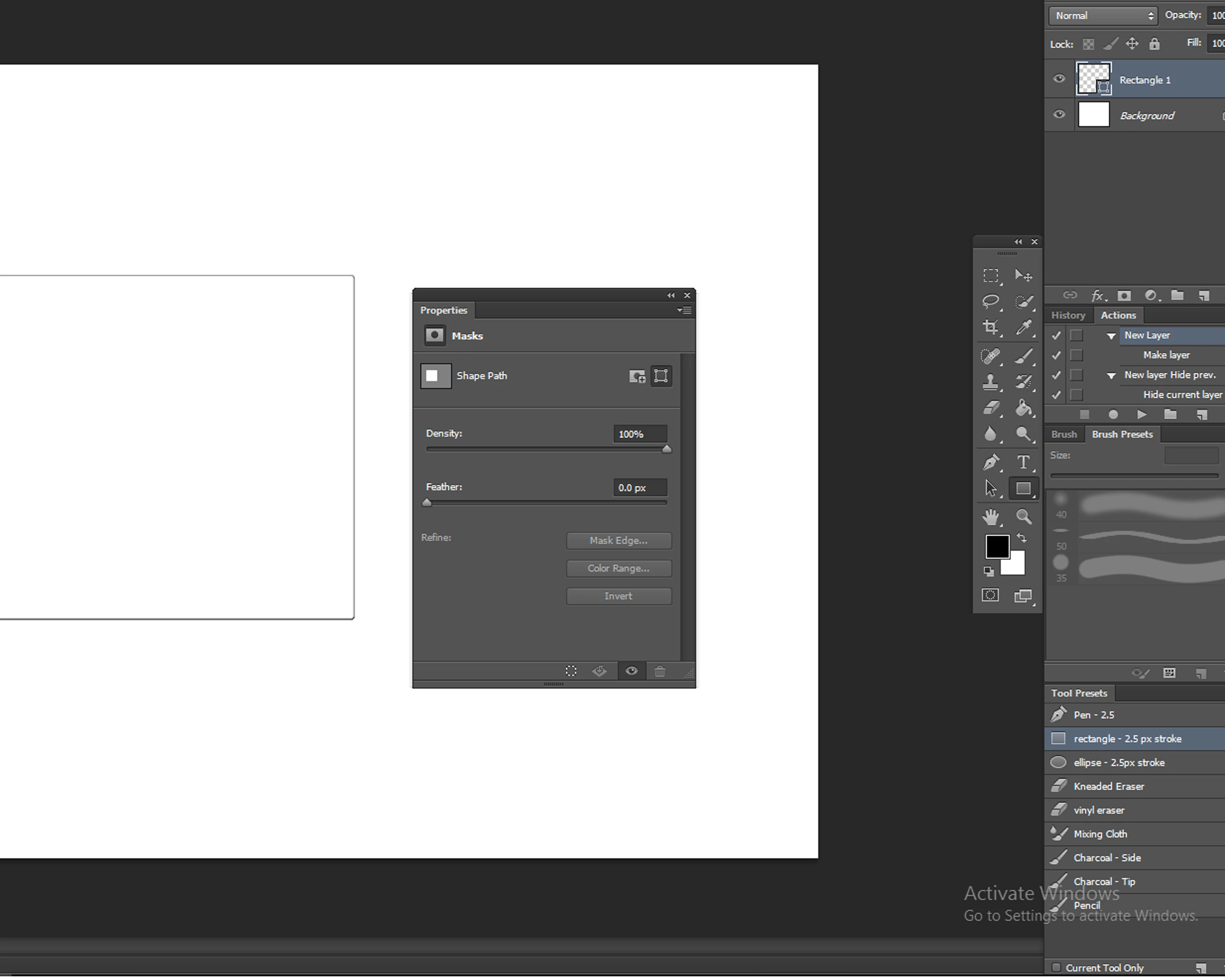
The shape properties window as it appears to me:
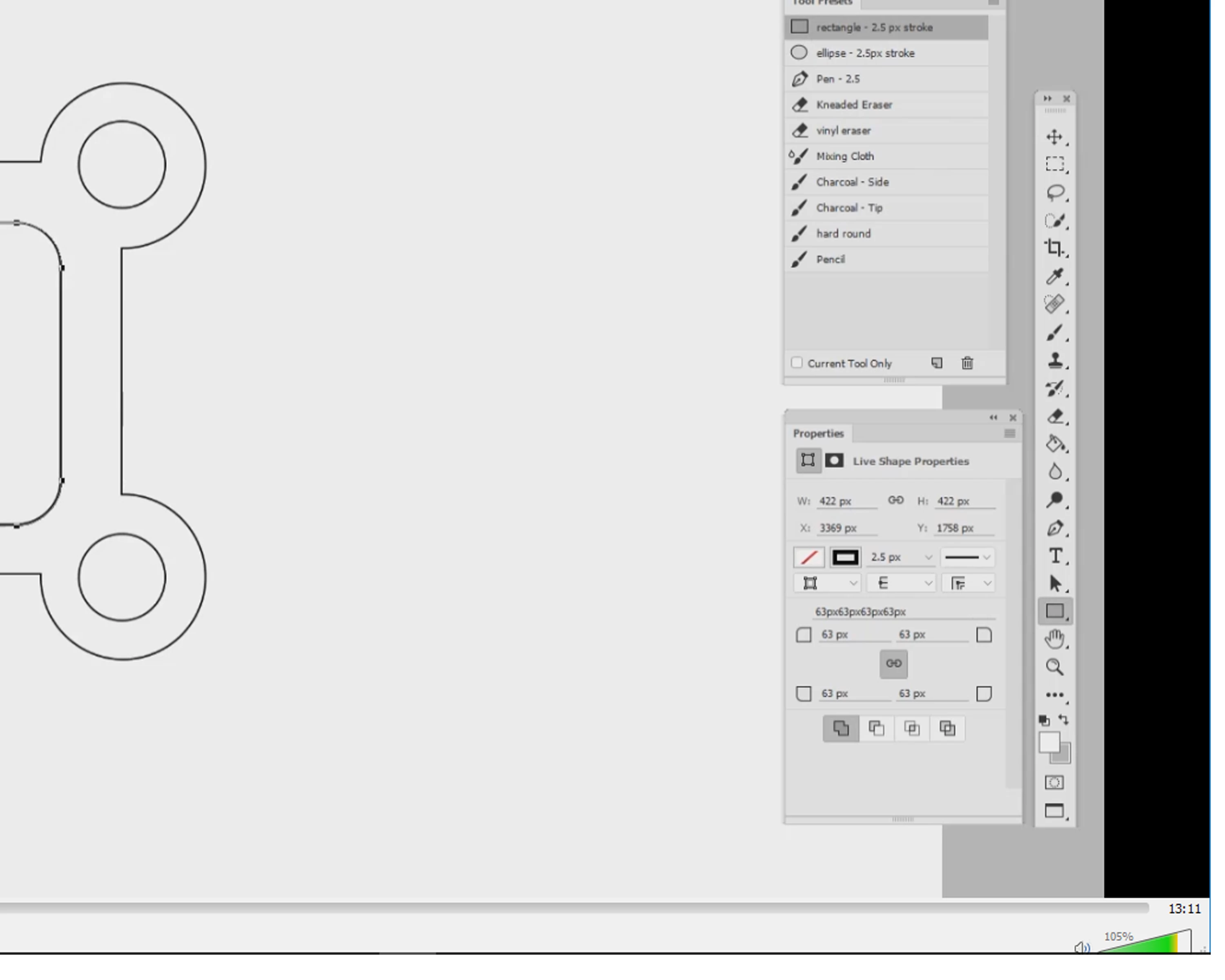
The controls I am looking for:
    This topic is closed to new replies. Start a new post to keep the conversation going.
    davescm
    davescmCorrect answer
    Community Expert
    Feb 28, 2017 10:52 PM UTC

    Those corner controls in the properties box were not in CS6.

    They were added later - not sure in which CC version they first appeared but they are in both CC2015.5 and CC2017.0.1 which I have running here.

    Dave

    5 replies

    JJMack
    Community Expert
    Community Expert
    Feb 28, 2017 10:25 PM UTC

    By any chance did they install a Photoshop script like corner edit?

    newer version of Photoshop have what are call live shapes.

    Translate
    JJMack
    jdartcore
    jdartcoreAuthor
    Participant
    Feb 28, 2017 10:45 PM UTC

    No, thats not it,

    It is a standard copy of the program.

    While looking for an answer on google i saw demos for Photoshop CC that also showed it.

    thanks though!

    Translate
    davescm
    Community Expert
    davescmCommunity ExpertCorrect answer
    Community Expert
    Feb 28, 2017 10:52 PM UTC

    Those corner controls in the properties box were not in CS6.

    They were added later - not sure in which CC version they first appeared but they are in both CC2015.5 and CC2017.0.1 which I have running here.

    Dave

    Translate