


January 2, 2026
Answered

Shift Commands not working with 2026 Photoshop Update

  • January 2, 2026
  • 1 reply
  • 164 views

I just got a new laptop (MacbookPro) and downloaded Photoshop 2026 to it, however, the shift+click and shift+drag commands with the brush tool are not working for me. Ive tried messing with the presets and the individual brush settings, and i have tried resetting to install parameters, but im unsure why this is happening, or if maybe there was a commandline update with the new version? Any insights as to how i can fix this?
Correct answer LAMY2017

Holly, as soon as I opened an image in Ps 2026, suddenly I had no idea what "shift+click and shift+drag commands" are in regards to using the Brush tool. Can you restate or expand?

(also not sure what a "commandline"/update is, either; for me, that envisions a Terminal command)

Of which install parameters do you refer? The Save Old Version and Parameters questions you get at first install? 
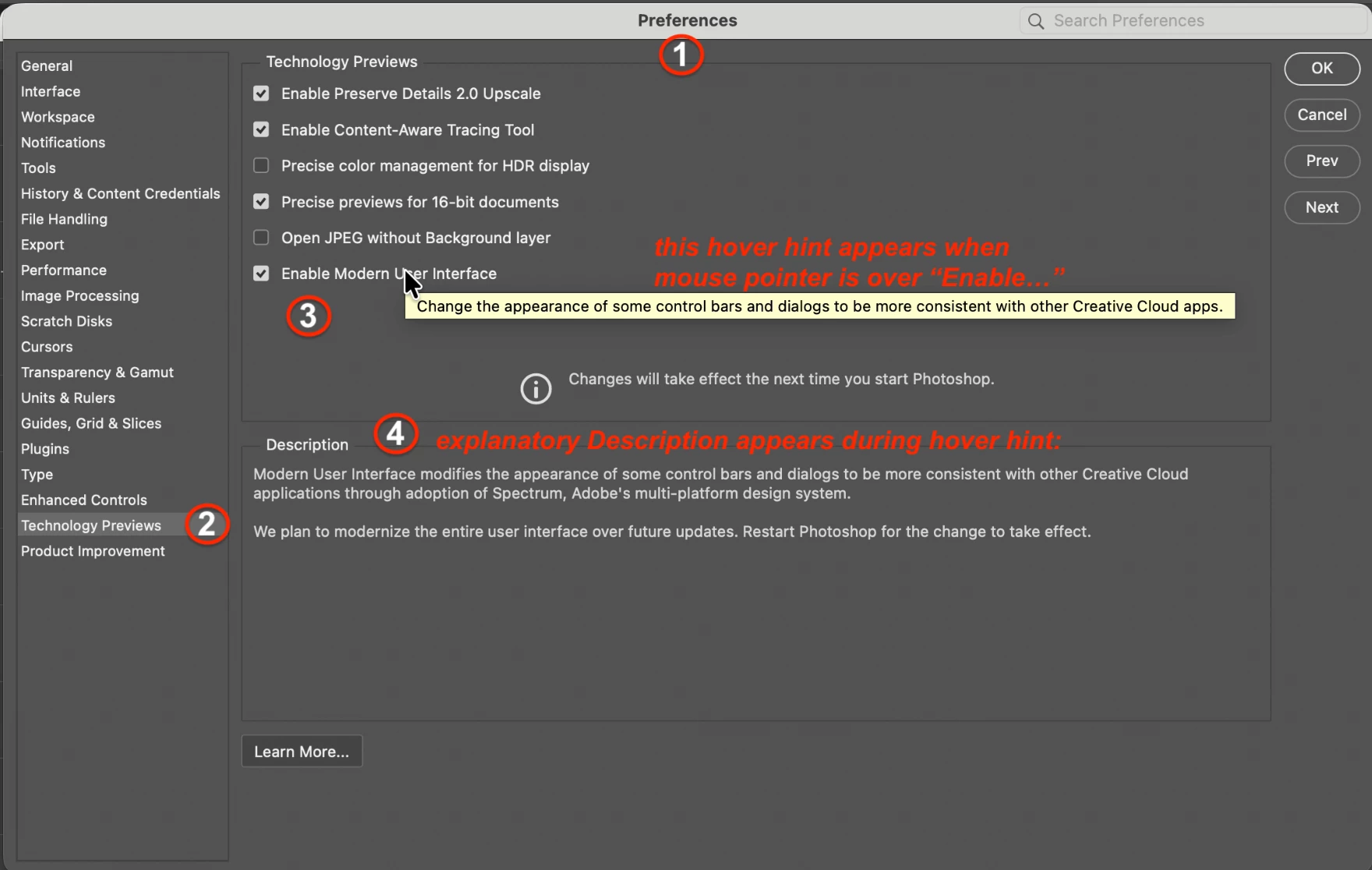
I'm going to guess Adobe threw switch(es) on changes to the interface settings. Someone else may beat me to Settings/Preferences for the specific correct answer, but if not, I'll post what I find shortly...

--editing to add screenshot; my comments --

872527i80F985B370183396.png


1 reply

LAMY2017Correct answer
Legend
January 2, 2026

Holly, as soon as I opened an image in Ps 2026, suddenly I had no idea what "shift+click and shift+drag commands" are in regards to using the Brush tool. Can you restate or expand?

(also not sure what a "commandline"/update is, either; for me, that envisions a Terminal command)

Of which install parameters do you refer? The Save Old Version and Parameters questions you get at first install? 
I'm going to guess Adobe threw switch(es) on changes to the interface settings. Someone else may beat me to Settings/Preferences for the specific correct answer, but if not, I'll post what I find shortly...

--editing to add screenshot; my comments --

872527i80F985B370183396.png


Larry