
Participant
October 20, 2023
Question

Shortcut commands not showing 'F' key instruction in menus

  • October 20, 2023
  • 2 replies
  • 168 views

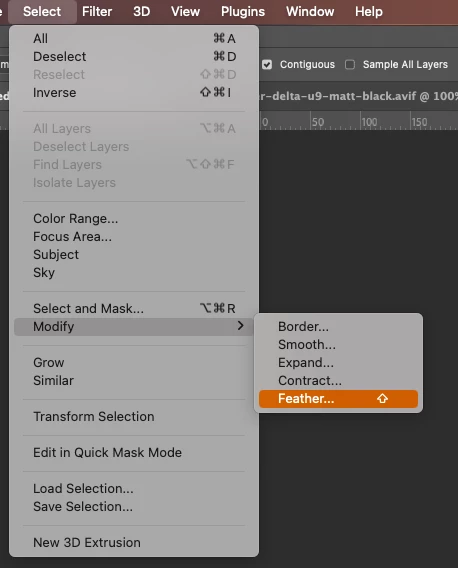
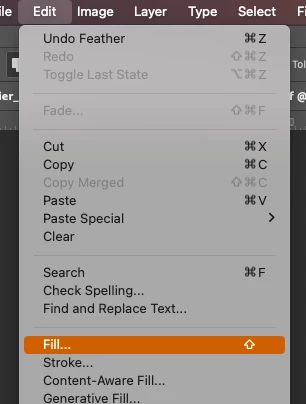
I have just noticed on a couple of dropdown menus that the secondary instructions on the shortcuts that contain an 'F' key, are not showing.

For example, the two I have noticed so far are:


Select > Modify > Feather...

This only shows the 'Shift' (arrow up) icon and not the  '+F6' after it.


Edit > Fill...
This only shows the 'Shift' (arrow up) icon and not the '+F5' after it.
This topic has been closed for replies.

2 replies

Participant
October 20, 2023

There is someone else in my office also using the same version of Photoshop on a Mac (different age of Macbook Pro to me though) that is also seeing this problem.

Ged_Traynor
Community Expert
Community Expert
October 20, 2023

@helen.meeds shortcuts are showing fine for me with Photoshop version 25.0 but I'm on Windows, hopefully someone will come along that uses a MAC and can verify the issue on the MAC side