Inspiring
April 1, 2025
Answered

Sign out nuisance

  • April 1, 2025
  • 1 reply
  • 248 views

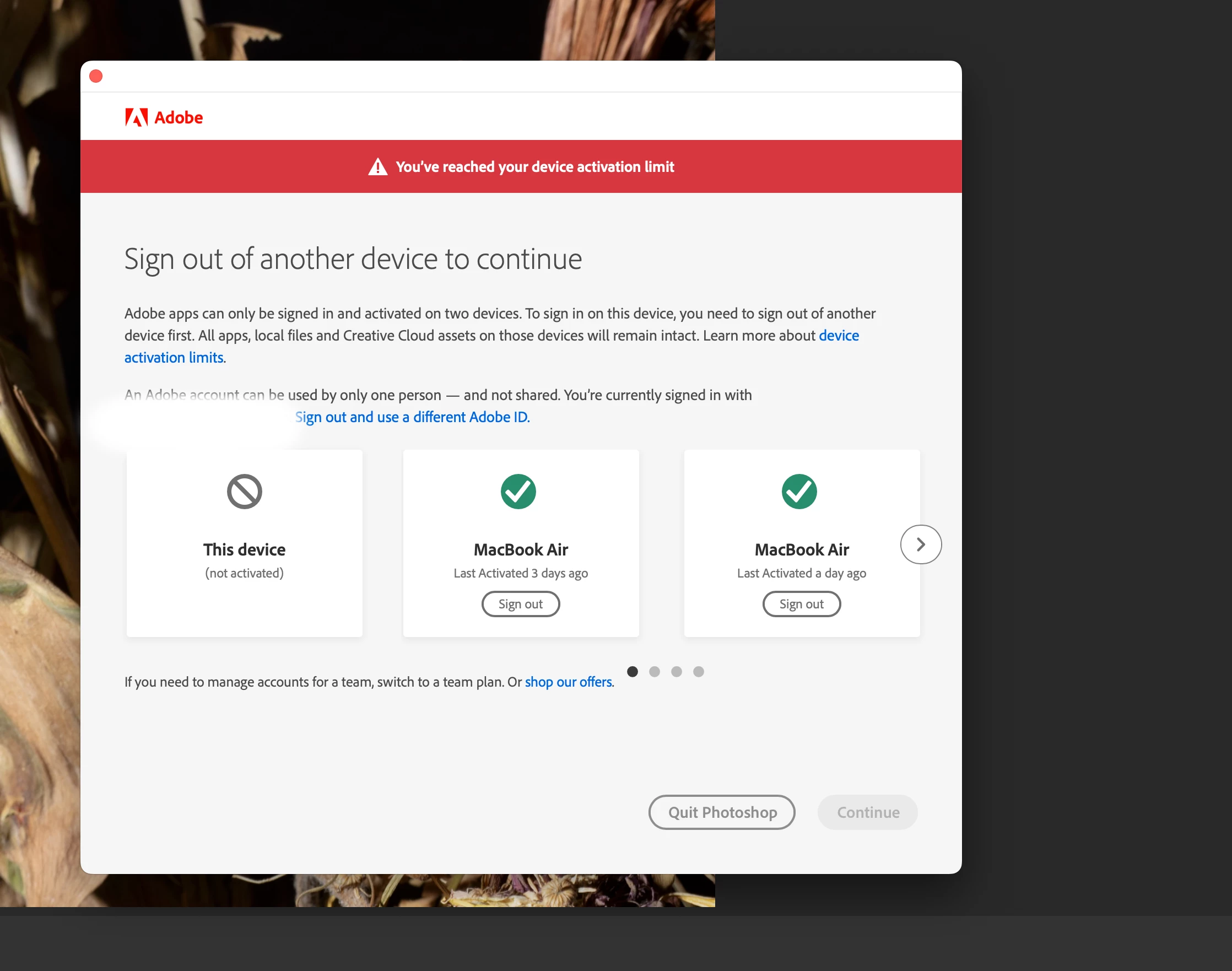
20 year user, never seen this till last night:  Is this new?  I'm on desktop imac,   why does it show two macbook airs I only have one?  I signed out of one, then ok. I'm posting cuase it keeps coming back, so need help. Thanks!


Correct answer Sameer K

Hey, @10295839. Welcome to the Photoshop Community. I've checked your account & you have an active subscription.


The first thing you can try to update the subscription info in Photoshop is to Sign out of the Creative Cloud app & sign in again.


If this does not work, try this:

  • Press CMD + OPT + T (macOS) to launch Creative Cloud Troubleshooter in the Creative Cloud app. Select 'Close Creative Cloud and related processes' > click on Go.
  • Go to Activity Monitor and force stop any other Adobe-related processes. The process called 'Adobe IPC Broker' must be closed after all the other tasks are closed.
  • Now use Spotlight Search & search for Keychain on the macOS.
  • Clear out any certificates & signatures for Adobe. 
  • Restart the Mac machine. 
  • Sign in to the Creative Cloud desktop app again.


Let me know how it goes. Thanks!

Sameer K

(Type '@' and type my name to mention me when you reply)

1 reply

Sameer K
Community Manager
Sameer KCommunity ManagerCorrect answer
Community Manager
April 1, 2025

Hey, @10295839. Welcome to the Photoshop Community. I've checked your account & you have an active subscription.


The first thing you can try to update the subscription info in Photoshop is to Sign out of the Creative Cloud app & sign in again.


If this does not work, try this:

  • Press CMD + OPT + T (macOS) to launch Creative Cloud Troubleshooter in the Creative Cloud app. Select 'Close Creative Cloud and related processes' > click on Go.
  • Go to Activity Monitor and force stop any other Adobe-related processes. The process called 'Adobe IPC Broker' must be closed after all the other tasks are closed.
  • Now use Spotlight Search & search for Keychain on the macOS.
  • Clear out any certificates & signatures for Adobe. 
  • Restart the Mac machine. 
  • Sign in to the Creative Cloud desktop app again.


Let me know how it goes. Thanks!

Sameer K

(Type '@' and type my name to mention me when you reply)

larry45Author
Inspiring
April 1, 2025

Sameer, thanks,  well today no issue, I'll hold onto notes, lot of troubleshooting. let see if contineus. Any other ideas welcome. When did this stuff start?