MahaB82A
March 1, 2023
解決済み

Size of the Painting

  • March 1, 2023
  • 返信数 4.
  • 1795 ビュー

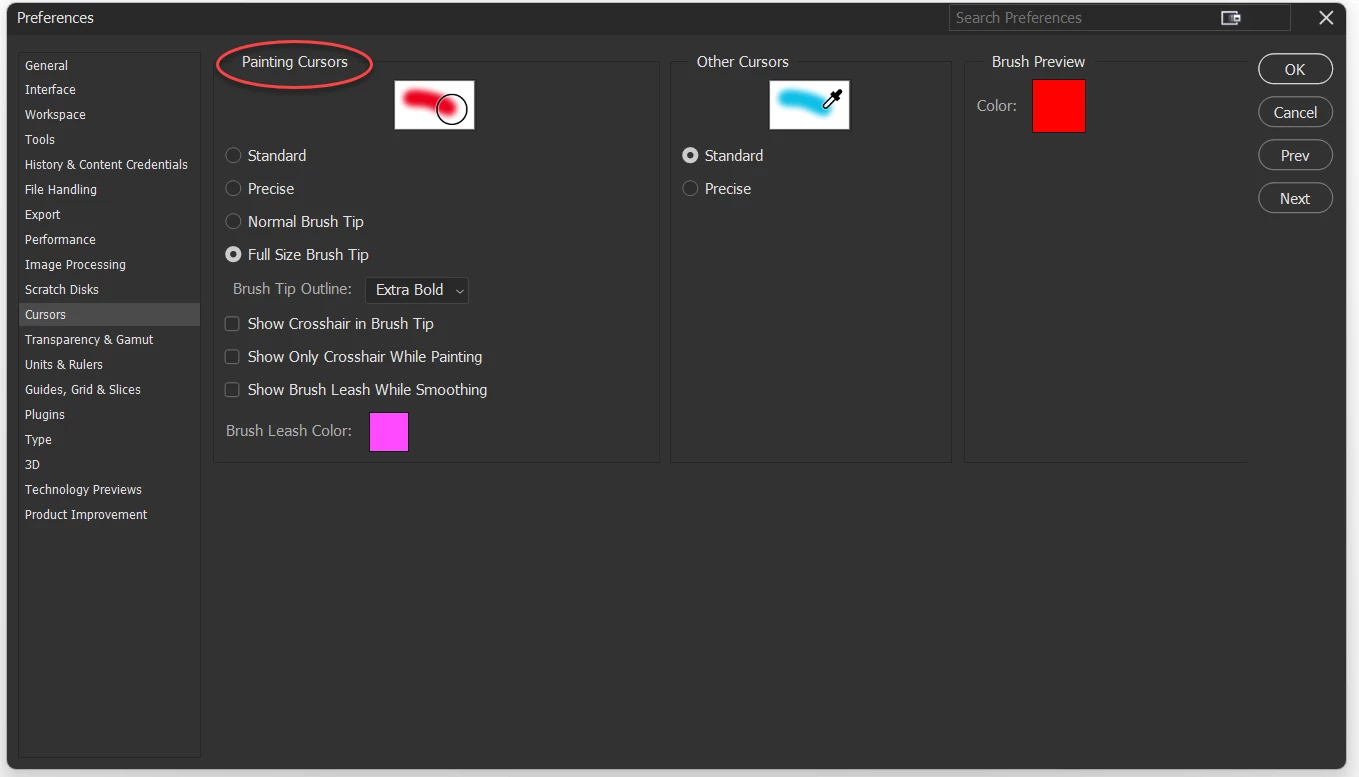
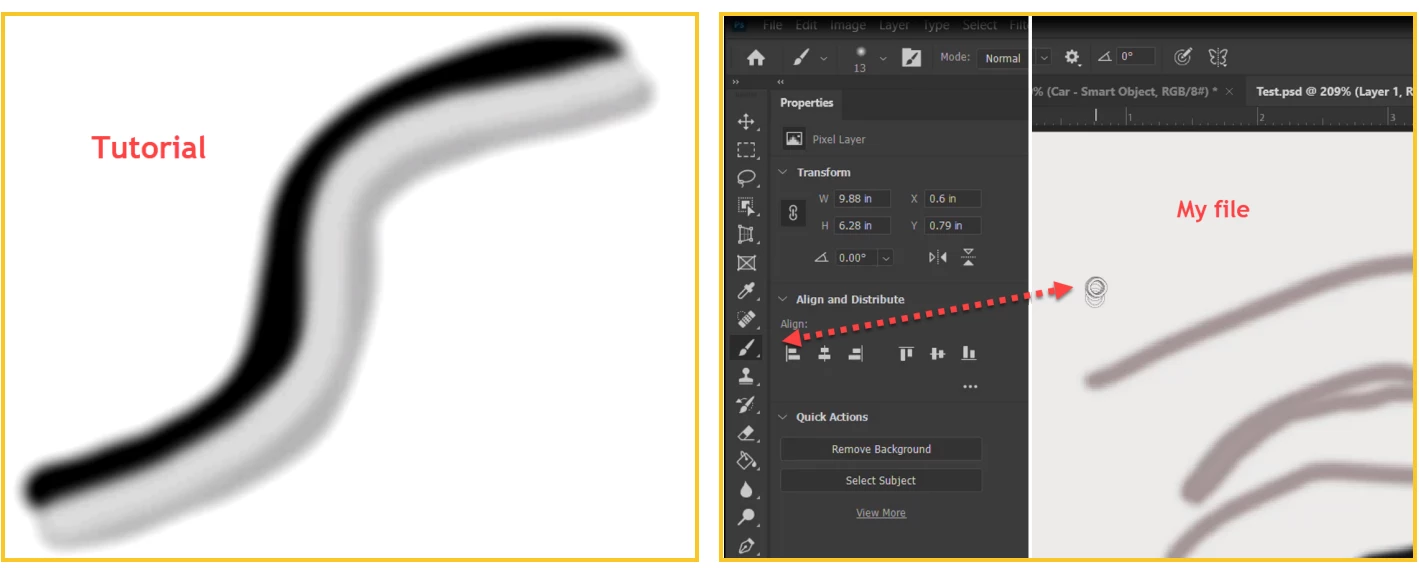
There is a way to increase the brush tool cursor size. Is there any way to increase the size of the painting? I mean more thickness. Because in the tutorial it is more thick.


解決に役立った回答 Kevin Stohlmeyer

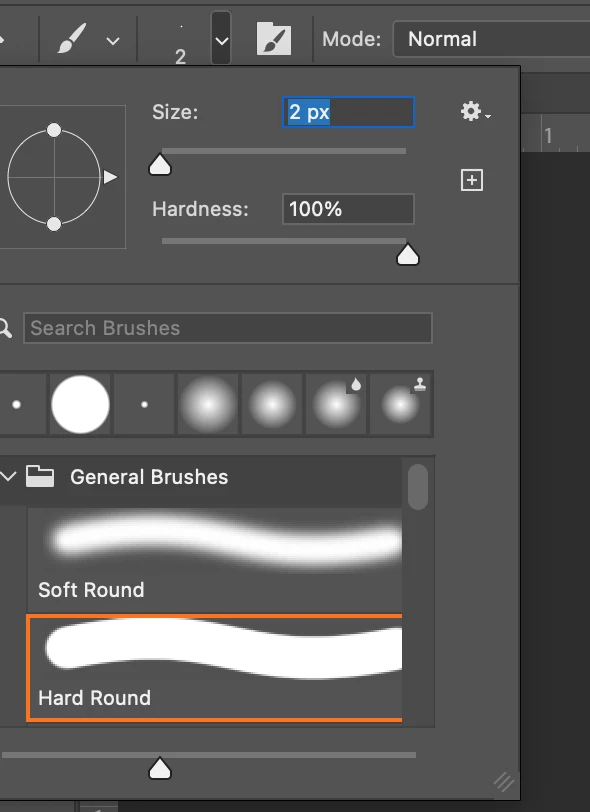
Hi @MahaB82A you can change the brush size using the drop down at the top of your screen when using the brush tool:
 

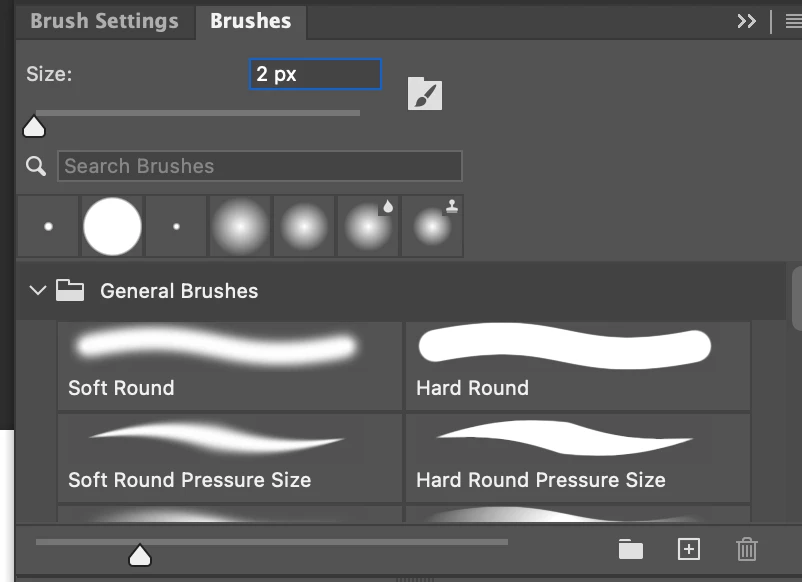
Or by using the Brush Panel:
This page may help explain brush controls in more detail for you:

https://helpx.adobe.com/photoshop/how-to/photoshop-brushes-intro.html


返信数 4

Participant
February 11, 2025

Yes, you can increase the brush thickness by adjusting the brush settings, such as size, opacity, and pressure sensitivity, depending on the software you're using. In achieving thicker strokes can be done using broader brushes or applying more pressure while painting.

Participant
November 27, 2023


Certainly! To increase the thickness of your painting strokes, you can adjust the brush size in the software. Locate the brush size or thickness settings, usually found in the toolbar or brush options. Increase the size to achieve a thicker stroke. Additionally, explore any pressure or opacity settings that might impact the stroke appearance. Refer to the tutorial for specific guidance on adjusting brush settings for the desired thickness. Experimenting with these settings will give you the flexibility to create bolder and more impactful paintings. Happy creating!  


Michael Bullo
Community Expert
Community Expert
March 1, 2023

Could you please explain in more detail the problem you are trying to fix?

MahaB82A
MahaB82A作成者
March 1, 2023

[1]

I want to change the thickness size of my painting.

Kevin Stohlmeyer
Community Expert
Community Expert
March 2, 2023

Hi @MahaB82A did you try to adjust the brush sizes as shown? 

Kevin Stohlmeyer
Community Expert
Community Expert
March 1, 2023

Hi @MahaB82A you can change the brush size using the drop down at the top of your screen when using the brush tool:


Or by using the Brush Panel:

This page may help explain brush controls in more detail for you:

https://helpx.adobe.com/photoshop/how-to/photoshop-brushes-intro.html


MahaB82A
MahaB82A作成者
March 2, 2023

Thanks for the help.


Above post number [1] is, I simplified my original post to explain Michael Bullo.
