
Participant
February 20, 2021
質問

Smart Filters freeze up my Photoshop 22.2.0 on Mac Big Sur 11.2.1

  • February 20, 2021
  • 返信数 2.
  • 992 ビュー

Every time I convert to a smart filter then try to use them (specifically Camera Raw and Portraiture), Photoshop freezes with the progress bar. I then have to force quit and restart. Photoshop has now become unusable. It used to be sporadic, but now it happens everytime I open the program.
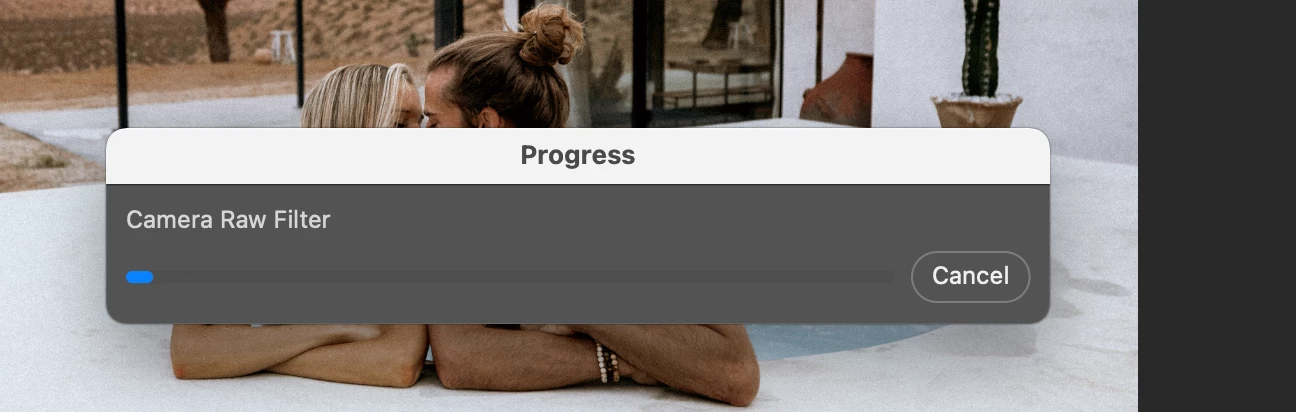


I was using Camera Raw 13, but switched back to 12.4 in hopes of a better flow. This did not work.


I unchecked the box for 'Use Graphics Processor' and restarted the computer multiple times. This did not work. 


I have offloaded Portraiture (the only plug in I have) and the program is still freezing. 


Any other ideas? 


I am on a 2019 Macbook Pro 15" 2018

Processor: 2.6 ghz 6 core intel core i7

Memory 16 GB 2400mhzddr4

Startup disk is Mac HD 

Graphics - Radeon Pro 560x 4GB 

Big sur 11.2.1 

このトピックへの返信は締め切られました。

返信数 2

alxb49009547
Known Participant
March 25, 2023

Has anyone found the cause for this? I've been having this problem for years now, regardless of PS version. I can only use smart filters if i copy the smart filter from some downloaded file. This is really frustrating!

c.pfaffenbichler
Community Expert
Community Expert
March 25, 2023

All Smart Filters or just Camera Raw Filter? 

What have you done for trouble-shooting so far? 


Please read this (in particular the section titled "Supply pertinent information for more timely and effective answers”):

https://community.adobe.com/t5/using-the-community/community-how-to-guide-tips-amp-best-practices/td-p/11601738?page=1

alxb49009547
Known Participant
March 29, 2023

It only happens if i try using the Camera Raw filter on a smart object. All other filters work fine with it.


The strange thing is that when it gets stuck on that loading dialog box, clicking it makes a beep sound like when there's an active dialog box open somewhere and you're trying to click elsewhere. But there is no other window anywhere. And, of course, trying to click that Cancel button doesn't work, it makes the same beep sound.


It's probably worth mentioning that PS doesn't technically freeze, Mac Activity Monitor doesn't show it as unresponsive, but since that progress bar doesn't move and all PS windows, although movable, are unclickable, i have to force quit PS every time.


I've already tried your suggestion, unchecking Use Graphics Processor. And over there years, i've gone through many PS versions and even several clean installs, yet the problem was always there.


My PS version is 24.0.0, Camera Raw v15, and i'm on an iMac Retina 21.5", 2017,

Processor: 3.6 GHz Quad-Core Intel Core i7

Memory: 16 GB 2400 MHz DDR4

Graphics: Radeon Pro 560 4 GB


c.pfaffenbichler
Community Expert
Community Expert
February 21, 2021

What have you done for all-purpose trouble-shooting so far?

Restoring Preferences after making sure all customized presets like Actions, Patterns, Brushes etc. have been saved might be a good starting point:

https://helpx.adobe.com/photoshop/kb/basic-trouble-shooting-steps.html

EscapeArtist作成者
Participant
February 25, 2021

I ran first aid on my system drive and there were no issues found. I reinstalled Portraiture with the newest version. I have over 150 GB available on my scratch disk. I unchecked 'export clipboard' in the General tab. In the Performance tab I reduced the memory usage to 50%, set history states to 20 and cahche level to 2. I shut down my computer every night. 


I restored preferences and it was working well for 2 Photoshop sessions. Then it has crashed everyday for the last 4 days. 

This is really quite frustrating and am feeling at a complete loss of how to proceed. Sometimes it's freezing with the very first smart filter, other times it is after hours of editing and several smart filters in. I don't run any other programs during this except for Lightroom. 


Any other ideas? 

c.pfaffenbichler
Community Expert
Community Expert
February 25, 2021

What is the ACR version? 

Have you tried Photoshop >  Preferences > Camera Raw > Performance > Use Graphics Processor > None and restarting Photoshop?