
Smart Object changes scale unexpectedly when replacing artwork
Hi,
My name is Carolina, and I work with Photoshop mockups for fabric and apparel printing.
I am experiencing an issue that I have not been able to find clearly documented, so I decided to open this topic. Due to a high volume of files, our workflow relies heavily on Photoshop Smart Objects to standardize and automate artwork placement across multiple mockups and artboards.
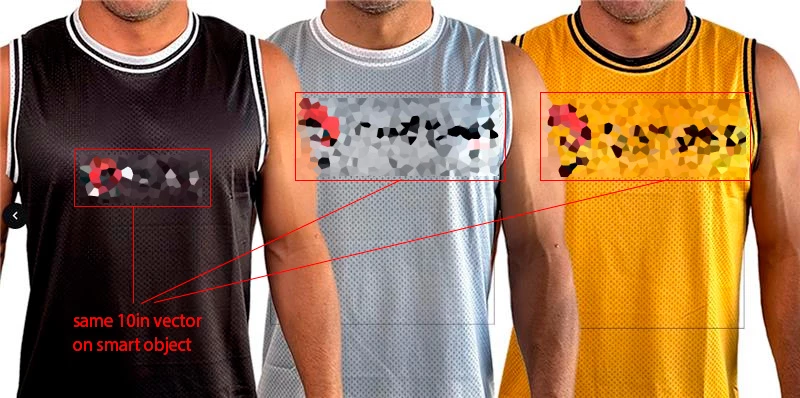
The problem is that, occasionally, when replacing the artwork inside a Smart Object, the object automatically changes scale, even though the same source files, Smart Object structure, and alignment rules are being used. This does not happen in all mockups, only in some of them, which makes the behavior inconsistent and difficult to predict.
For example, using the same PSD mockup and the same Smart Object, a placeholder vector with a fixed size (10 inches) aligns correctly in most garments. However, when replacing it with the final logo, which is also vector based, the resulting scale appears significantly larger in certain mockups, breaking visual consistency across the set.
The Smart Object structure includes reference and margin shapes, some of them invisible, which are required for alignment and cannot be removed. These reference objects seem to affect the bounding box calculation and may be influencing how Photoshop recalculates scale when the Smart Object is updated. Even when the replacement artwork maintains the same dimensions, the final rendered size is not always consistent.
We first noticed this behavior around mid December 2025, approximately December 18. The workflow was previously stable, and no changes were made to the source files at that time, which makes me wonder whether this could be related to a recent Photoshop update or internal change.
Manually resizing each file is not a viable solution, as Smart Objects work correctly in most cases and are essential for this automated workflow across dozens of files.
Has anyone experienced similar Smart Object scaling inconsistencies in Photoshop, or knows how to prevent Photoshop from recalculating scale when replacing artwork inside Smart Objects?
Thank you in advance.


 AdChoices