
Participant
February 19, 2025
Question

Soft Brush Extends Beyond Cursor Outline – How to Fix?

  • February 19, 2025
  • 1 reply
  • 142 views

We recently upgraded to modern photoshop but I am having a problem with how the brushes are working.


I want to create a gradient with more opacity in the center graduating to low opacity at the bounds of the brush.


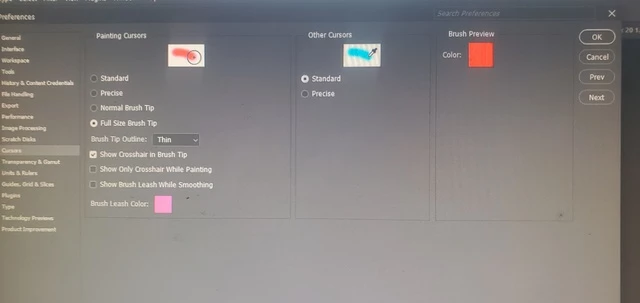
However, when I choose a soft general brush and set the hardness to 0%, opacity to 100%, and flow to 100% with the cursor set to "Normal Brush Tip" in preferences I get the following result which shows the resulting color extending beyond the brush outline. This gets progressively worse if I continue to click in the same spot.
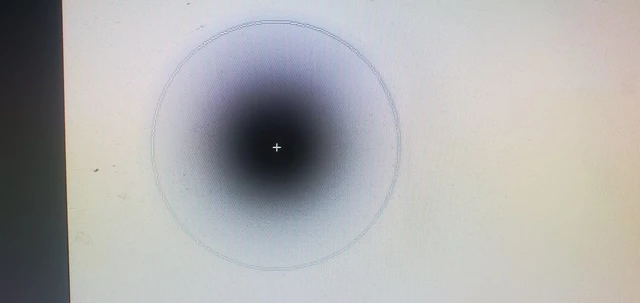
 

*Single Click*
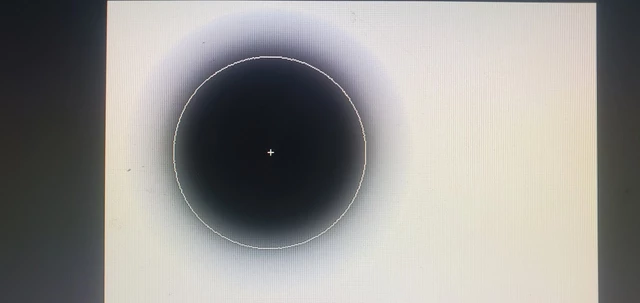
 

*Multiple Clicks*


When I change the cursor to "Full Size Brush Tip" the resultant color gradient is too far within the bounds of the brush outline. When I click multiple times in the same spot it remains far beyond the bounds of the brush outline.
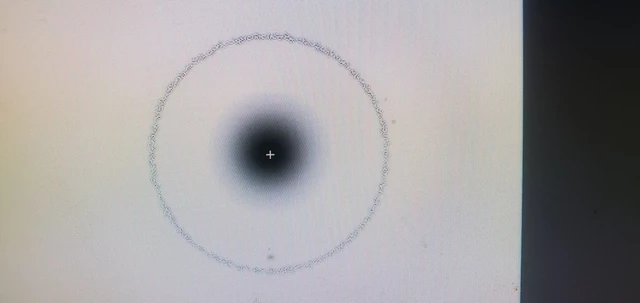
 

*Single Click* 
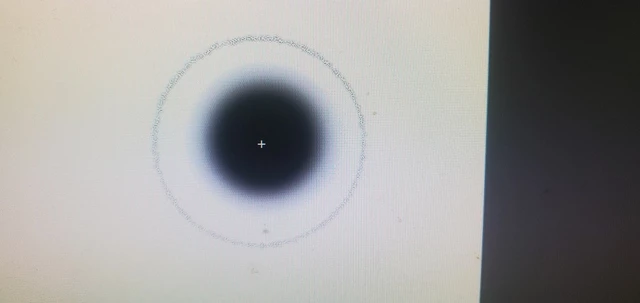
*Multiple Clicks*


Ultimately I am using the stamp tool, and these brush behavior inhibits my accuracy.

What can I do to create a soft gradient brush that actually goes right to the edge of the circular brush outline boundaries?


Check out the youtube video I also made illustrating this behavior.
https://youtu.be/lWELJolh8Us


1 reply

Community Expert
February 20, 2025

From what it sounds like, you're trying to explain that you want it to be more accurate—matching about 10% of the actual gradient. When I saw you click with the full cursor, it did seem to change. You could sample the color and see that your circle is actually only at 1% of the actual pixel change. It doesn't appear to be a true edge cursor to the eye, but the actual pixel change on your screen should show a 1% difference. I recommend that if you're trying to brush something and you're not getting quite the edge you're looking for, use the full cursor but adjust it so that your gradient drop-off is slightly different from the actual edge of your cursor. beyond 20-25% you may not see a change with the nakid eye also because your monitor can not display the true edge. Just like a selection below 50% photoshop has no way to display that.


If I change my gamma, I see that the brush aligns with its full edge, which is why you see a pixelated edge.

Illustrator is open almost 24/7 and just about the same for Bridge and Photoshop