


Participant
March 14, 2023
Answered

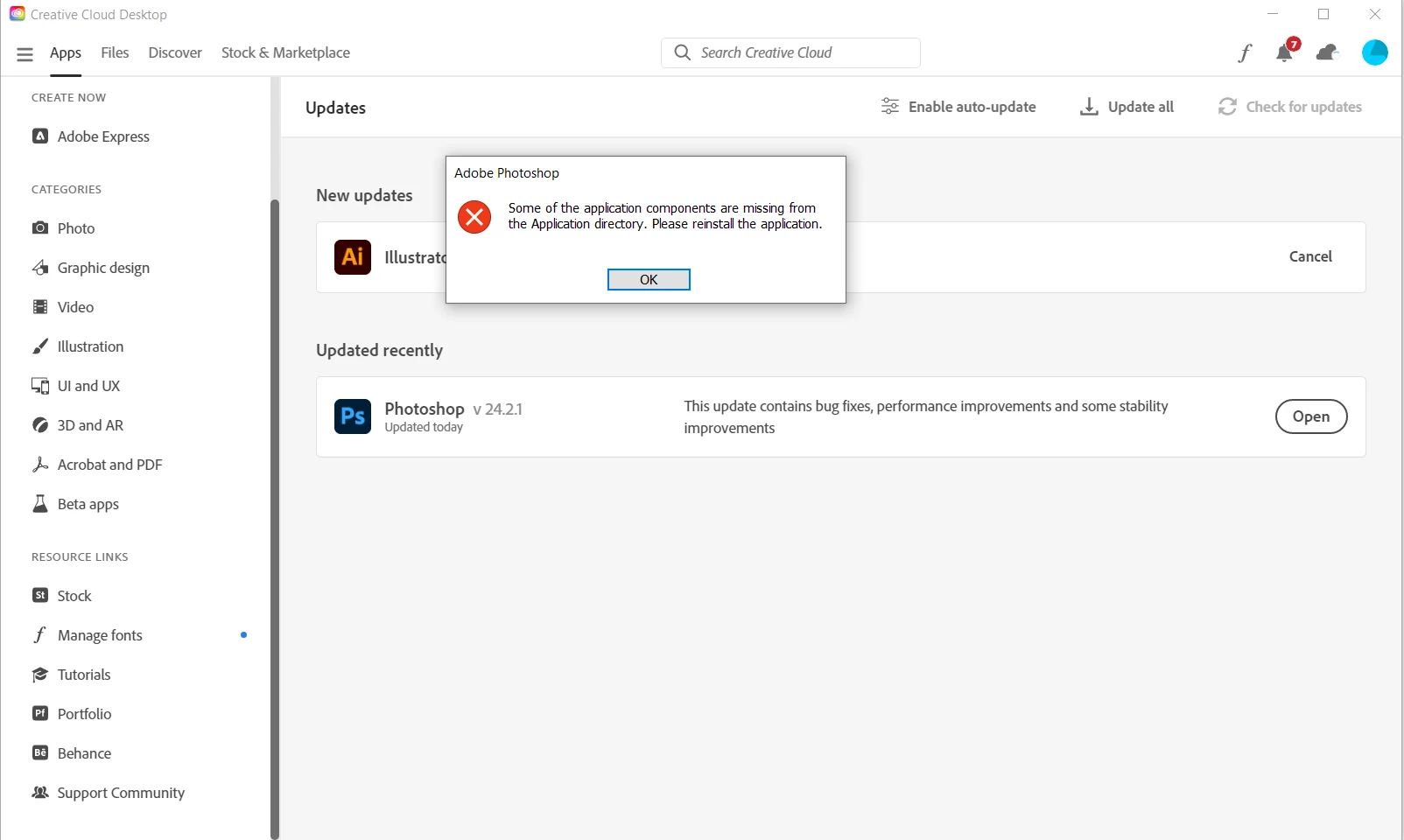
Some of the applications components are missing from the Application directory. Please reinstall...

  • March 14, 2023
  • 25 replies
  • 33379 views

Hello,


I wouldn't be posting another post about this issue, but everything I have tried so far, nothing worked. I still get the same error message. I am hoping there is an easy fix.


It works on my laptop, but not on my PC, which runs on Windows 10.


I tried reinstalling and removing everything connected to photoshop several times and in different ways. Nothing works.


Best,

Luka


Correct answer Vaishagh5FDE

Please change the Install language to English on the Creative cloud > Preferences. 

Reinstall the Photoshop and reset the preferences of the Photoshop from the location mentioned below. 
C:\Users\user name\AppData\Roaming\Adobe\Adobe Photoshop 2024\Photoshop 2024 settings to Photoshop 2024 settings.old

25 replies

Participant
March 16, 2023

Dear community,


I have freshly installed Photoshop 24.2.1 from the creative cloud platform on Windows 11 Pro.


The following message is shown: Some of the application components are missing from the Application directory. Please reinstall the application.


Uppon clicking OK nothing happens. I tried reinstalling the same version and also older ones. Restarted the computer between. The problem is the same every time.


Is anyone able to provide a solution?


Ged_Traynor
Community Expert
Community Expert
March 16, 2023
Kevin Stohlmeyer
Community Expert
Community Expert
March 15, 2023

Hi @lukad39284110 are you installing on the local C: Drive (same as the OS system folders)?

CShubert
Legend
March 15, 2023

Thank you for the update @lukad39284110 


Let's make sure we're in a default state and there are no stale settings somewhere: 

Restore your preferences using this manual method:  

https://helpx.adobe.com/photoshop/using/preferences.html#Manually 

Does it work correctly? 

If that doesn't solve it, you can quit Photoshop and put the Settings folder back. 


It may help if we could see your Photoshop System Info. Launch Photoshop, and select Help >System Info...and copy/paste the text in a reply.  

Participant
September 27, 2023

Has anyone found a fix for this? I just started having this problem after installing Photoshop 2024 on a Mac running Ventura. I manually removed preferences, uninstalled 2024, installed an older version and get the same message. Additionally, I removed Photoshop Beta. I still get Beta as a choice of opening pdf or png files when I right click them to select for opening app.

Participant
March 15, 2023

Hi @CShubert 


I tried several older version and the result is still the same, unfortunately.

CShubert
Legend
March 14, 2023

Hi @lukad39284110 sorry to hear this. Curious if you have tried Ps 24.2.1 and if you are getting the same error?


Are you able to rollback to a previous version of Ps?

https://helpx.adobe.com/download-install/using/install-previous-version.html