


Participant
October 7, 2024
Answered

Split to layers photoshop script not working

  • October 7, 2024
  • 2 replies
  • 1160 views

Hey guys, was wondering if y'all could tell me what I'm doing wrong here. 

I'm trying to use this photoshop script: https://github.com/ES-Collection/Photoshop-Scripts/blob/master/Split%202%20Layers.jsx to put all my individual selections on their own layers. 


I've attached pics of what's going on. It splits it into a bunch of empty layers, like over 100, insead of just putting the 6 selections onto their own layers. I've tried with multiple pixel variations in the opening question box.

This topic has been closed for replies.
Correct answer Stephen Marsh
quote

it does the same thing when only using 1 transparent layer


By @Yosa5EA2


You have a rasterized PDF.


Was this a "generic PDF" where you rasterized the page?


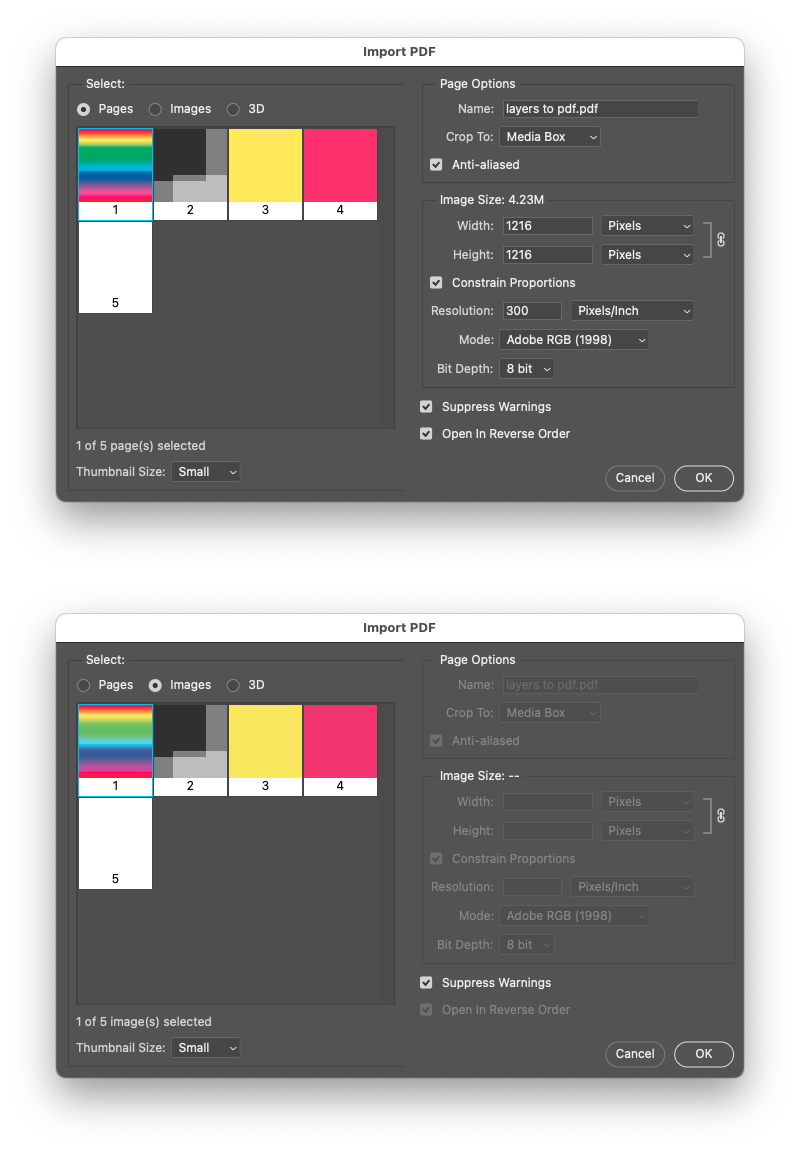
You can import a PDF as either a "page" or as separate "images" into Photoshop:


Otherwise you could try a script that I created to do similar things for coin scans, it relies on the Select > Select Subject command to isolate each individual image:


https://community.adobe.com/t5/photoshop-ecosystem-discussions/how-do-i-seperate-subjects-into-different-seperate-files-automatically/td-p/14449644


2 replies

Yosa5EA2Author
Participant
October 8, 2024
screen_recordimg_issue_.mov
Stephen Marsh
Community Expert
Community Expert
October 8, 2024
quote

I've tried with multiple pixel variations in the opening question box.

By @Yosa5EA2


It is expected that there is only a single transparent layer. Your screenshot shows multiple layers.

Yosa5EA2Author
Participant
October 8, 2024

it does the same thing when only using 1 transparent layer


Stephen Marsh
Community Expert
Stephen MarshCommunity ExpertCorrect answer
Community Expert
October 9, 2024
quote

it does the same thing when only using 1 transparent layer


By @Yosa5EA2


You have a rasterized PDF.


Was this a "generic PDF" where you rasterized the page?


You can import a PDF as either a "page" or as separate "images" into Photoshop:


Otherwise you could try a script that I created to do similar things for coin scans, it relies on the Select > Select Subject command to isolate each individual image:


https://community.adobe.com/t5/photoshop-ecosystem-discussions/how-do-i-seperate-subjects-into-different-seperate-files-automatically/td-p/14449644