
Legend
December 27, 2017
Answered

Starts Window-Essentials

  • December 27, 2017
  • 2 replies
  • 346 views

Hello Everyone.

I am running the Latest Photoshop of creative Clouds. When I open Photoshop I want to get my Original Essentials Window. I did go to Window-Workplace, and I changed It. But, every time I open the Photoshop, It still shows the new window with Recent files on top.

Thanks.
    This topic has been closed for replies.
    Correct answer Rob de Winter

    Hey!

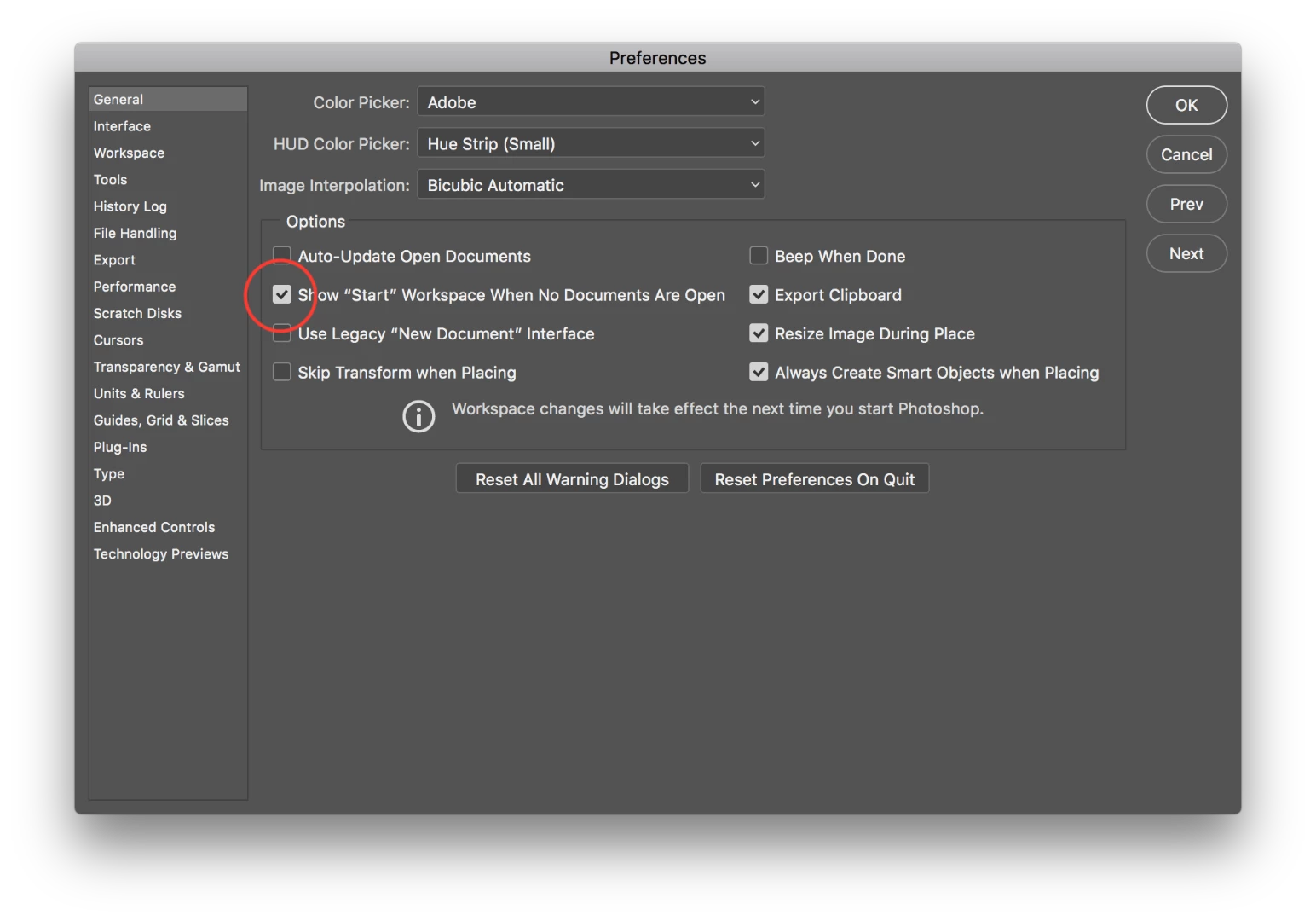
    You can undo this by going to the Photoshop Preferences General Tab (on Mac, go to Photoshop > Preferences > General; on Windows, go to Edit > Preferences > General).

    Then, uncheck the "Show "Start" Workspace When No Documents Are Open" checkbox.

    I hope this works for you.

    2 replies

    Legend
    December 28, 2017

    Dear Rob the winter

    Thank you very much. Its working OK .

    Rob de WinterCommunity ExpertCorrect answer
    Community Expert
    December 27, 2017

    Hey!

    You can undo this by going to the Photoshop Preferences General Tab (on Mac, go to Photoshop > Preferences > General; on Windows, go to Edit > Preferences > General).

    Then, uncheck the "Show "Start" Workspace When No Documents Are Open" checkbox.

    I hope this works for you.