Known Participant
June 17, 2025
Answered

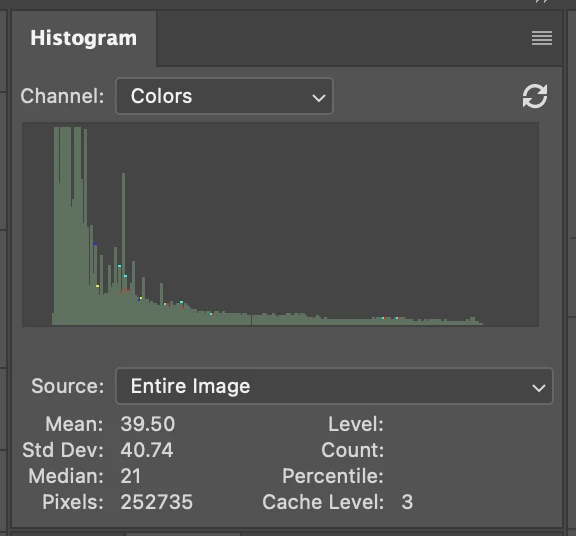
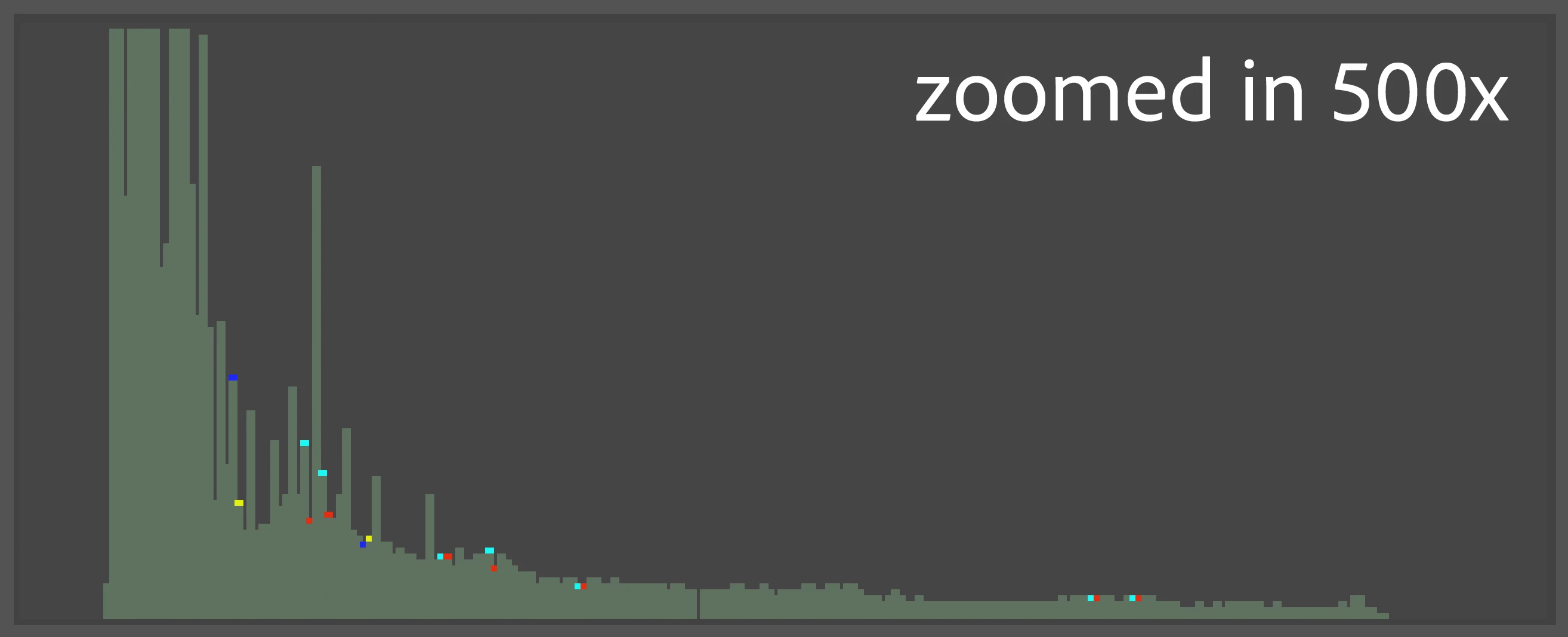
Strange dots in the histogram

  • June 17, 2025
  • 1 reply
  • 145 views

What are they? 


It's a black and white photo, downloaded from social network.

So perhaps something to do with JPEG artifects invisible to my eyes?

They do disappear when I desaturate the photo.


But is there a more detailed/technical explanation?


Photoshop 26.7.0

M4 Max Mac Studio

Correct answer davescm

A black and white photo downloaded from social media will normally be in an RGB color space (usually sRGB) and will normally be 8 bits per channel. Those dots just show values where R ≠ G ≠ B in the image which could happen due to values being rounded in 8 bit if the image has previously been converted from 16 bit or had its profile changed.  If R=G=B then you would not see them.
Dave

1 reply

davescm
Community Expert
davescmCommunity ExpertCorrect answer
Community Expert
June 17, 2025

A black and white photo downloaded from social media will normally be in an RGB color space (usually sRGB) and will normally be 8 bits per channel. Those dots just show values where R ≠ G ≠ B in the image which could happen due to values being rounded in 8 bit if the image has previously been converted from 16 bit or had its profile changed.  If R=G=B then you would not see them.
Dave