
Answered
Strange glitch on file - What happened?
After a few days without opening Photoshop, I opened it today and found my file like this. Some layers have this glitch and are uneditable. The background was supposed to be clean, not like this (it seems like the used fonts created those cutout shapes all over the canvas).
Luckily, the file is just a sketch... but imagine if it were a final version? What happened to this file?
Note: I noticed that other files created around the same time don’t have this issue.
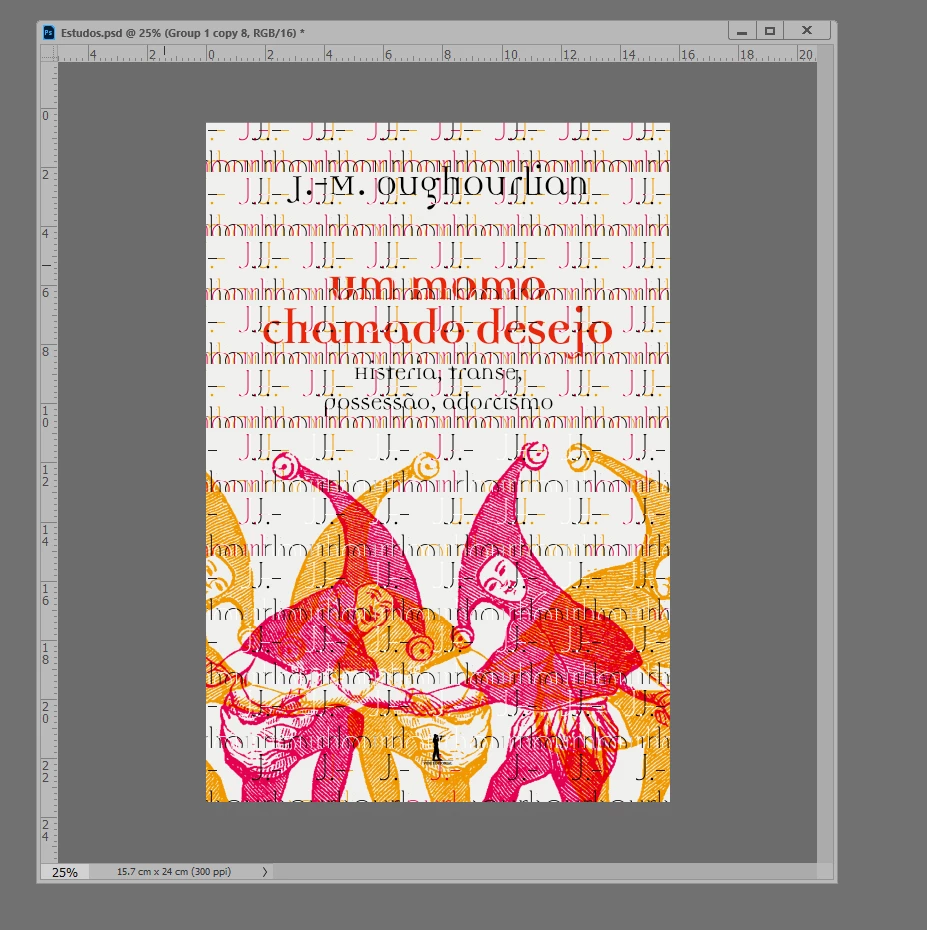
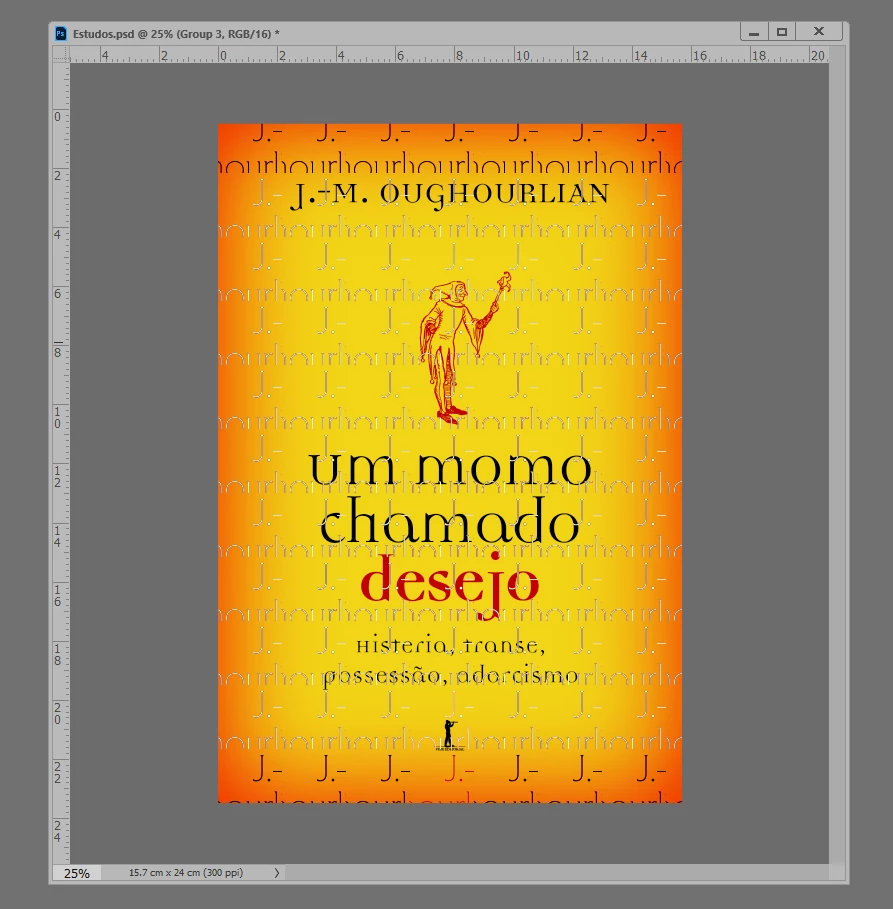
Adobe Photoshop Version: 26.2.0 20241207.r.140 bc85906 x64
Operating System: Windows 10 64-bit
GPUName: NVIDIA GeForce GTX 1650


 AdChoices