


Participant
October 13, 2025
Question

Sublimation Blacks are terrible

  • October 13, 2025
  • 3 replies
  • 97 views

First post, hello

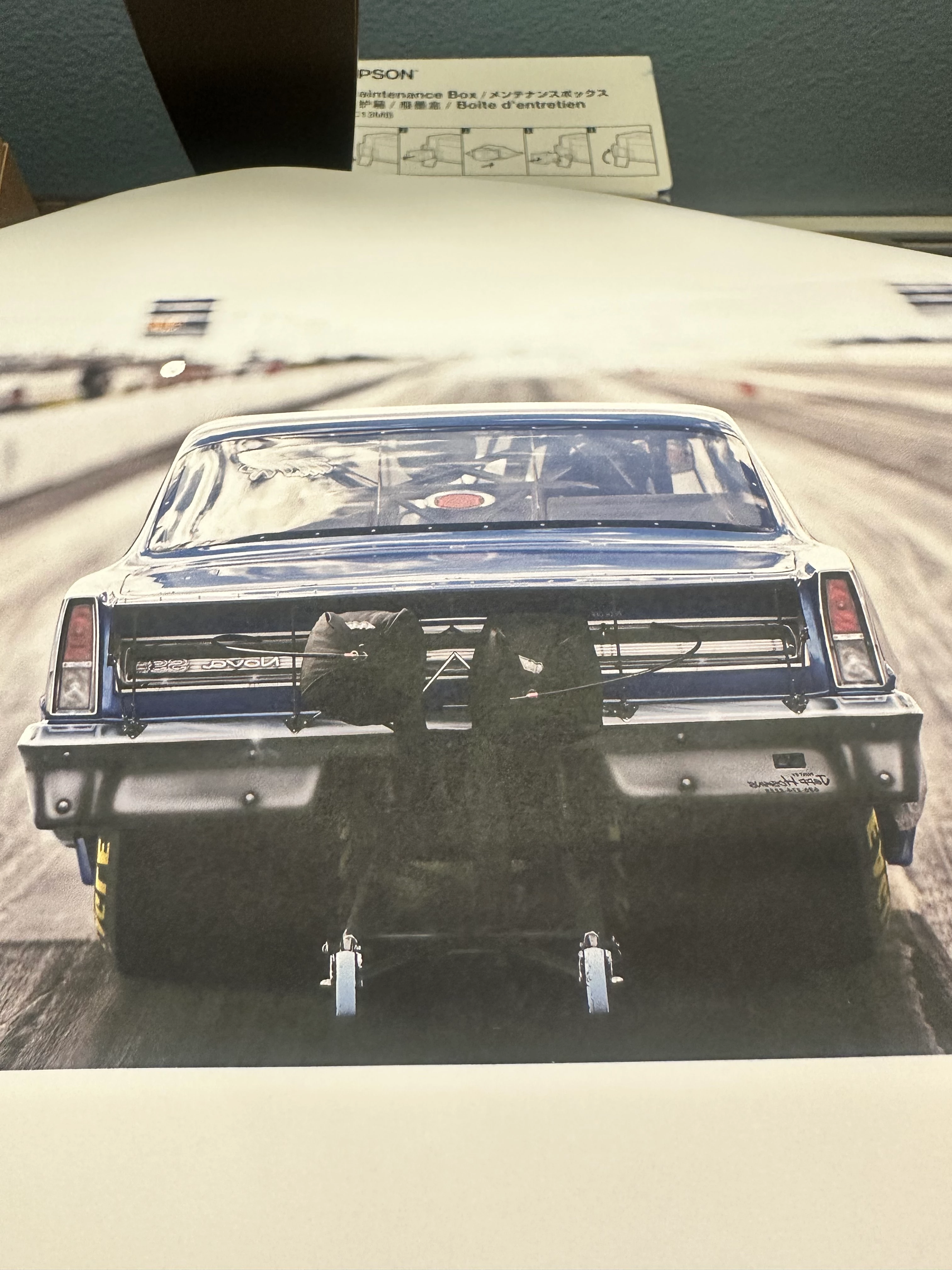
I'm working with photoshop 2025 and an Epson SCF570 pro using photoshop to print and the Epson Scf500 general purpose/rigid to print on Chromaluxe metal....and I'm getting green shadows in the printer prints prior to pressing. Thought on fixes ? The blacks are also grainy and splotchy. Looks terrible to be honest. The included pic you can see the issues at the back of the car. 

Thanks in advance for the help,

Garret


3 replies

NB, colourmanagement
Community Expert
Community Expert
October 22, 2025

@garret27951133i0qh do you have an ICC profile specific to your printer make and model, for the sublimation inks AND the substrate (the Chromaluxe metal) If not it's very probably worth getting in touch with a service who will make one for you. You'll use that ICC profile in the "Photoshop Manages Color" Interface.


I hope this helps

neil barstow colourmanagement - adobe forum volunteer,

colourmanagement consultant & co-author of 'getting colour right'

See my free articles on colourmanagement online

Help others by clicking "Correct Answer" if the question is answered.

Found the answer elsewhere? Share it here. "Upvote" is for useful posts


Srishti Bali
Community Manager
Community Manager
October 22, 2025

Hi @garret27951133i0qh


Thanks for reaching out, and welcome to the community! Sorry to hear about the issues with your sublimation prints. Could you please share a few more details to help us understand better?

  • What color profile and print settings are you using? You can check this by going to File > Print > Expand Color Management. For Color Handling, try selecting Photoshop Manages Colors and see if that improves the output.

  • Have you tried printing from any other application to see if the issue persists?


You can also refer to this guide for more details on printing with color management in Photoshop: https://adobe.ly/49hIMIH


These details will help us determine whether the problem is related to Photoshop’s color management, the printer driver, or the sublimation process itself.


Regards,

Srishti

Stephen Marsh
Community Expert
Community Expert
October 13, 2025

Perhaps start by sharing a screenshot of your Photoshop print dialog colour settings and the Epson printer driver settings.