

"Subtract from selection" is deleting pixels
I seem to have accidentally enabled a feature I've never seen before in my 15+ years of using Photoshop, and I can't seem to find any info online about it other than a seven-year-old post on Reddit with no solution.
After moving a selection in a file (using the Move Tool or using the arrow keys to nudge), the various selection tools then begin to behave differently, allowing me to edit the image itself instead of just the selection. The most glaring issue is that if I try to subtract from the selection, it deletes the pixels I have deselected. I'm sure this is an intentional feature of some sort, but it's not the behavior I'm used to or desire. Not sure how I managed to turn it on, so I'm wondering how to turn it back off.
GIF of the behavior I am describing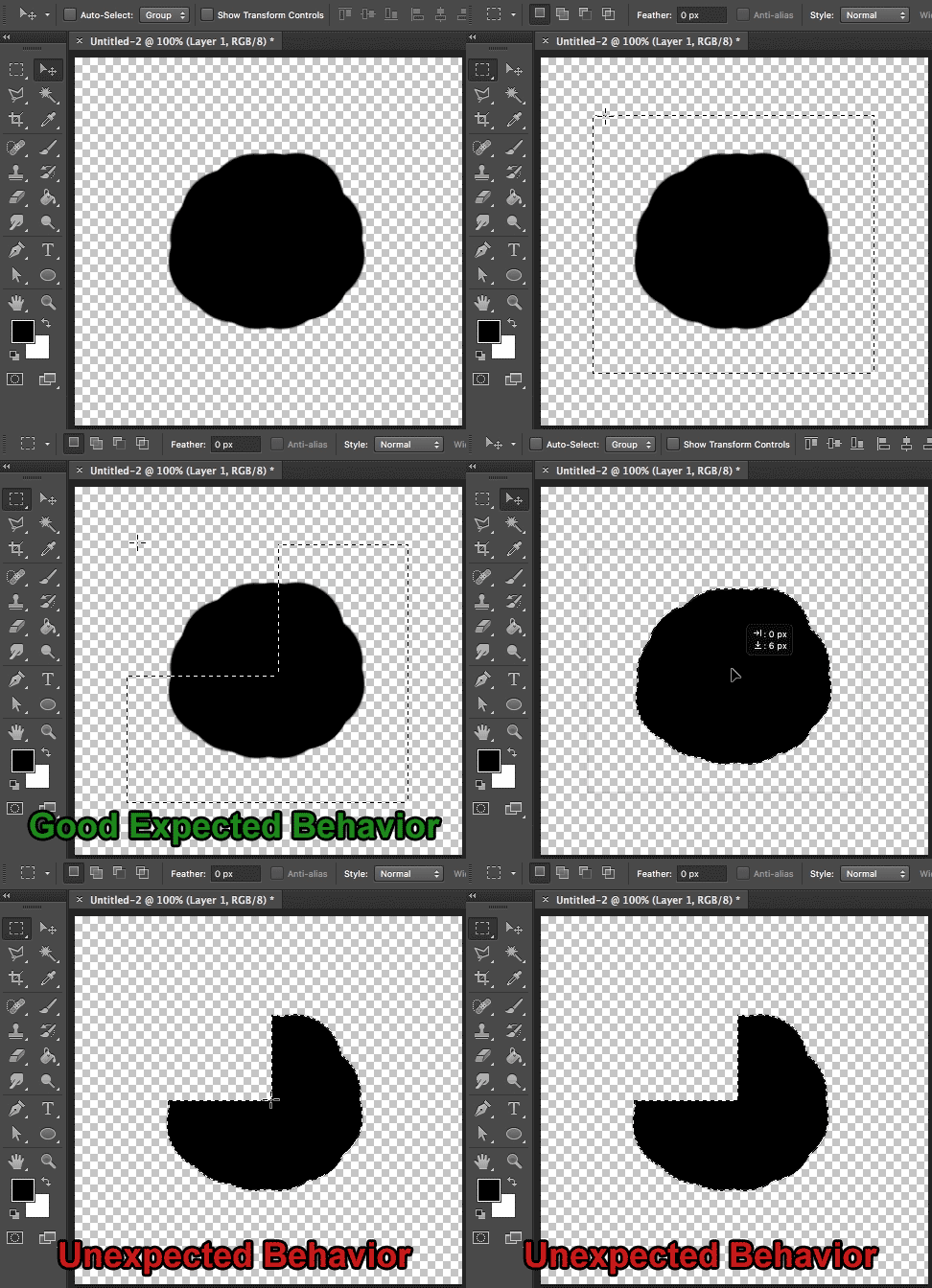
This is driving me a bit nuts, so any help is much appreciated.
 AdChoices